Examining the protocol’s architecture, performance, and trade-offs for working engineers
Repository: Is WireGuard One of the Best Open Source VPN? · Primary language: Unknown · Size: 0 files / 0 LOC
You are evaluating VPN options for a new project, and the marketing noise makes it hard to separate substance from hype. Every blog post claims WireGuard is the fastest, most secure choice, but you need to know whether it fits your specific constraints: legacy device support, NAT traversal, or advanced filtering. The stakes are concrete—a bad VPN leaks traffic, adds latency, or introduces vulnerabilities that are hard to audit.
WireGuard is a modern, open-source VPN protocol designed for simplicity and speed. Its kernel module handles packet encapsulation and encryption in kernel space, avoiding the context switches that slow down user-space implementations like OpenVPN. The codebase is roughly 4,000 lines, compared to OpenVPN’s 100,000+, which makes it far easier to audit. It uses ChaCha20 for encryption, Poly1305 for authentication, and Curve25519 for key exchange, all modern primitives with strong track records.
By the end of this deep dive, you will understand WireGuard’s architecture, its performance characteristics, and the trade-offs that make it excellent for some scenarios but a poor fit for others. You will know when to choose it over OpenVPN or IPsec, and when a managed solution like Tailscale might be the better call.
What WireGuard Is (and Isn’t)
WireGuard is a modern, open-source VPN protocol engineered for simplicity, speed, and strong cryptography. It operates as a kernel module, handling packet encapsulation and encryption in kernel space rather than user space, which eliminates context switches and delivers higher throughput with lower latency. The protocol uses the Noise framework for key exchange, ChaCha20 for encryption, Poly1305 for authentication, and Curve25519 for key agreement—a modern cryptographic stack that is both fast on current hardware and well-audited.
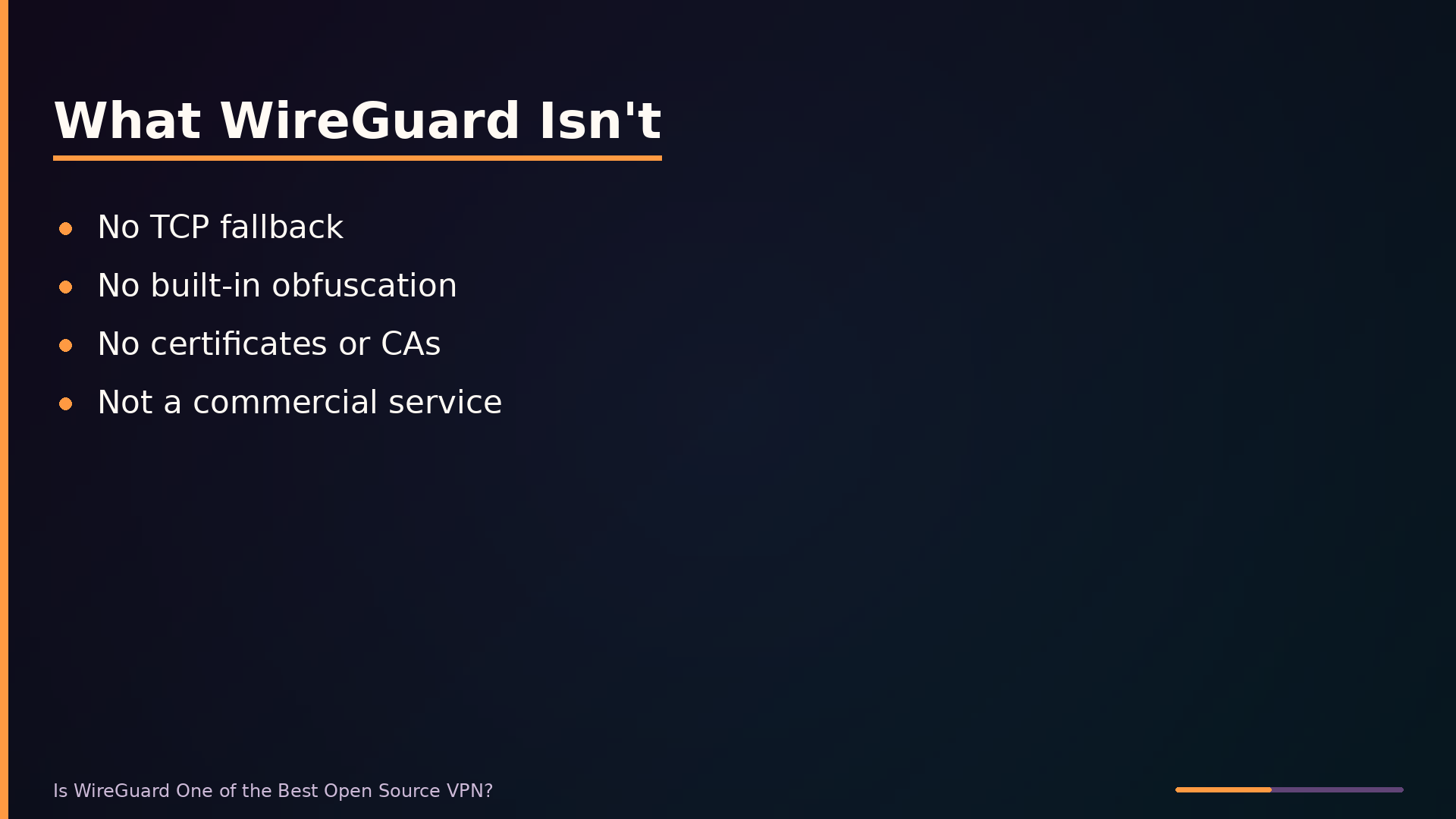
WireGuard is not a full-featured VPN suite. Unlike OpenVPN, it offers no TCP fallback, no built-in obfuscation, and no extensive configuration options. It is also not a commercial service with user-friendly apps and support; you manage keys and configuration yourself through command-line tools. This minimalism is deliberate: the entire codebase is roughly 4,000 lines, compared to OpenVPN’s 100,000+. Less code means fewer places for bugs to hide and a surface area that security auditors can actually cover exhaustively.
Positionally, WireGuard sits between low-level tunneling protocols like IPsec and higher-level VPN applications like OpenVPN. IPsec is powerful but notoriously complex to configure correctly, with many moving parts and ample room for misconfiguration. OpenVPN offers extensive features and broad compatibility but pays for that flexibility with complexity and slower performance. WireGuard stakes out the middle ground: a minimal, secure foundation that other tools—such as Tailscale—build upon to add convenience features like NAT traversal and centralized coordination.
Architecture: How WireGuard Works Under the Hood
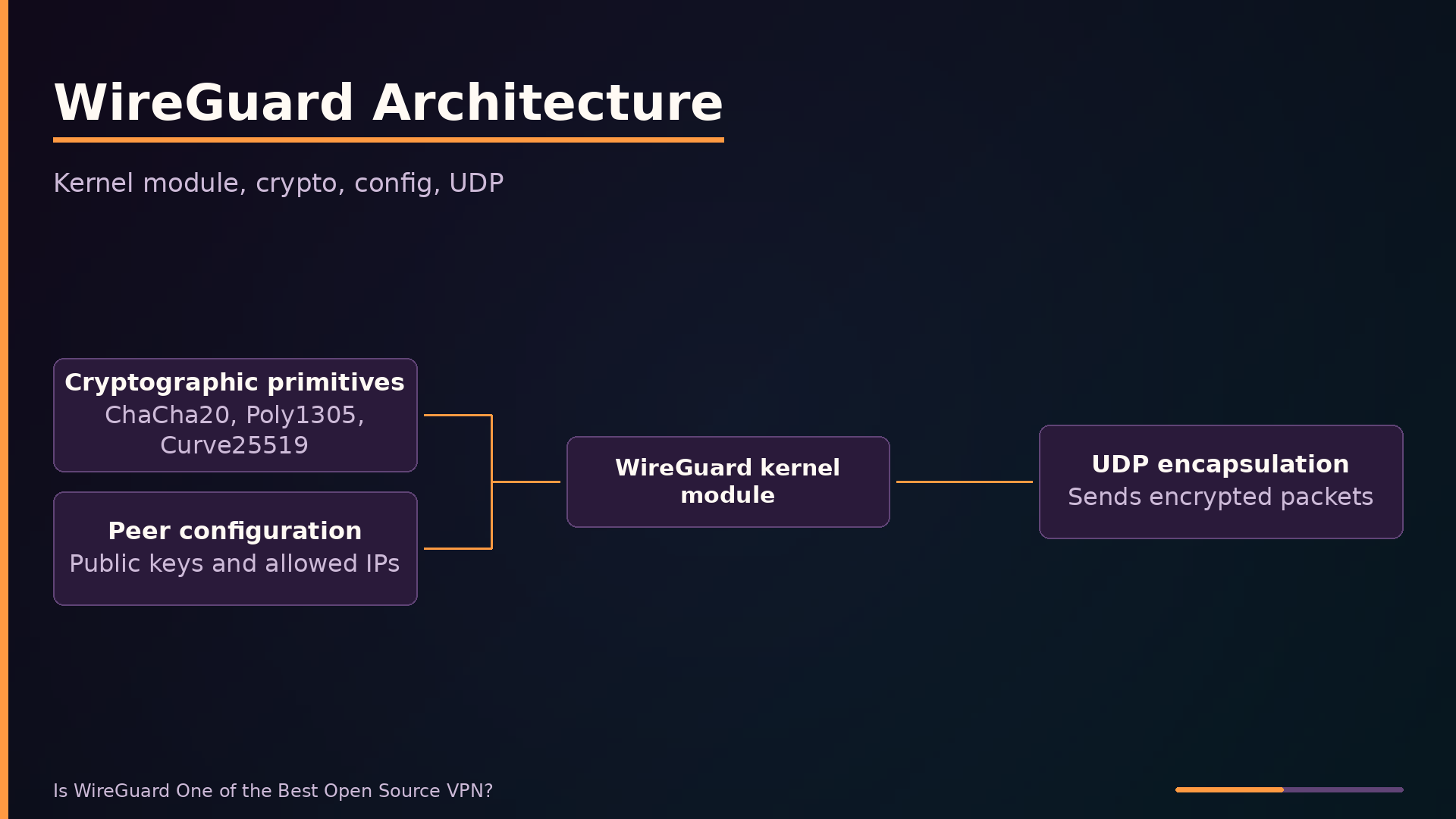
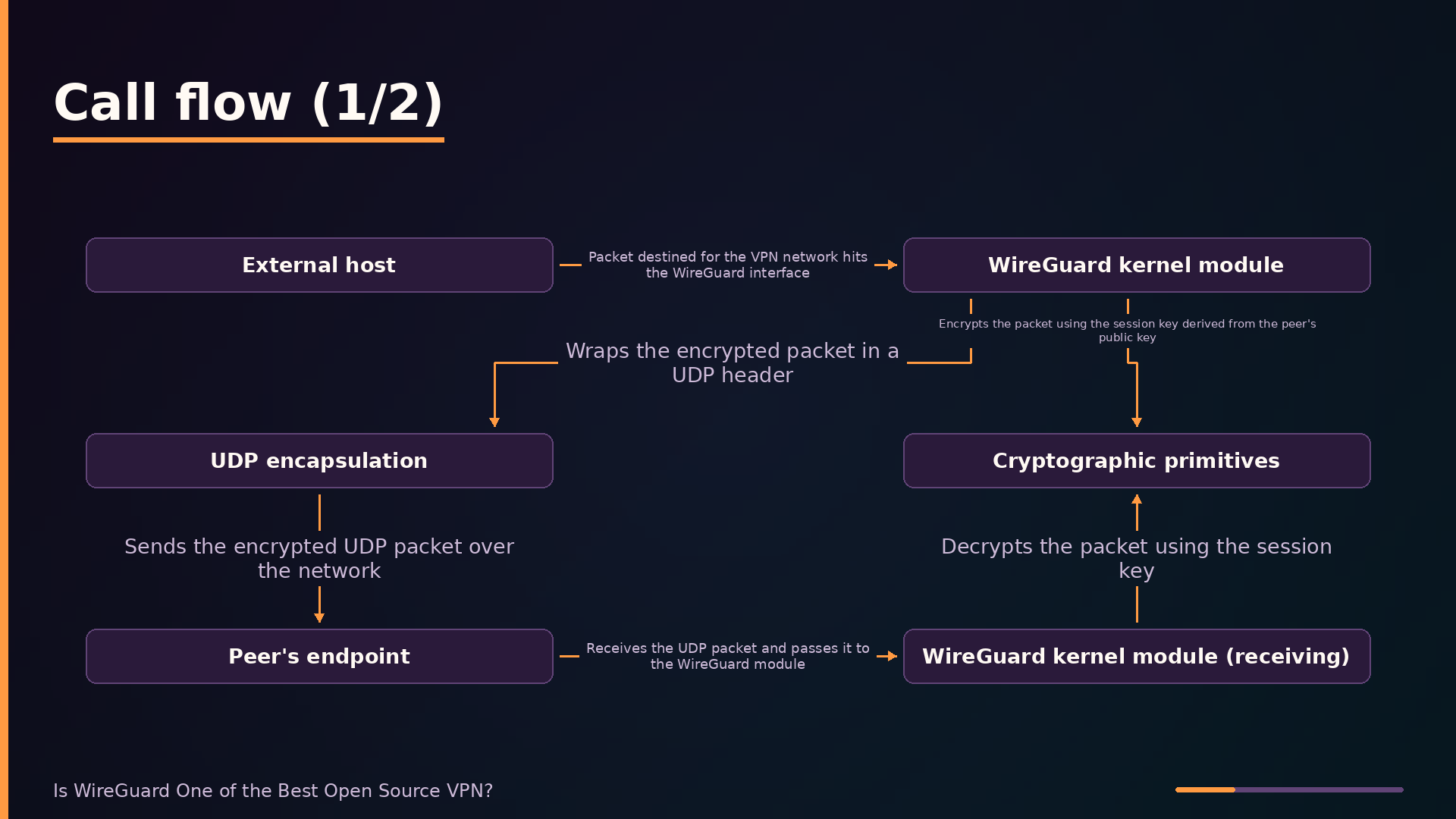
WireGuard’s performance advantage stems from running entirely in kernel space. The kernel module handles packet encapsulation and encryption directly, avoiding the user-space context switches that plague OpenVPN’s architecture. When a packet destined for the VPN network arrives at the WireGuard interface, the module encrypts it in place and forwards it without copying data between kernel and user space.
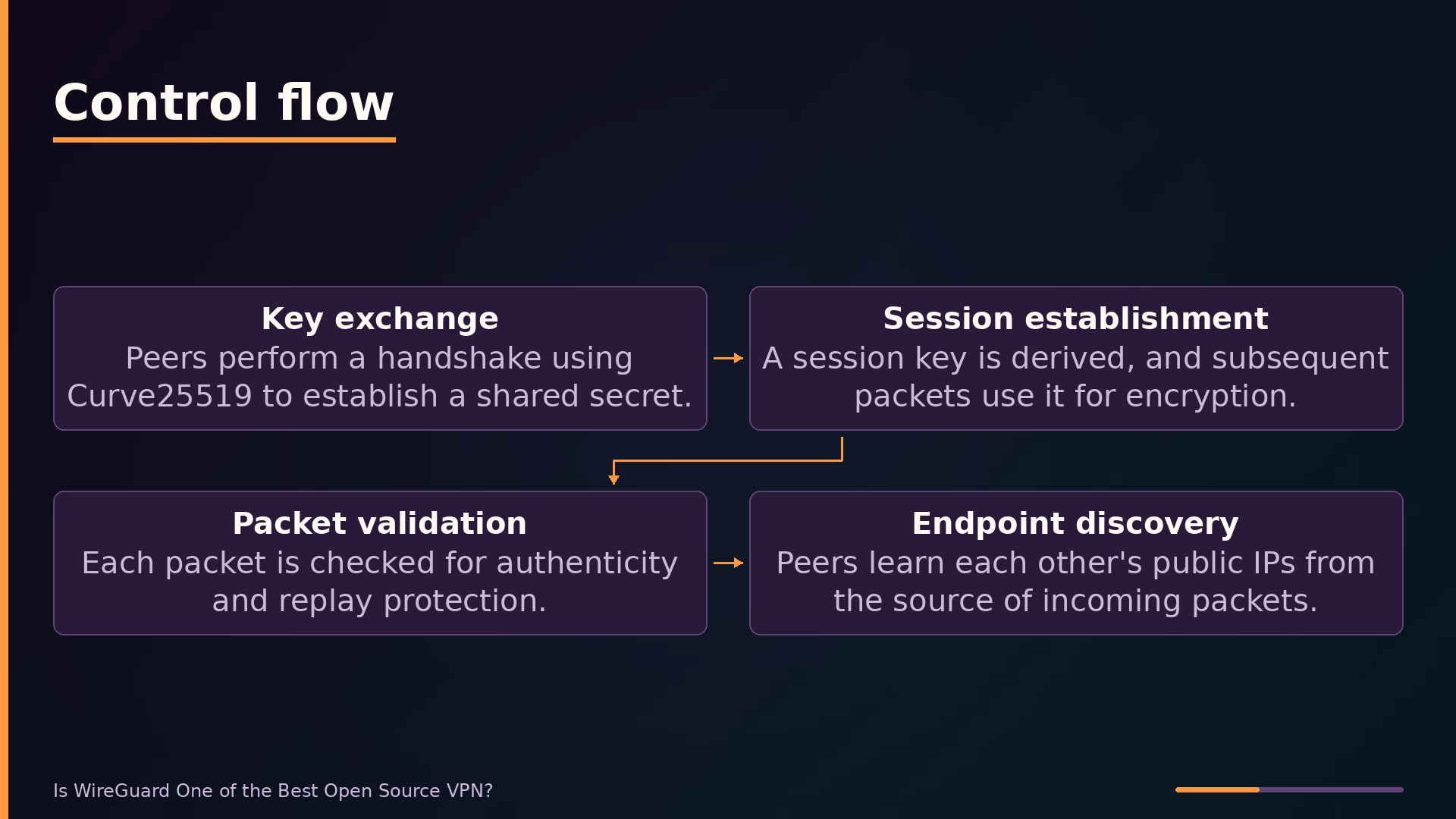
The cryptographic stack is deliberately modern and minimal. WireGuard uses ChaCha20 for encryption, Poly1305 for authentication, and Curve25519 for key exchange, all composed within the Noise protocol framework. These primitives are fast on commodity hardware and have received extensive cryptanalytic attention. The session key is derived from a handshake that uses Curve25519 to establish a shared secret, after which all packets use that session key for symmetric encryption.
Peer configuration is a plain-text list of public keys and allowed IP ranges. Each peer is identified solely by its public key; there are no certificates, no certificate authorities, and no complex handshake state machines. This design choice, called cryptokey routing, ties routing decisions directly to cryptographic identity. A packet is accepted from a peer only if its source IP falls within that peer’s allowed IPs, and it is encrypted with the session key associated with that peer’s public key.
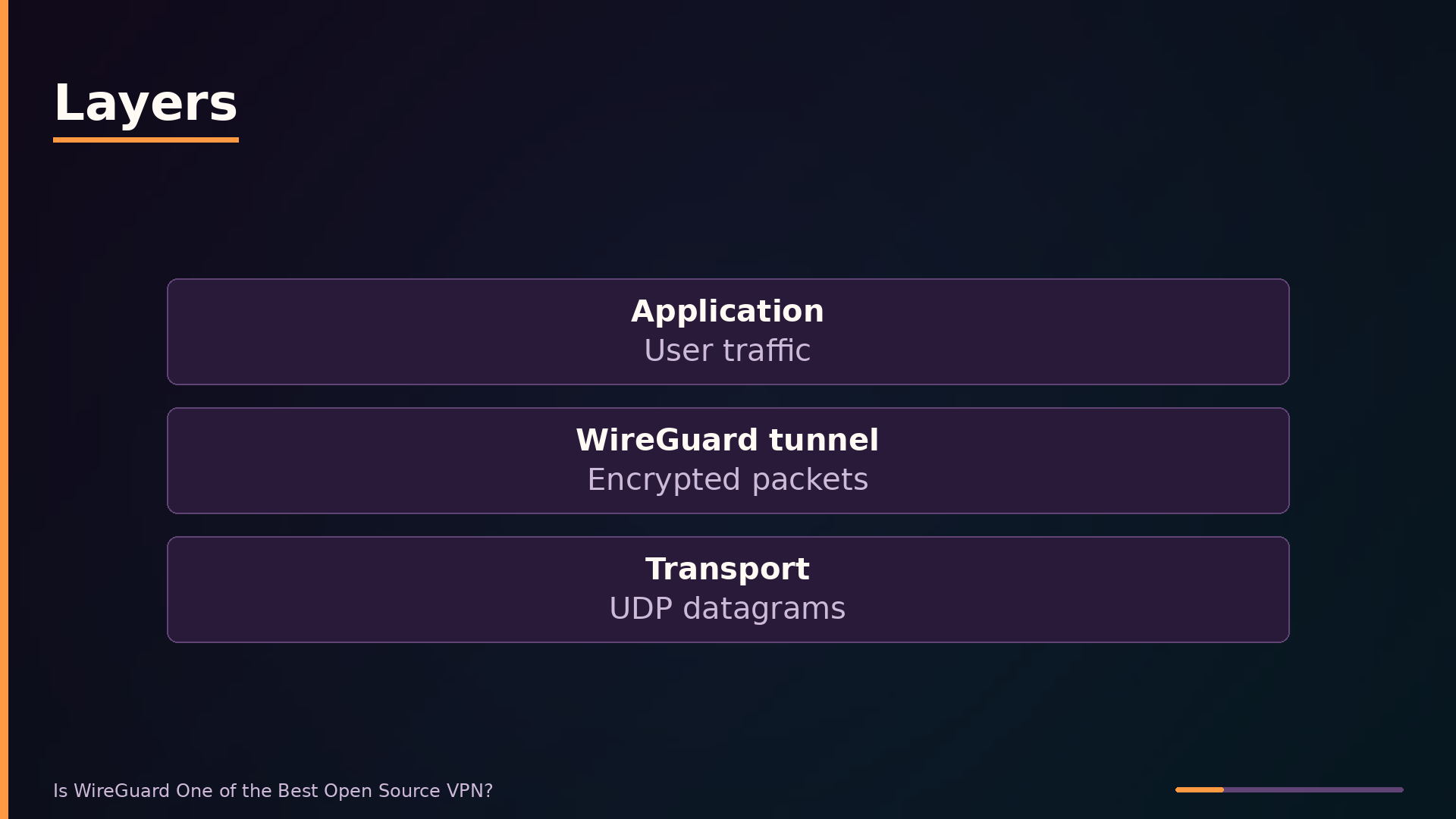
All traffic travels over UDP. This avoids the TCP-over-TCP meltdown problem that plagues VPNs tunneling TCP inside TCP, where retransmission at both layers compounds and collapses throughput. The trade-off is that UDP is often blocked or throttled by restrictive firewalls, and WireGuard offers no built-in obfuscation to evade deep packet inspection.
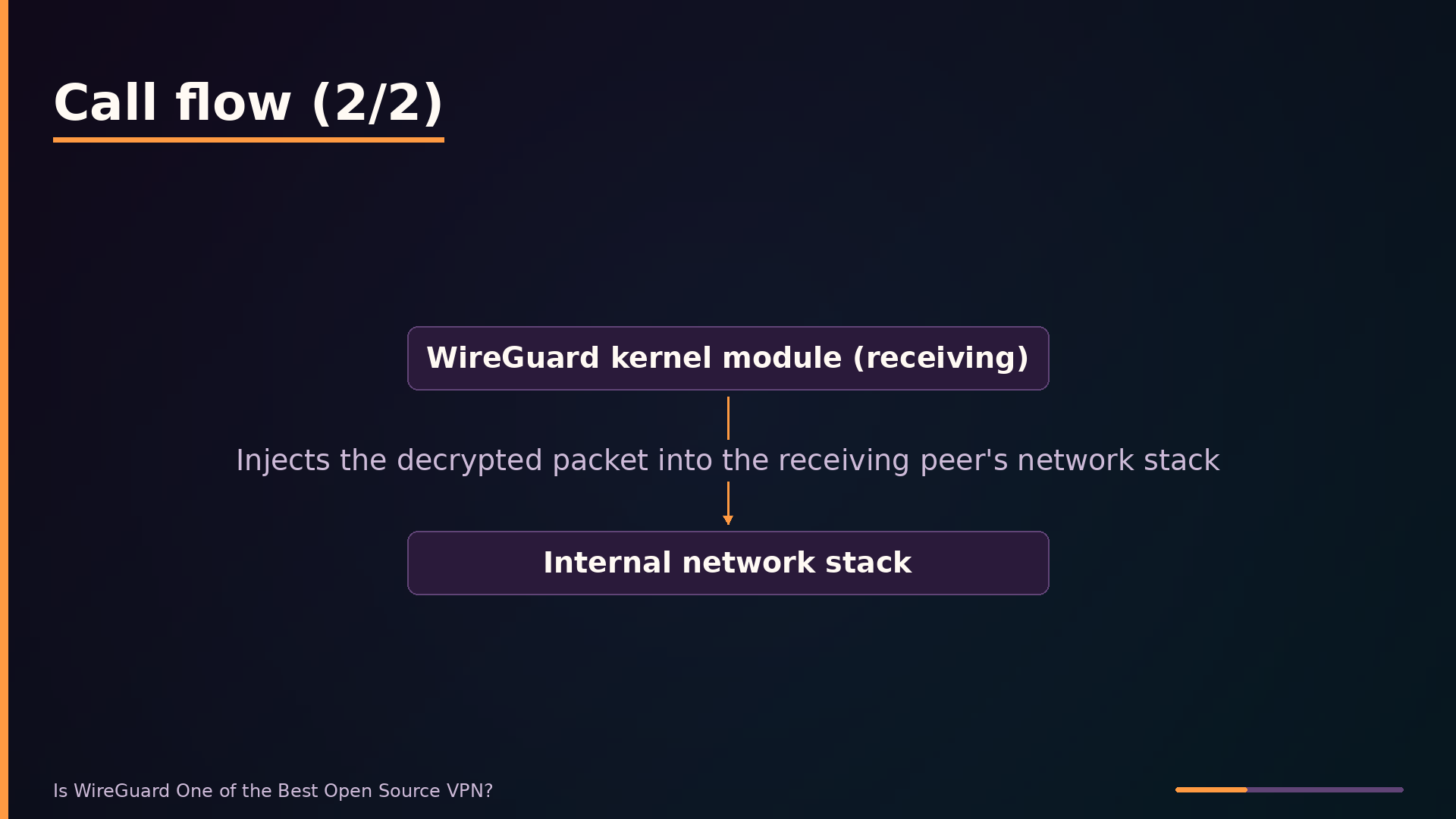
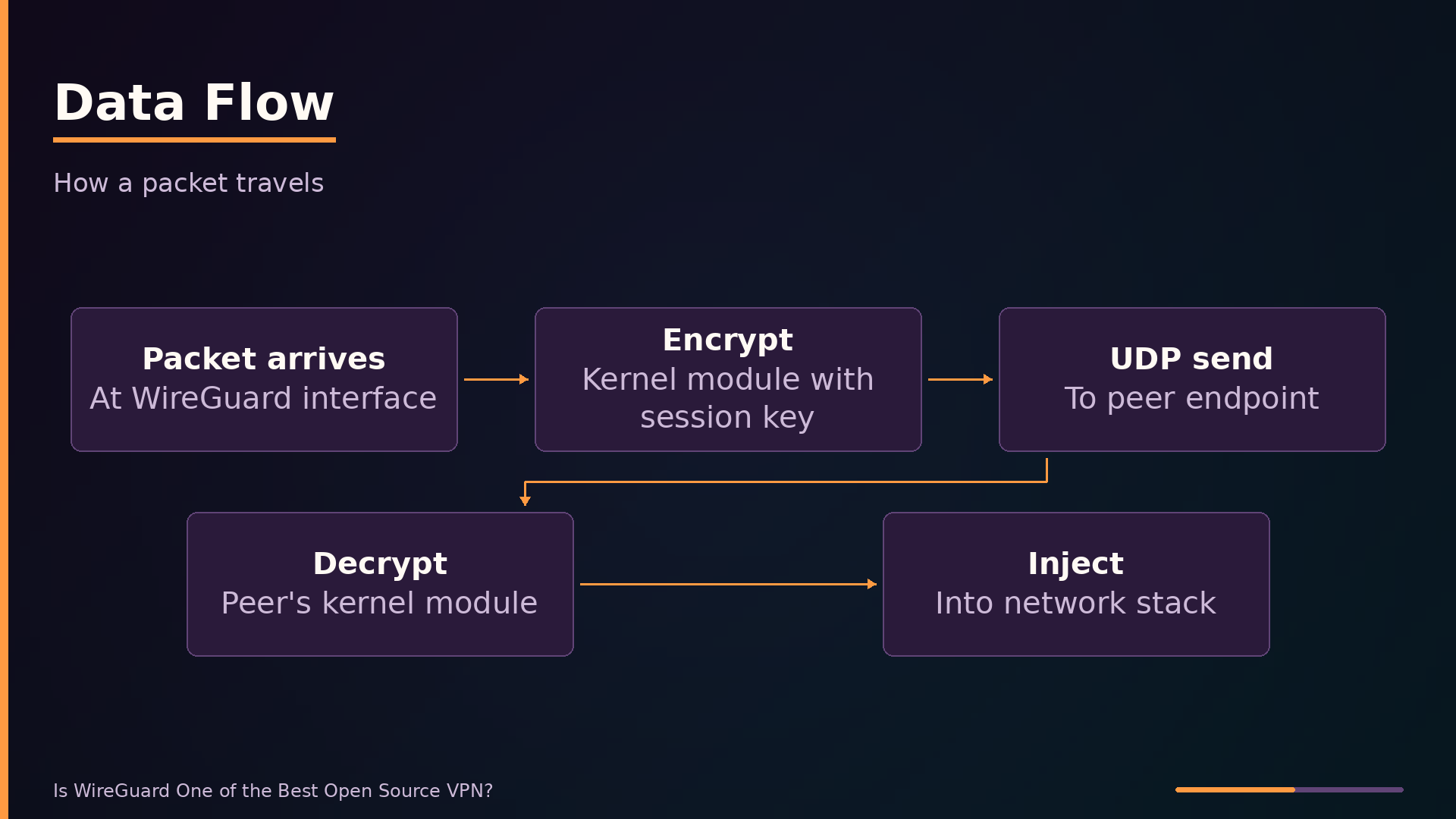
The data flow is straightforward. A packet hits the WireGuard interface, the kernel module encrypts it with the session key, wraps it in a UDP header, and sends it to the peer’s endpoint. On the receiving side, the module decrypts the packet and injects it into the local network stack. Because peers learn each other’s public endpoints from the source address of incoming packets, the tunnel survives IP address changes without reconfiguration.
| |
The tee command preserves the private key in privatekey while piping it to wg pubkey, which writes the derived public key to publickey. The private key stays on the generating machine; only the public key is shared with peers.
Configuration lives in a plain-text file, conventionally /etc/wireguard/wg0.conf. It declares the interface’s private key and IP address, plus each peer’s public key and allowed IPs. There are no certificates, no handshake parameters, and no cipher choices—the protocol fixes those.
Starting the tunnel is a single command:
| |
This reads wg0.conf, creates the network interface, assigns the IP address, and sets up routing rules. The equivalent wg-quick down wg0 tears the tunnel down. For persistent setups, most distributions ship a systemd unit that calls these commands at boot.
Comparison with Alternatives: OpenVPN, IPsec, and Tailscale
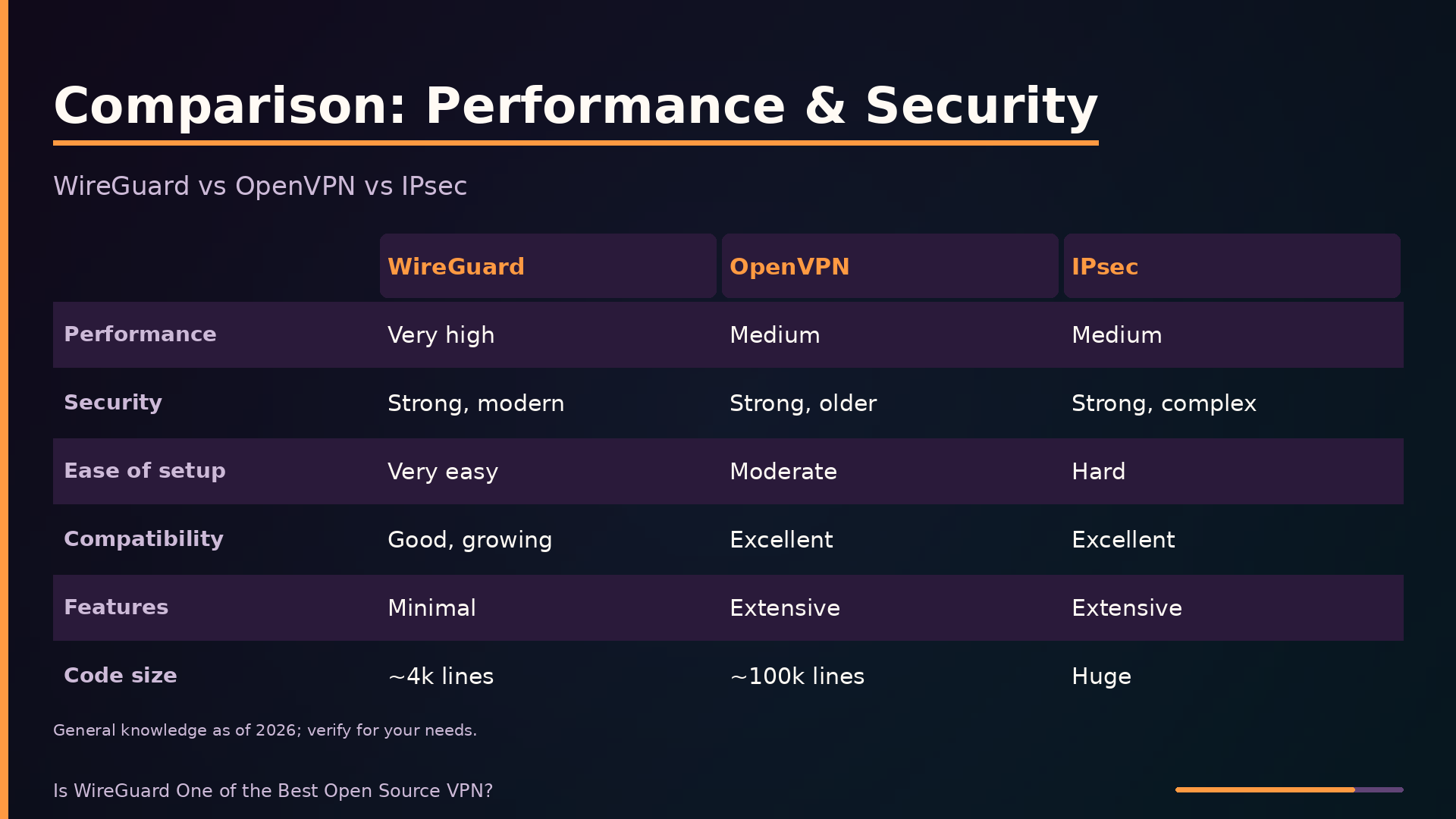
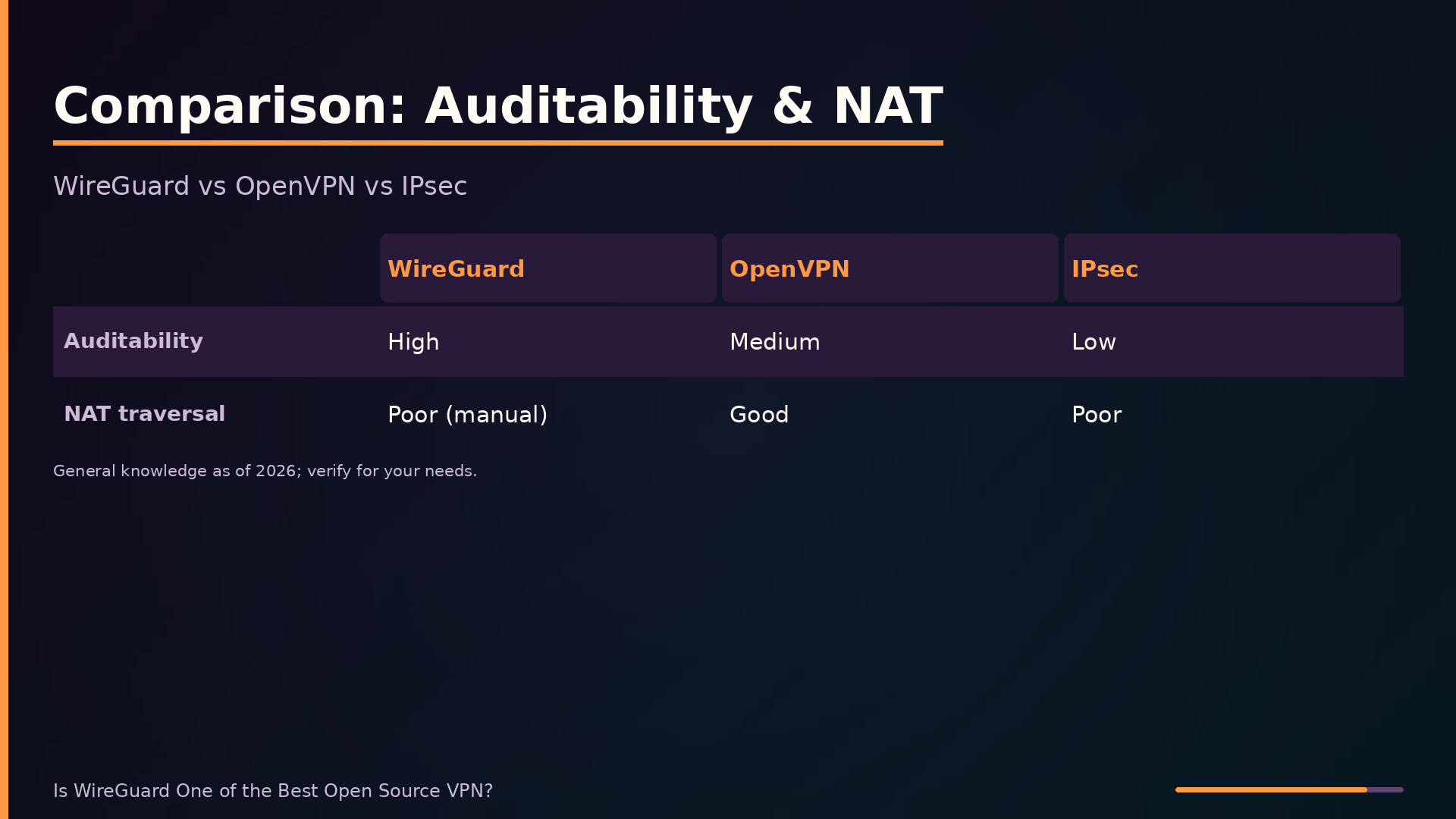
The table below summarizes how WireGuard compares to its main alternatives across key axes. This comparison reflects general knowledge as of this writing and may be out of date; treat specific values as directional rather than authoritative, and mark anything uncertain as unknown.
| Axis | WireGuard | OpenVPN | IPsec (IKEv2) | Tailscale |
|---|---|---|---|---|
| Performance | Very high | Medium | Medium | Similar to WireGuard, slight overhead |
| Security | Strong, modern | Strong, older | Strong, complex | Strong (WireGuard-based) |
| Ease of setup | Very easy | Moderate | Hard | Very easy (managed) |
| Compatibility | Good, growing | Excellent | Excellent | Good |
| Features | Minimal | Extensive | Extensive | Moderate (mesh, ACLs) |
| Code size | ~4k lines | ~100k lines | Huge | Unknown (proprietary components) |
| Auditability | High | Medium | Low | Medium |
| NAT traversal | Poor (manual) | Good | Poor | Excellent (built-in) |
The trade-offs are clear. WireGuard wins on performance and auditability because its kernel implementation and ~4,000-line codebase are far easier to review than OpenVPN’s 100,000+ lines or the sprawling IPsec stack. OpenVPN counters with broader device support and features like TCP fallback, which matters when UDP is blocked. IPsec remains the enterprise default for site-to-site links, but its configuration complexity invites misconfiguration.
Tailscale deserves special mention: it wraps WireGuard with a coordination server that handles NAT traversal automatically. This removes WireGuard’s weakest operational point—manual endpoint configuration behind NAT—at the cost of depending on a third-party service, even though the client is open source. For teams that need mesh networking without key management overhead, that trade-off is often worth it.
The right choice depends on your constraints. If you need maximum performance and can manage endpoints directly, WireGuard is hard to beat. If you need legacy device support or advanced filtering, OpenVPN or IPsec may serve better despite their complexity.
Gotchas and Practical Considerations
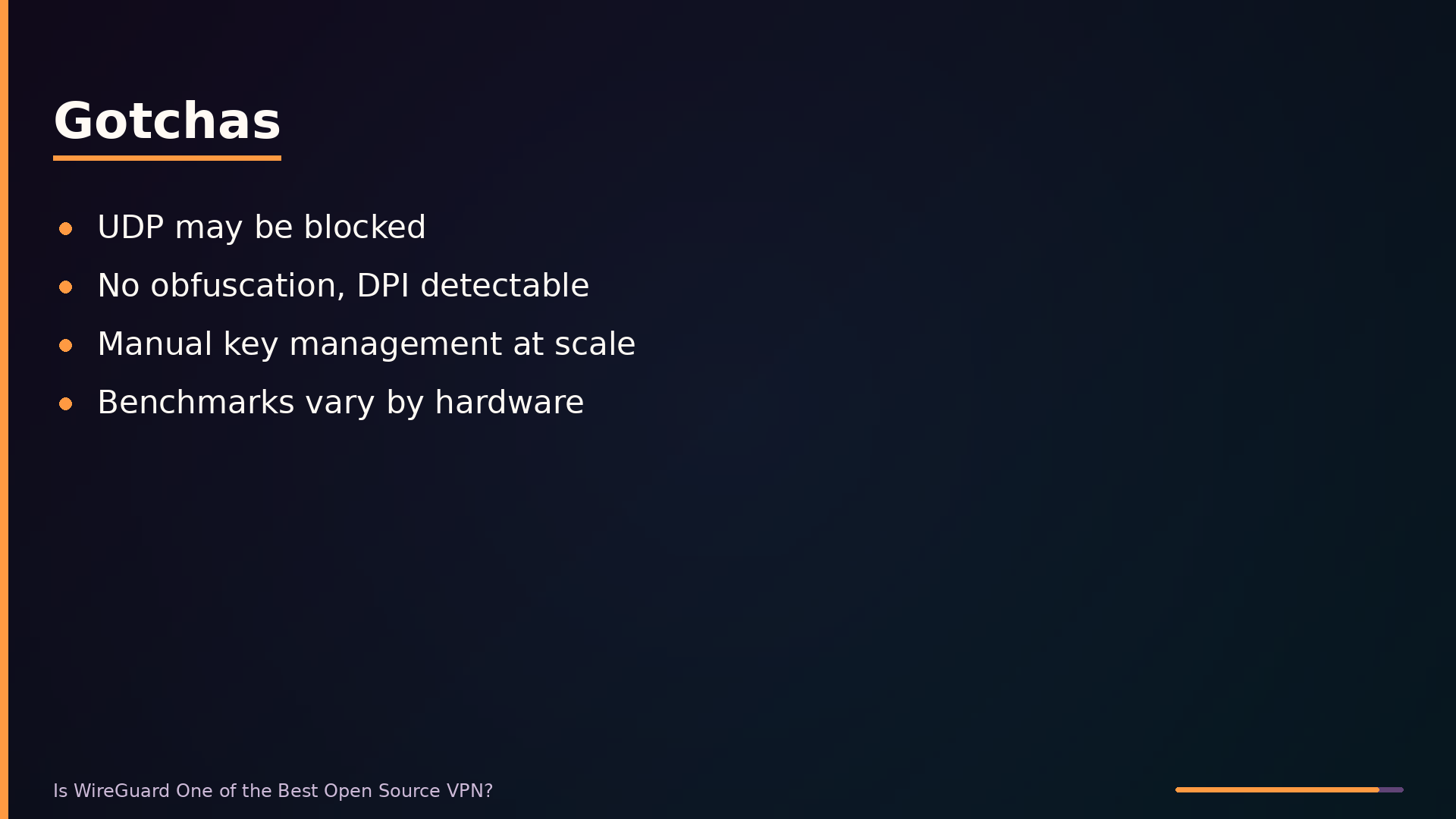
WireGuard’s reliance on UDP is its most common deployment obstacle. Many enterprise and public networks filter or block UDP traffic entirely, which will silently kill your tunnel. If you must traverse such a network, you’ll need a TCP wrapper like udp2raw to encapsulate WireGuard’s UDP packets inside a TCP stream, adding latency and complexity to your setup.
Related to the transport issue is the lack of built-in obfuscation. WireGuard’s handshake and packet structure are distinctive, and deep packet inspection (DPI) can reliably identify WireGuard traffic even though it’s encrypted. In restrictive networks that block VPN protocols outright, WireGuard will be detected and dropped. Tools like udp2raw can help here too, but they are not a substitute for a purpose-built obfuscation layer.
Key management is straightforward for a handful of peers but becomes error-prone at scale. Each peer needs a keypair, and you must distribute public keys and manage AllowedIPs manually across every configuration file. A typo in a key or an overlapping IP range will produce subtle routing failures that are hard to debug. For deployments beyond a dozen peers, consider a managed solution like Tailscale, which builds on WireGuard but adds automatic key distribution, NAT traversal, and a coordination server.
Finally, treat published performance benchmarks with skepticism. WireGuard’s throughput depends heavily on your CPU’s support for the ChaCha20-Poly1305 instruction set, your NIC, and the latency of the underlying link. Numbers from a lab environment with modern hardware will not transfer to an older server or a congested network path. Benchmark on your own hardware, with your own traffic patterns, before committing to a deployment.
What to take away
WireGuard earns its reputation through deliberate constraints. A ~4,000-line codebase, modern cryptographic primitives, and kernel-level operation deliver measurable performance and auditability advantages over OpenVPN and IPsec. For site-to-site links, remote server access, and mesh overlays, it is often the right default choice.
The trade-off is feature minimalism. WireGuard does not provide obfuscation, TCP fallback, or built-in NAT traversal. If your network blocks UDP or performs deep packet inspection, you will need supplementary tooling. If you must support legacy devices, WireGuard’s protocol incompatibility is a hard blocker, not a configuration hurdle.
The practical lesson is to match the tool to the deployment. For teams that want WireGuard’s performance without key management overhead, managed layers like Tailscale solve the coordination problem while keeping the underlying protocol. For privacy advocates in restrictive networks, the lack of obfuscation is a genuine limitation that no configuration change fixes.
What remains unclear is enterprise adoption trajectory. WireGuard’s simplicity is an asset for small deployments, but whether it displaces IPsec in large organizations depends on tooling maturity and operational practices that are still evolving.
The project itself is the best reference for current capabilities and limitations. Review the source and documentation at wireguard.com or the repository at git.zx2c4.com/wireguard-linux.
What this analysis could not determine
- Exact performance numbers vary by hardware and network conditions; benchmarks are not universally applicable.
- The future of WireGuard’s adoption in enterprise environments is still evolving.
Further diagrams