How the open-source suite structures its pipelines, models, and distributed inference for text-to-video and beyond
Video generation models are typically delivered as closed APIs or require multi-GPU clusters that most engineering teams cannot justify. Wan2.1 is an open-source suite that claims to run on consumer hardware, but claims are cheap; the interesting question is what architectural decisions make that feasible and what they cost. This article traces the code in the Wan2.1 repository to answer that question concretely.
The repository is an inference-only Python codebase, roughly 10k lines across the wan/ package plus a CLI entry point in generate.py. It is actively maintained, with recent commits and community integrations into ComfyUI and Diffusers. The suite covers four generation tasks—text-to-video, image-to-video, first-last-frame-to-video, and VACE for video editing—all sharing a common Diffusion Transformer (DiT) backbone, a causal 3D VAE, and a custom T5 text encoder.
By the end, you will understand how the pipeline layers are separated, how the flow-matching scheduler drives the denoising loop, and where the trade-offs land: model offloading for low VRAM, FSDP and sequence parallelism for multi-GPU scaling, and the cost of maintaining custom encoder implementations.
What It Is (and Isn’t)
Wan2.1 is a Python library and command-line tool for generating videos using diffusion models. It provides inference pipelines for text-to-video (T2V), image-to-video (I2V), first-last-frame-to-video (FLF2V), and video creation/editing (VACE). Each pipeline is a self-contained class that orchestrates the diffusion loop, model offloading, and conditioning logic.
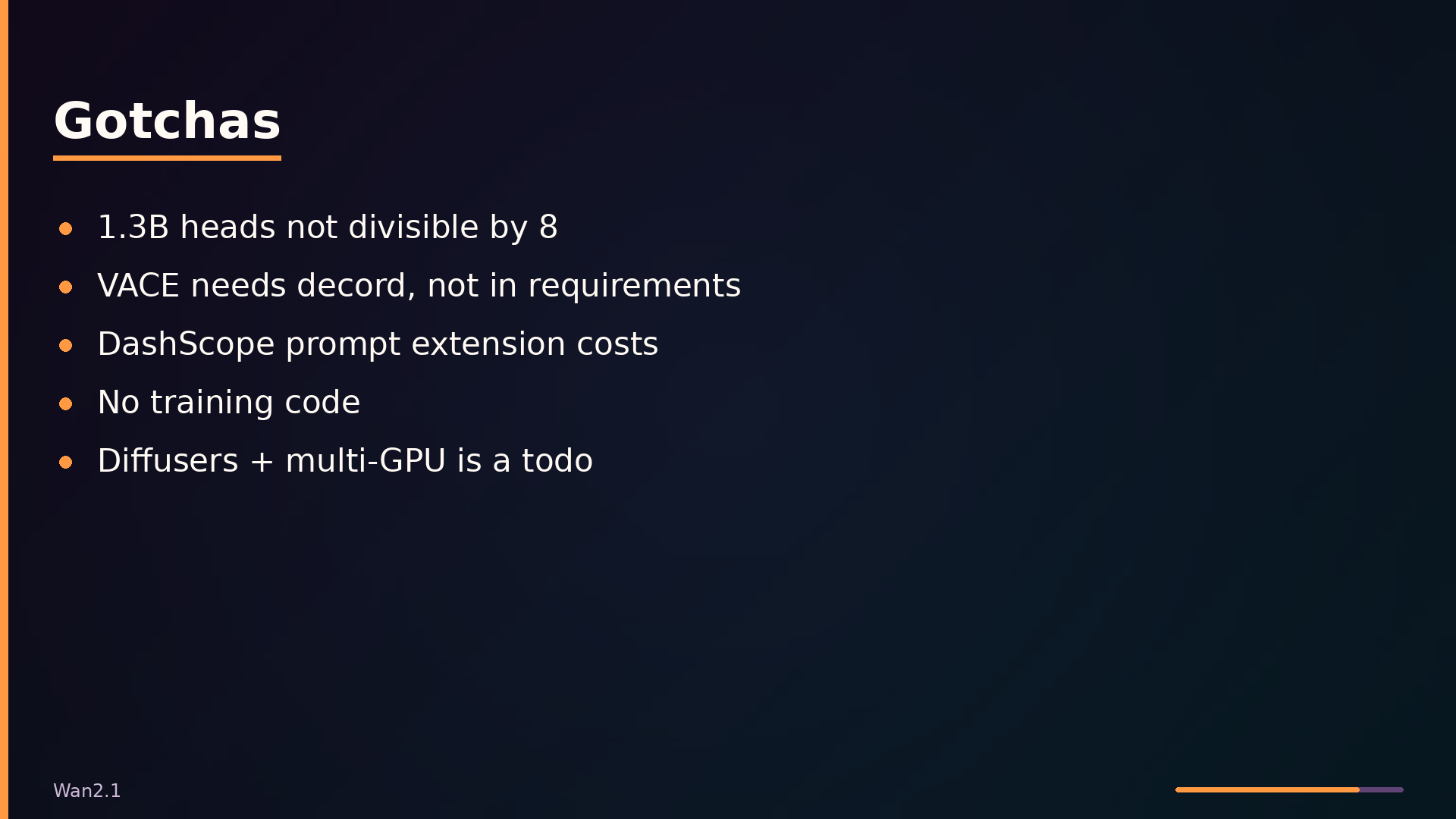
The repository is inference-only. There is no training code anywhere in the codebase; you cannot fine-tune or train a model from scratch with Wan2.1. If your goal is training, this is the wrong tool.
Architecturally, Wan2.1 sits above PyTorch and HuggingFace diffusers/transformers, providing a higher-level API for video generation. Below it are the model weights and the underlying deep learning frameworks. The library is driven either through the generate.py CLI entry point or directly via Python imports such as from wan import WanT2V, WanI2V, WanFLF2V, WanVace.
Two model sizes are available: 1.3B and 14B parameters. The 1.3B variant is designed to run on consumer GPUs, requiring approximately 8.19 GB VRAM, with additional CPU offloading options to further reduce memory footprint.
Architecture: From Prompt to MP4
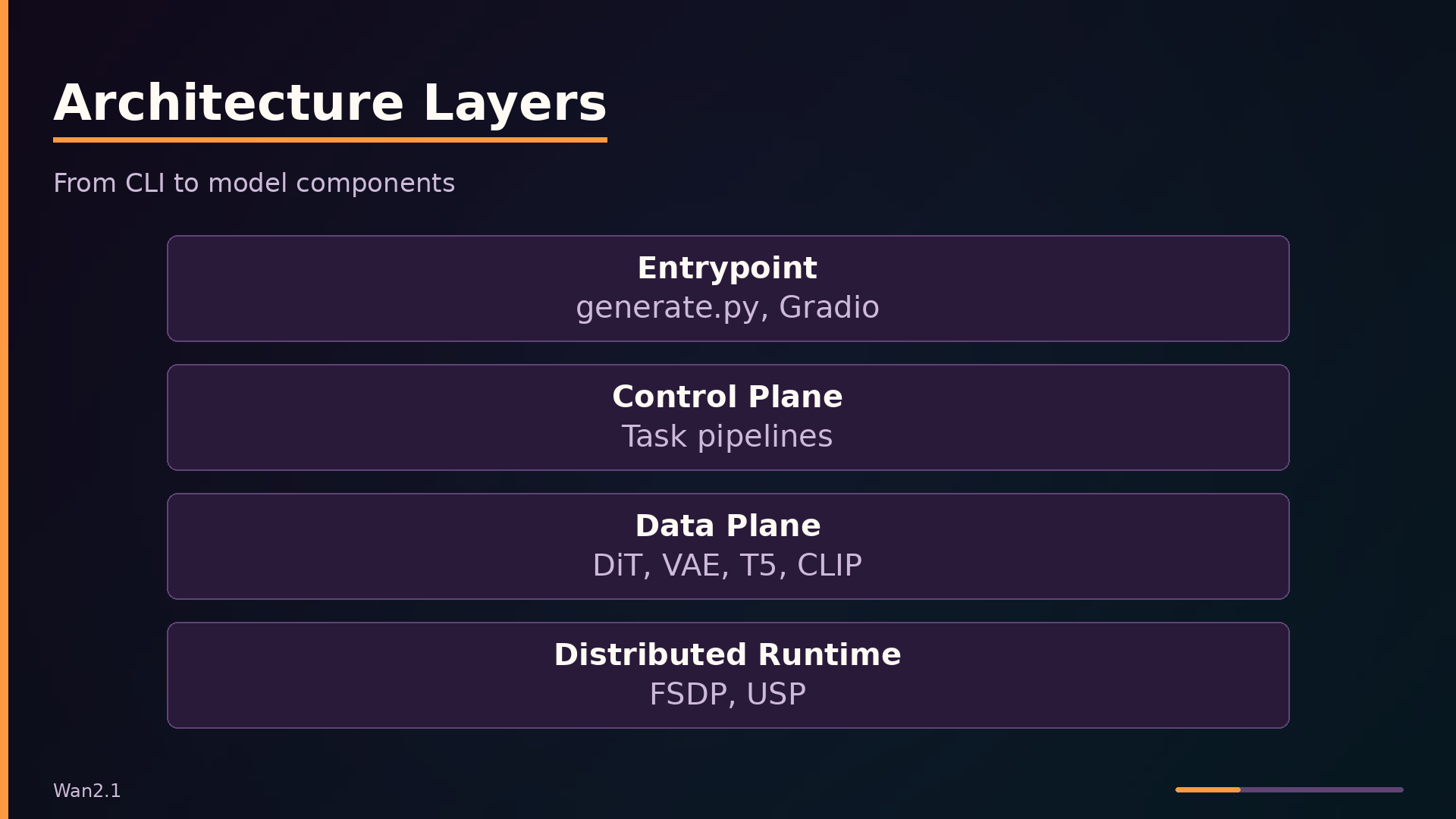
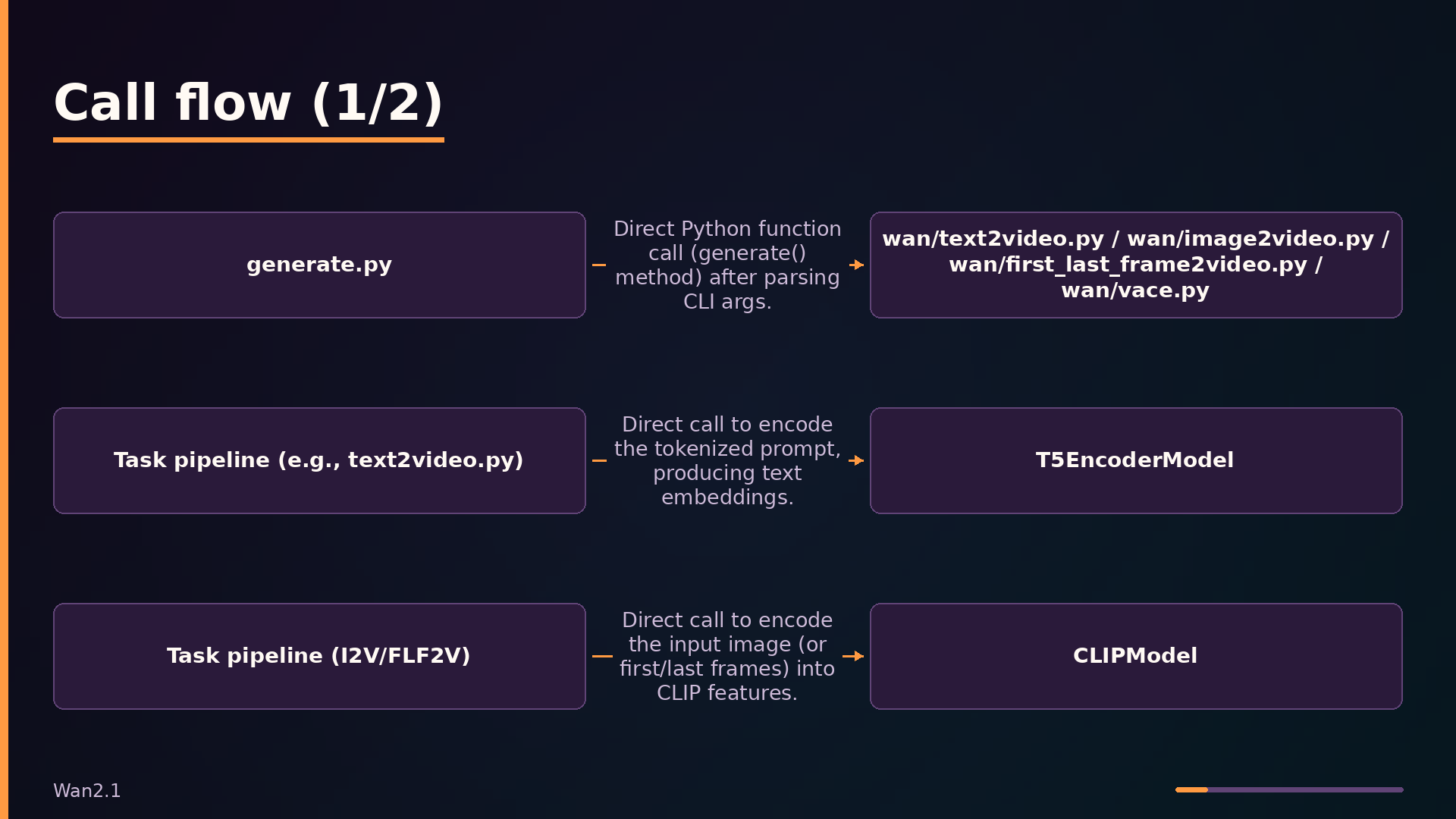
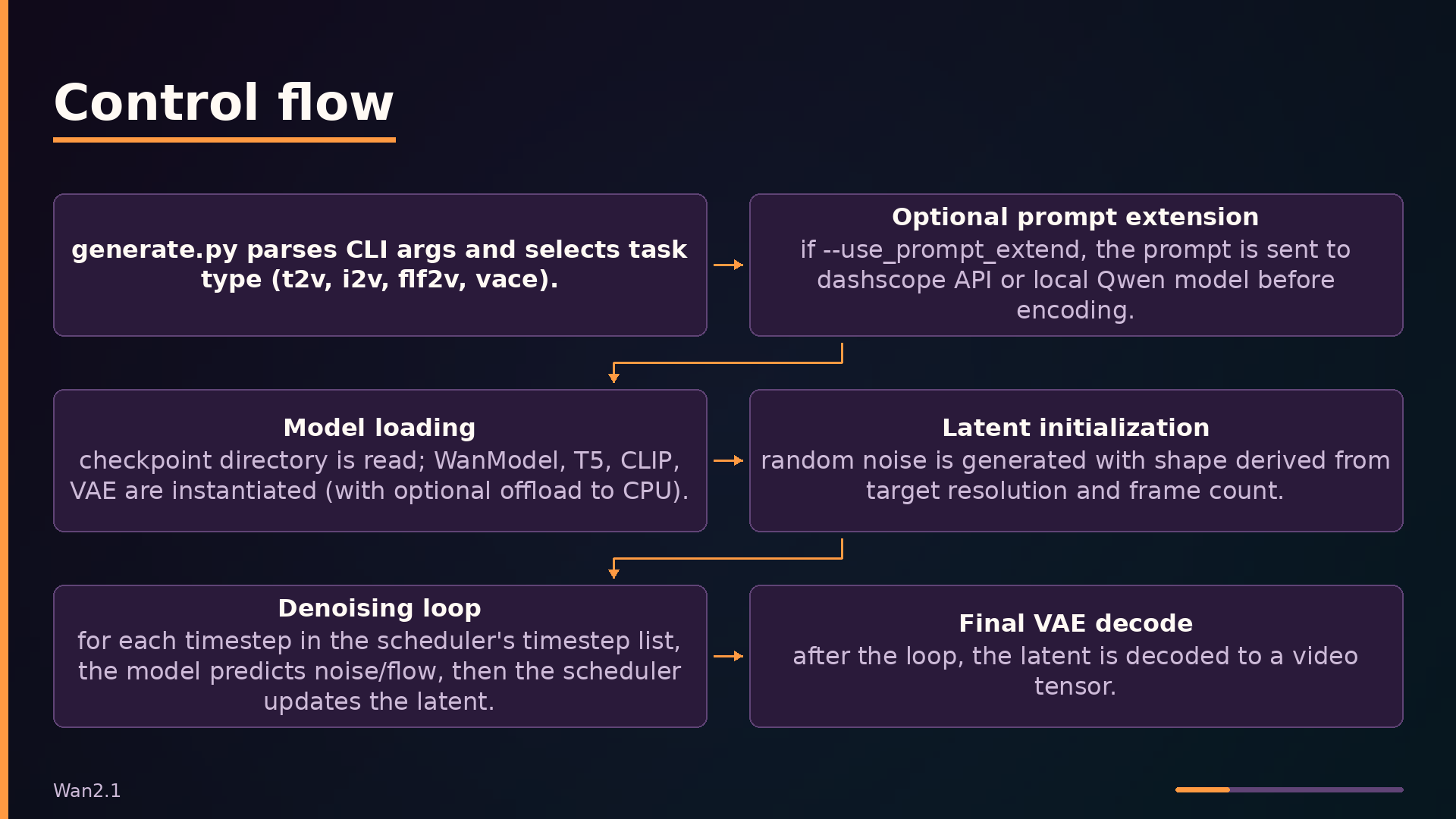
A generation request enters through generate.py, the CLI entrypoint that parses task-specific arguments and dispatches to the appropriate pipeline class. The task argument selects among WanT2V, WanI2V, WanFLF2V, and WanVace, each exported from the wan package. Before invoking the pipeline, generate.py optionally extends the prompt using either the DashScope API or a local Qwen model, then initializes distributed training state if the world size exceeds one.
The control plane consists of the four pipeline classes, each orchestrating the denoising loop for its task. These pipelines manage model offloading to CPU, select the solver (unipc or dpm++), and call the underlying components in sequence. The pipelines are deliberately task-specific rather than unified, which keeps each one focused but duplicates the denoising loop across files.
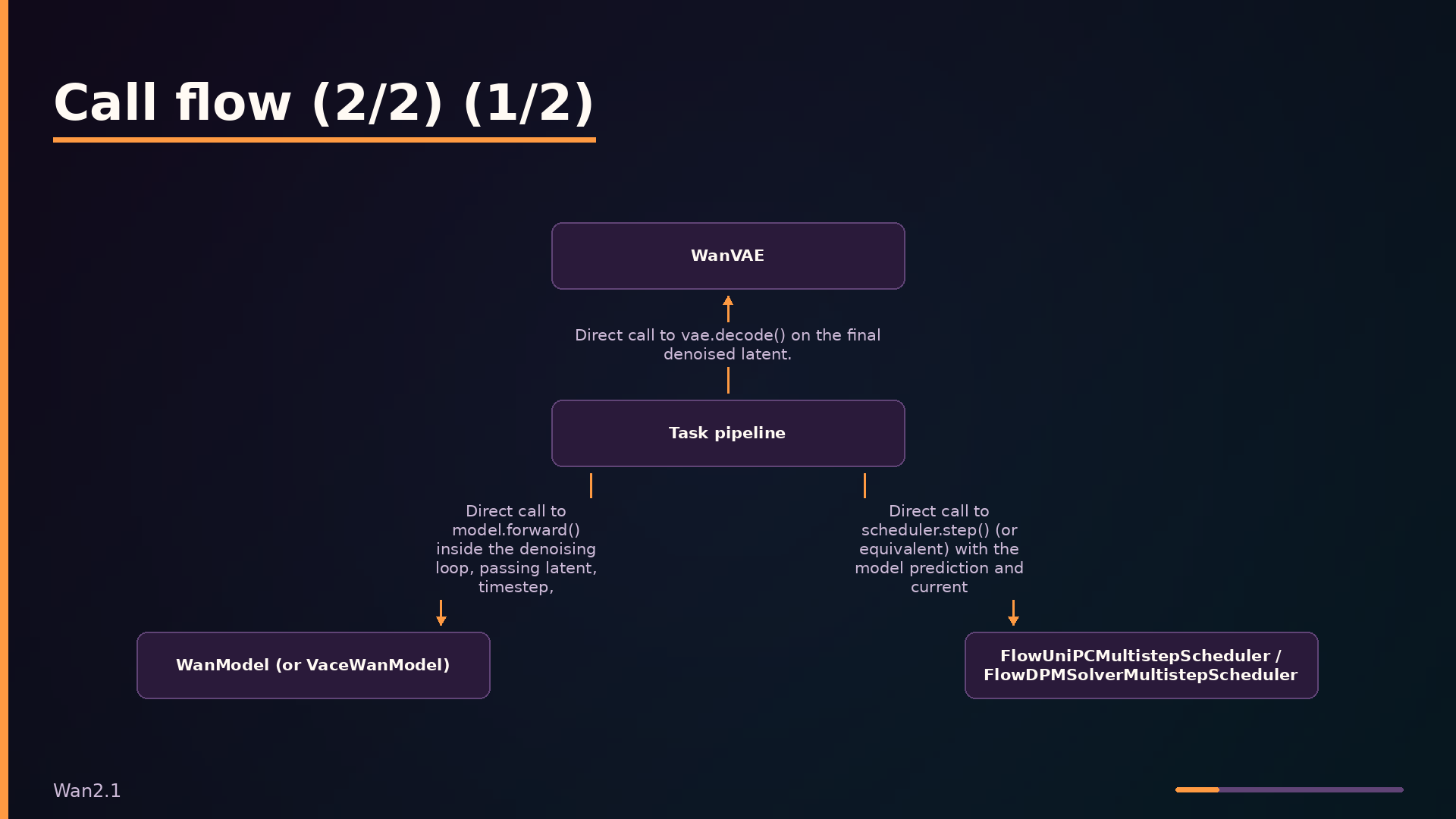
The data plane holds the heavy tensor operations. WanModel implements the DiT backbone with self-attention, cross-attention variants for T2V and I2V, RoPE applied separately to temporal, height, and width dimensions, and adaptive layer normalization via modulation parameters. T5EncoderModel encodes the prompt into text embeddings, while CLIPModel extracts image features for I2V and FLF2V tasks. WanVAE encodes conditioning videos and decodes the final latent to pixel space. Two flow-matching schedulers, FlowUniPCMultistepScheduler and FlowDPMSolverMultistepScheduler, step the latent from noise to clean.
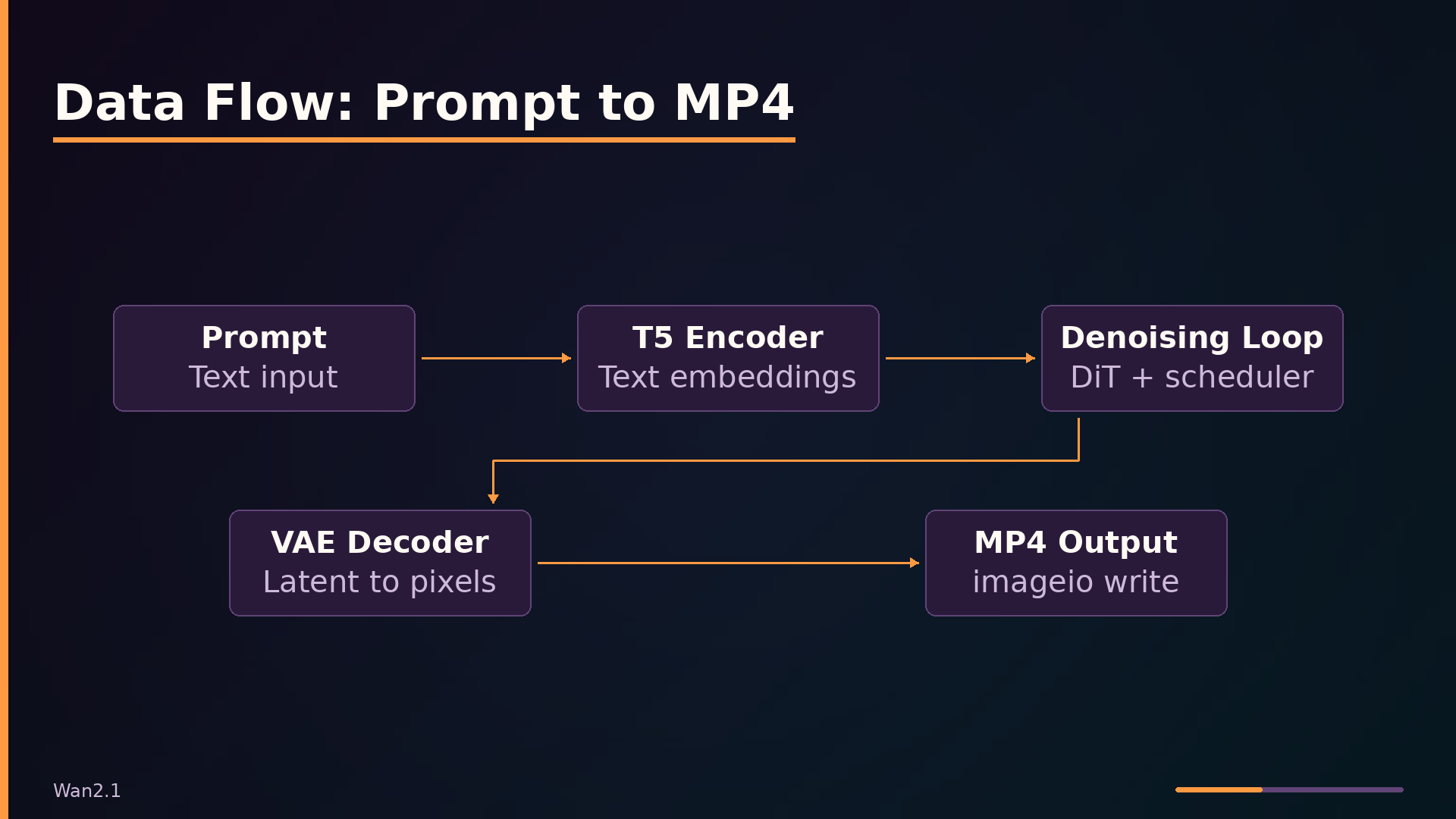
The data flow proceeds in five stages. First, the prompt is tokenized and passed through the T5 encoder. Second, random noise is generated in latent space with shape determined by target resolution and frame count. Third, the denoising loop iterates: the model predicts flow conditioned on text (and optionally image features), and the scheduler updates the latent. Fourth, the final latent passes through the VAE decoder. Fifth, the output tensor is normalized and written to an MP4 file via imageio.
An optional distributed runtime layer wraps the data plane components. FSDP provides sharding across GPUs, and xDiT’s USP (Ulysses Sequence Parallelism) splits sequence dimensions. The 1.3B model’s 12 heads are not divisible by 8, so USP is not recommended for 8-GPU setups with that model.
Key Features: What Problems They Solve
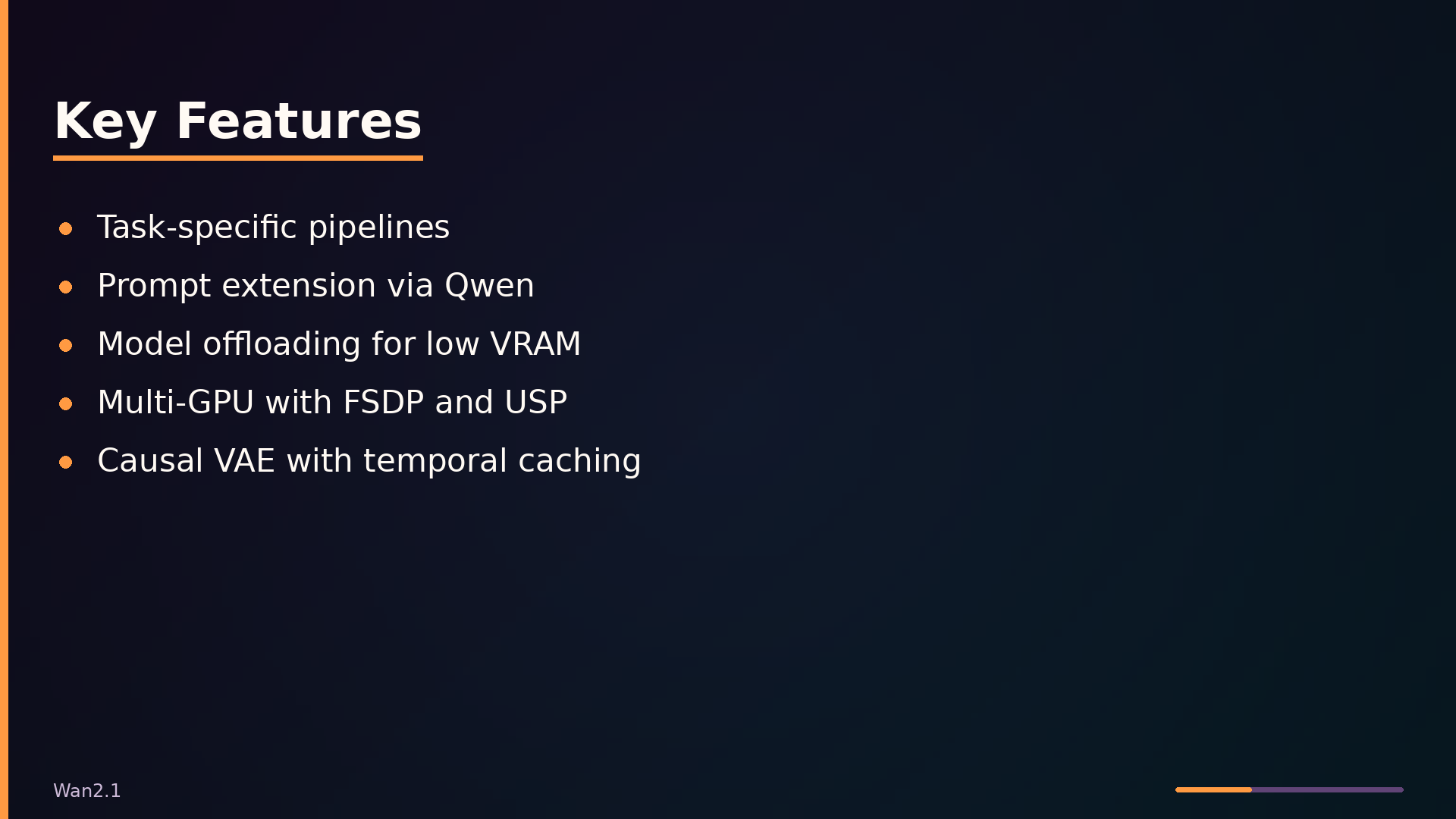
Wan2.1 exposes four task-specific pipelines, each adding a distinct conditioning modality. WanT2V conditions solely on text embeddings from the T5 encoder. WanI2V adds CLIP image features and a mask so the diffusion process respects a static input frame. WanFLF2V extends this to a first-and-last-frame pair, using a mask that zeros intermediate frames so the model interpolates between the two endpoints. WanVace goes furthest, injecting a separate vace_context—source video latents, masks, and reference images—through dedicated transformer blocks whose outputs are added as hints into the main DiT blocks. Each pipeline shares the same denoising loop but differs only in how conditioning is assembled.
Prompt extension addresses a practical quality bottleneck: short prompts produce under-specified videos. The prompt_extend module expands user prompts using either the DashScope API or a local Qwen model before encoding, giving the T5 encoder richer text to condition on. This is a one-line flag at the CLI (--use_prompt_extend) but materially changes output fidelity.
Model offloading tackles the VRAM ceiling on consumer GPUs. The pipelines move the text encoder, CLIP, and DiT model to CPU between forward passes when offload_model=True (the default for single-GPU runs). This trades inference speed for memory, letting the 1.3B model run in roughly 8 GB VRAM. Multi-GPU inference scales the other direction: FSDP shards model parameters across devices, while xDiT’s USP (Ulysses Sequence Parallelism) splits the sequence dimension. The 1.3B model’s 12 attention heads are not divisible by 8, so USP is only recommended for 8-GPU setups with the 14B model.
The causal 3D VAE with temporal caching processes arbitrary-length videos without re-encoding previous frames. Causal convolutions plus a feature cache let the encoder and decoder operate in chunks, so frame count is not bounded by a fixed context window. Rotary position embeddings applied separately to the temporal, height, and width axes let the DiT generalize to resolutions and frame counts it never saw during training—no learned positional table to resize.
Use Cases: Where It Shines and Where It Doesn’t
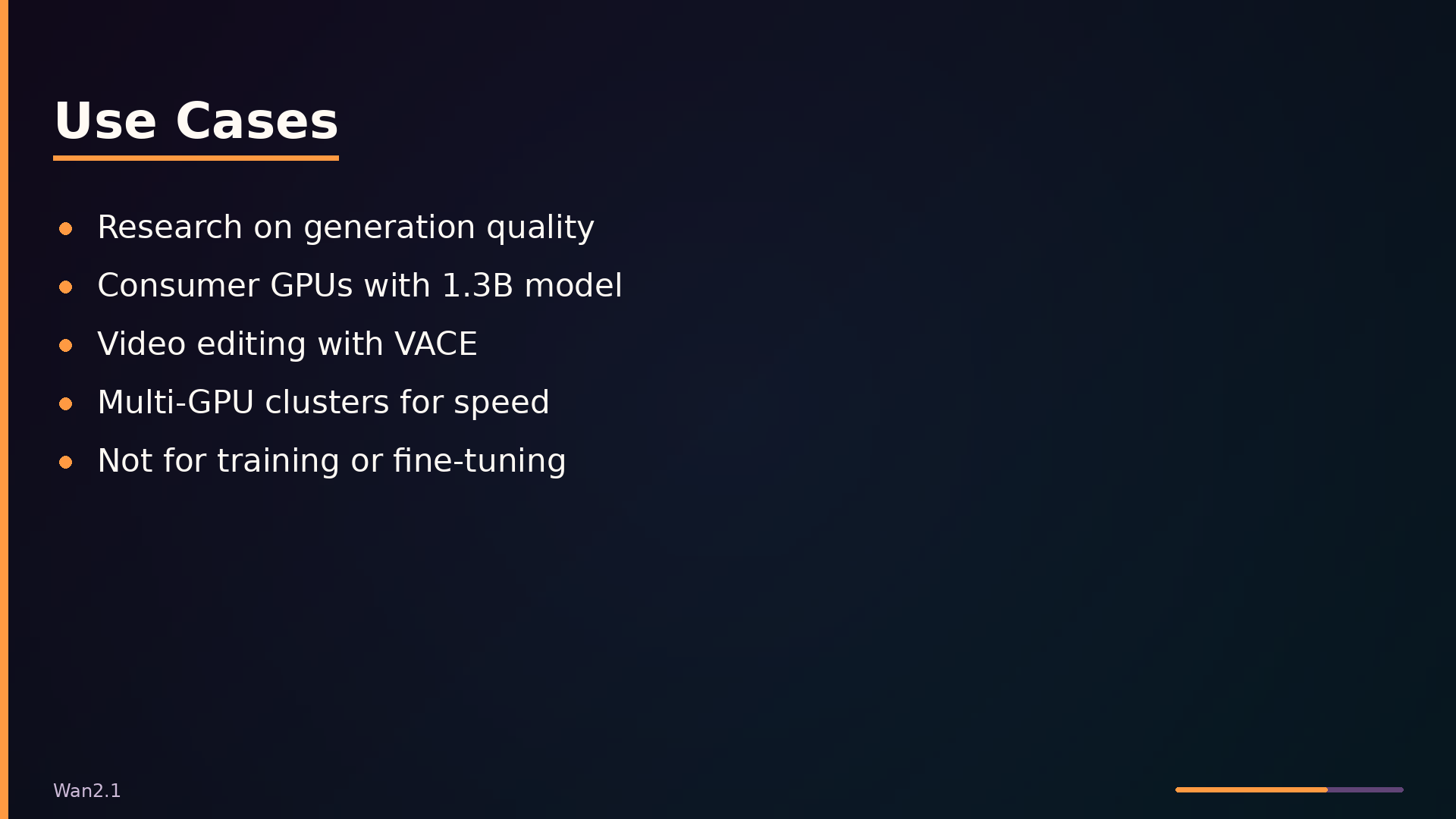
For a researcher generating videos to study generation quality, Wan2.1 is a strong fit. The CLI (generate.py) and Python API expose the full pipeline directly, letting you control sampling steps, solver type, and guidance scale without writing glue code. The 14B model at 720p produces state-of-the-art output for qualitative studies, and the built-in prompt extension via Qwen models helps standardize prompt quality across experiments.
Developers with consumer GPUs are well served by the 1.3B model, which requires roughly 8.19 GB VRAM. The offload_model flag, which defaults to True for single-GPU runs, moves the text encoder and DiT model to CPU between forward passes. This trades speed for memory, making generation feasible on cards with as little as 8 GB. The --t5_cpu flag further reduces pressure by keeping the T5 encoder off the GPU entirely.
Teams building video editing applications should look at the VACE pipeline. It accepts source video, masks, and reference images as inputs, enabling controlled edits rather than purely generative output. The WanVace.generate() method takes input_frames, input_masks, and input_ref_images directly, so integrating it into an editing tool is a matter of wiring up your video-processing front end to these parameters. Note that the VACE path requires decord for video loading, which is not listed in requirements.txt; you will need to install it separately.
For scale, the repository supports multi-GPU inference through FSDP and xDiT’s USP (Ulysses Sequence Parallelism). This is useful if you need faster generation across a cluster. One caveat: the 1.3B model’s 12 attention heads are not divisible by 8, so USP is not recommended for 8-GPU configurations with that model.
The poor fit is fine-tuning or training. This repository contains inference code only—there is no training loop, no data pipeline, and no checkpoint-saving logic for fine-tuning. If your goal is to adapt the model to a new domain, you will need to look elsewhere.
Interface and Usage: Running the Code
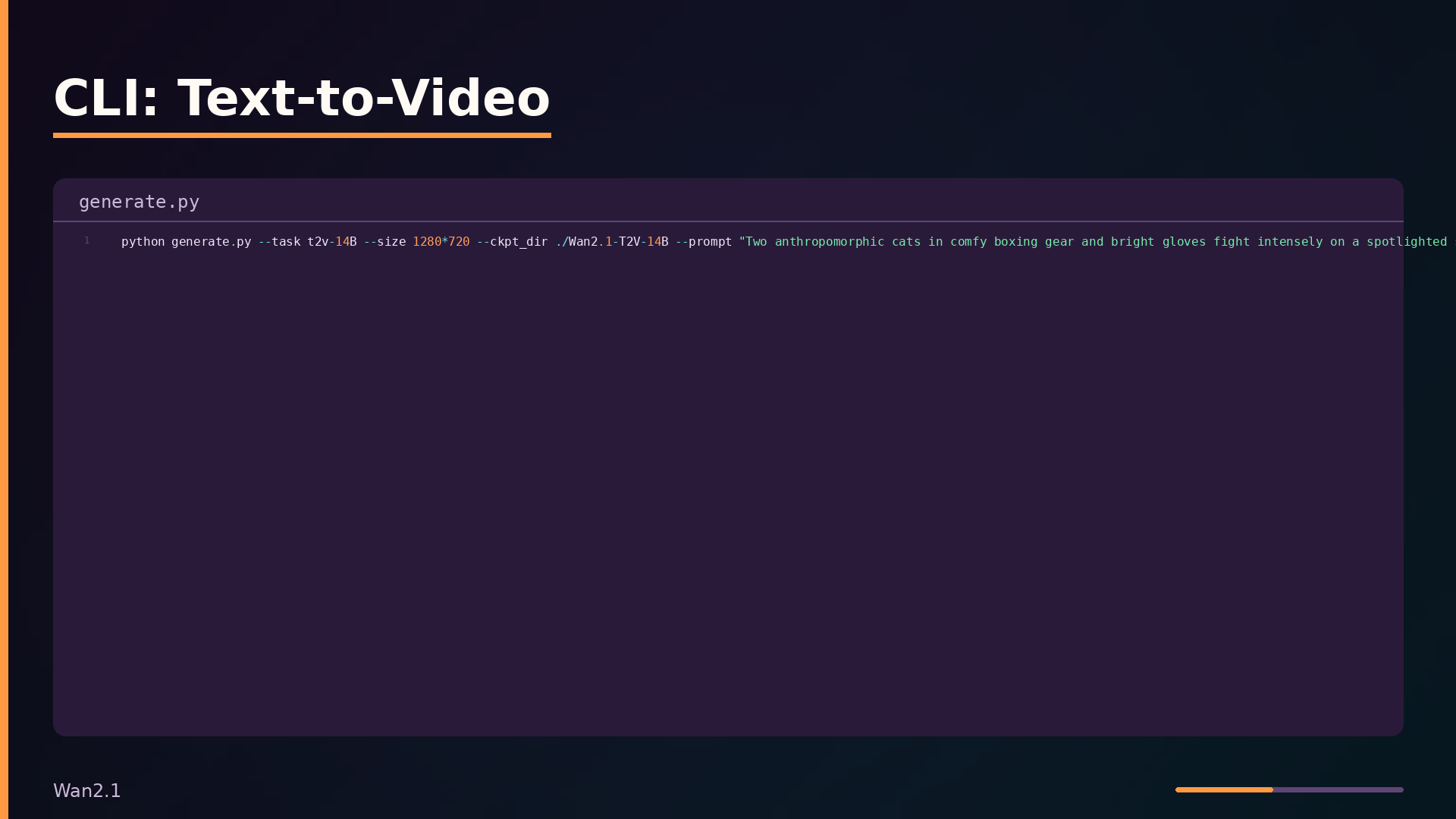
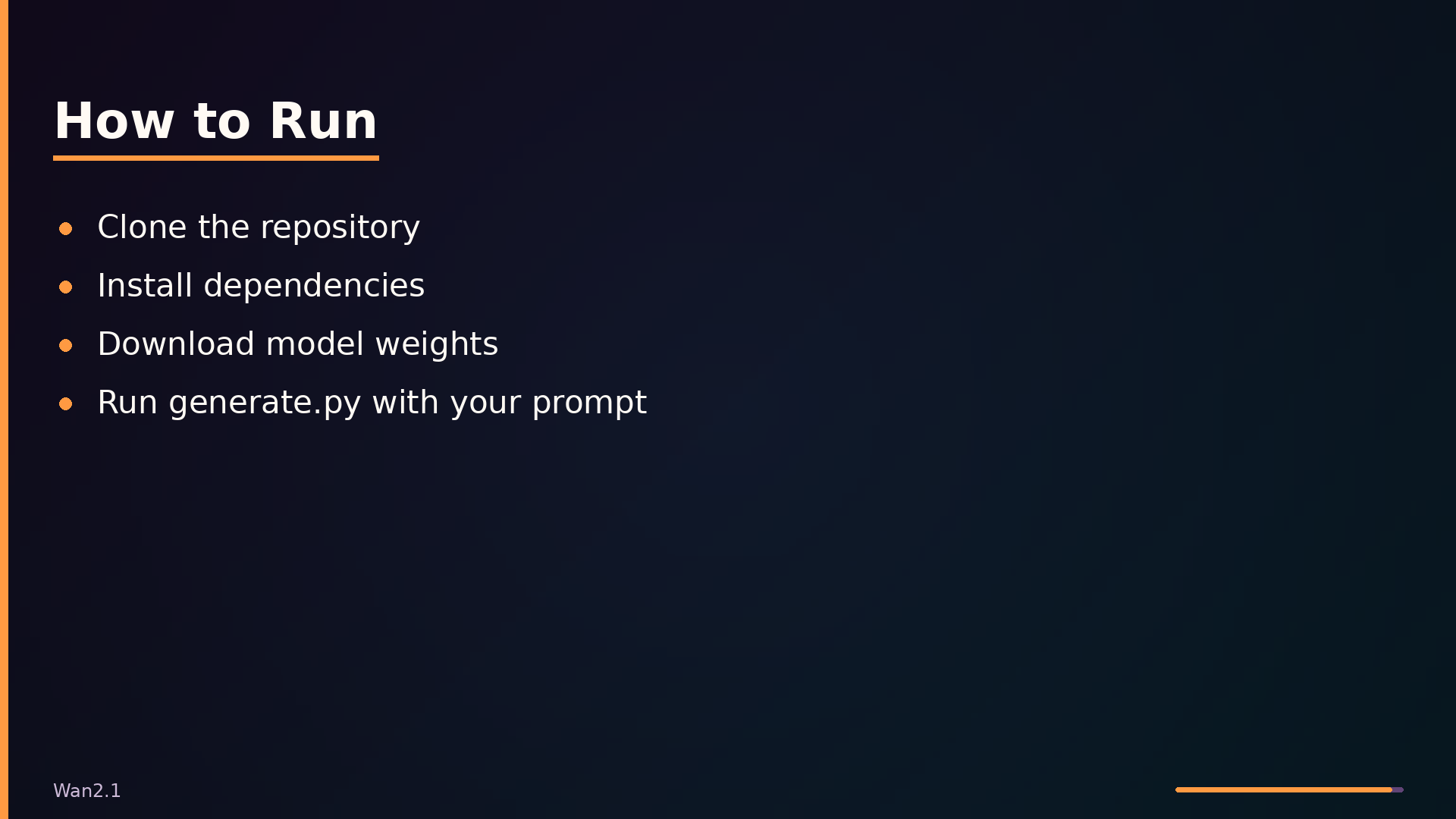
Wan2.1 exposes two entry points: a CLI (generate.py) and a Python API. The CLI is the fastest way to get started. A minimal text-to-video invocation selects the task, resolution, checkpoint directory, and prompt:
| |
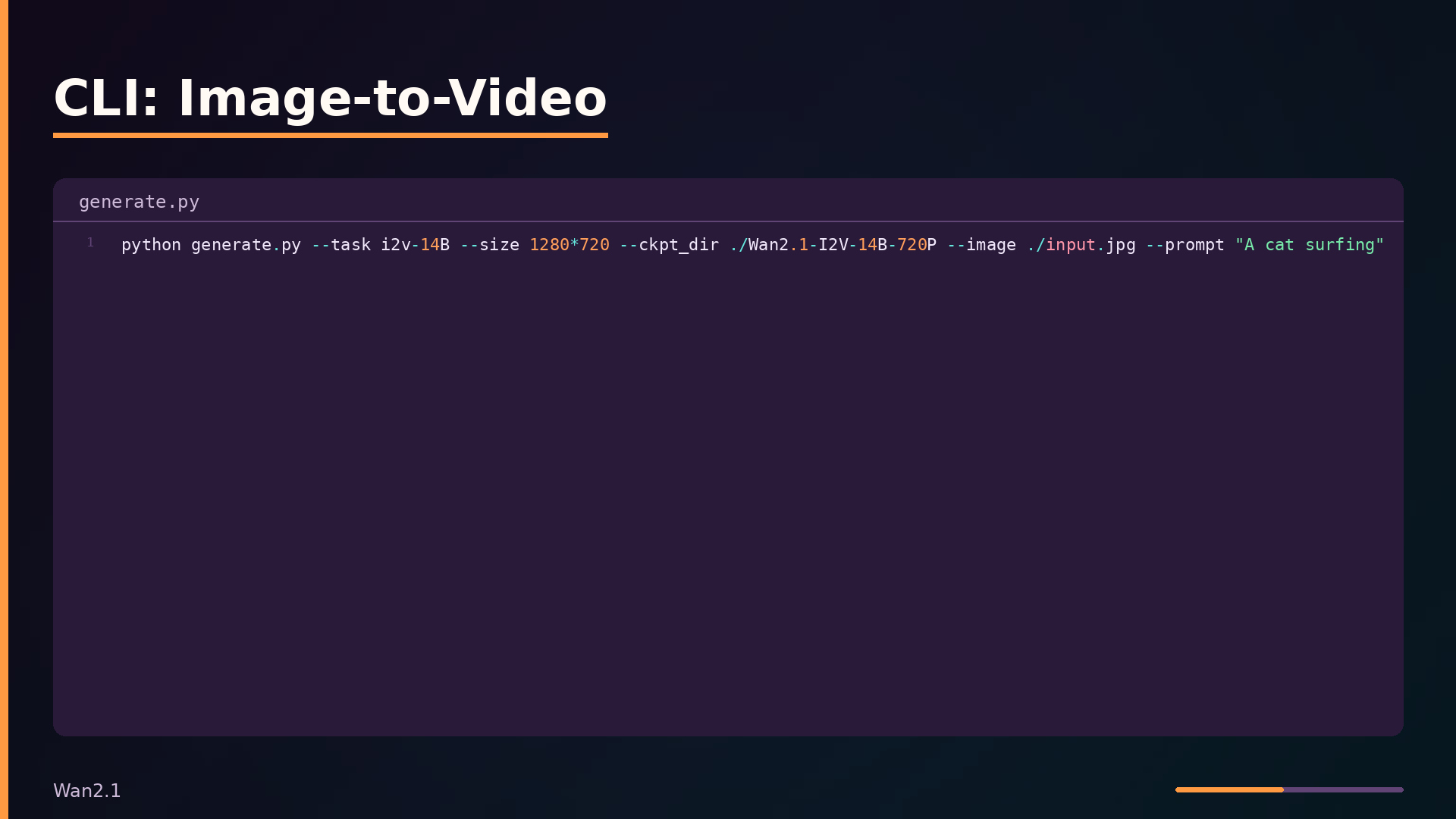
For image-to-video, add the --image flag and use an i2v task:
| |
The --task argument dispatches to the correct pipeline class. --size must be one of the supported resolutions for that task; _validate_args in generate.py enforces this against SUPPORTED_SIZES. The --offload_model flag defaults to True on single-GPU and False for multi-GPU, trading speed for VRAM. --sample_solver selects between unipc and dpm++ flow-matching solvers, with unipc as the default.
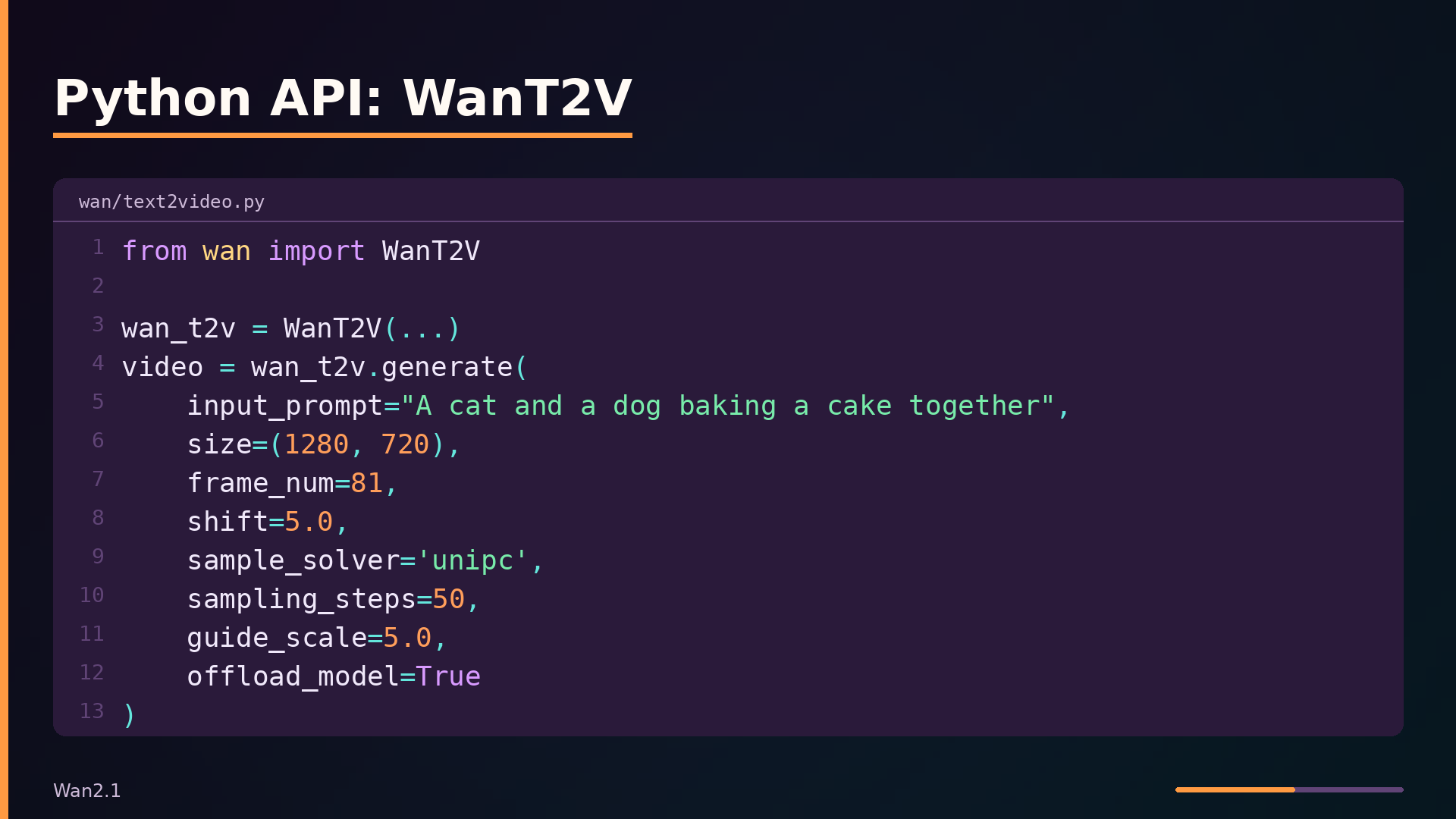
The Python API mirrors the CLI. WanT2V.generate() has this signature:
| |
WanI2V.generate() is similar but takes an img tensor and a max_area parameter instead of size. Both return a video tensor that you can cache to MP4.
Prompt extension is opt-in via --use_prompt_extend. It routes through either DashScopePromptExpander (requires an API key) or QwenPromptExpander for local inference, selected by --prompt_extend_method. The expander enriches the prompt before encoding, which typically improves output quality at the cost of an extra LLM call.
How It Compares: Wan2.1 vs. Alternatives
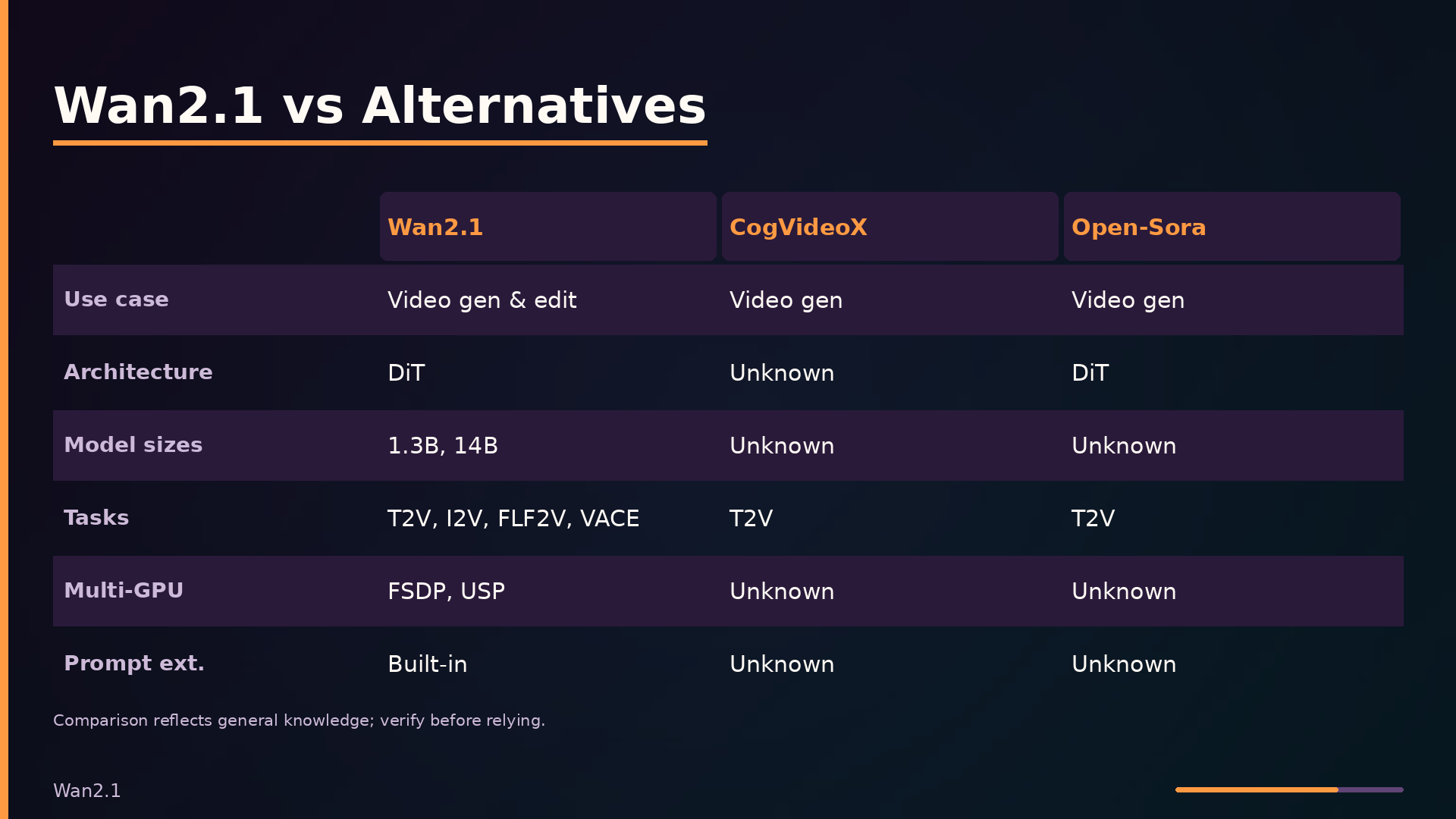
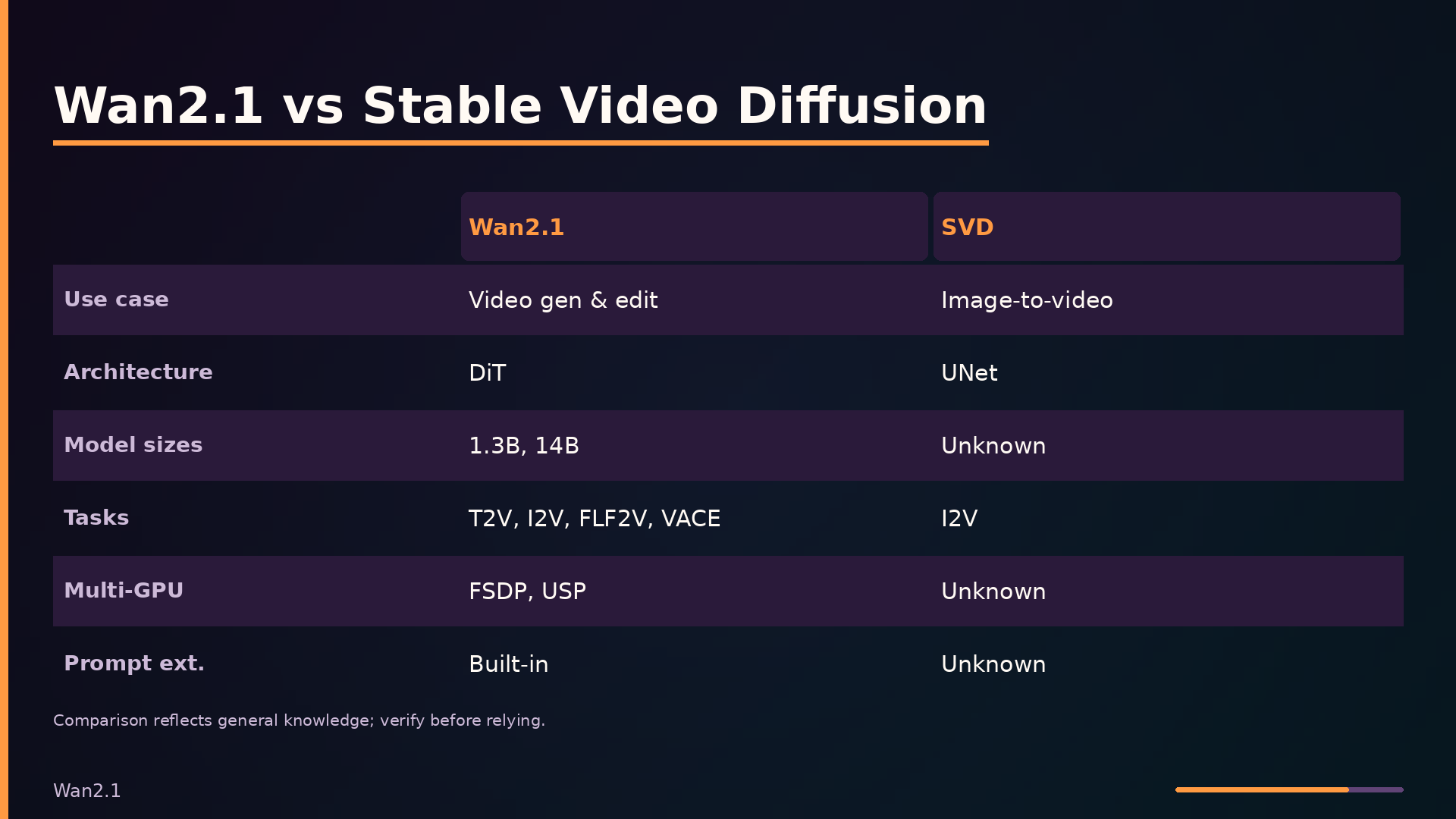
The table below positions Wan2.1 against CogVideoX, Open-Sora, and Stable Video Diffusion. The comparison reflects general knowledge of these projects and may be out of date; performance figures are unknown across all alternatives.
| Axis | Wan2.1 | CogVideoX | Open-Sora | Stable Video Diffusion |
|---|---|---|---|---|
| Primary use case | Video generation & editing | Video generation | Video generation | Image-to-video |
| Architecture | DiT | Unknown | DiT | UNet |
| Model sizes | 1.3B, 14B | Unknown | Unknown | Unknown |
| Supported tasks | T2V, I2V, FLF2V, VACE | T2V | T2V | I2V |
| Multi-GPU support | FSDP, USP | Unknown | Unknown | Unknown |
| Prompt extension | Built-in | Unknown | Unknown | Unknown |
| Memory efficiency | Offloading, 1.3B | Unknown | Unknown | Unknown |
| Community integrations | ComfyUI, Diffusers | Unknown | Unknown | Unknown |
| Maturity | Active | Unknown | Unknown | Unknown |
Wan2.1’s breadth of tasks is its clearest differentiator. The VACE pipeline extends beyond generation into video editing, accepting source videos, masks, and reference images as conditioning inputs—capability that none of the alternatives advertise. Multi-GPU support via FSDP and xDiT’s Ulysses Sequence Parallelism is also unique in this comparison, though the 1.3B model’s 12 attention heads make it incompatible with 8-GPU Ulysses setups.
Architecturally, Wan2.1 and Open-Sora both use diffusion transformers, while Stable Video Diffusion relies on a UNet backbone. CogVideoX’s architecture is unknown from the available information. Model sizes are documented only for Wan2.1 (1.3B and 14B); the parameter counts for all three alternatives are unknown.
The unknowns in this table reflect the limits of the analysis rather than the projects themselves. CogVideoX, Open-Sora, and Stable Video Diffusion are all active open-source efforts, and their capabilities may have evolved beyond what is captured here.
Under the Hood: The DiT and VAE
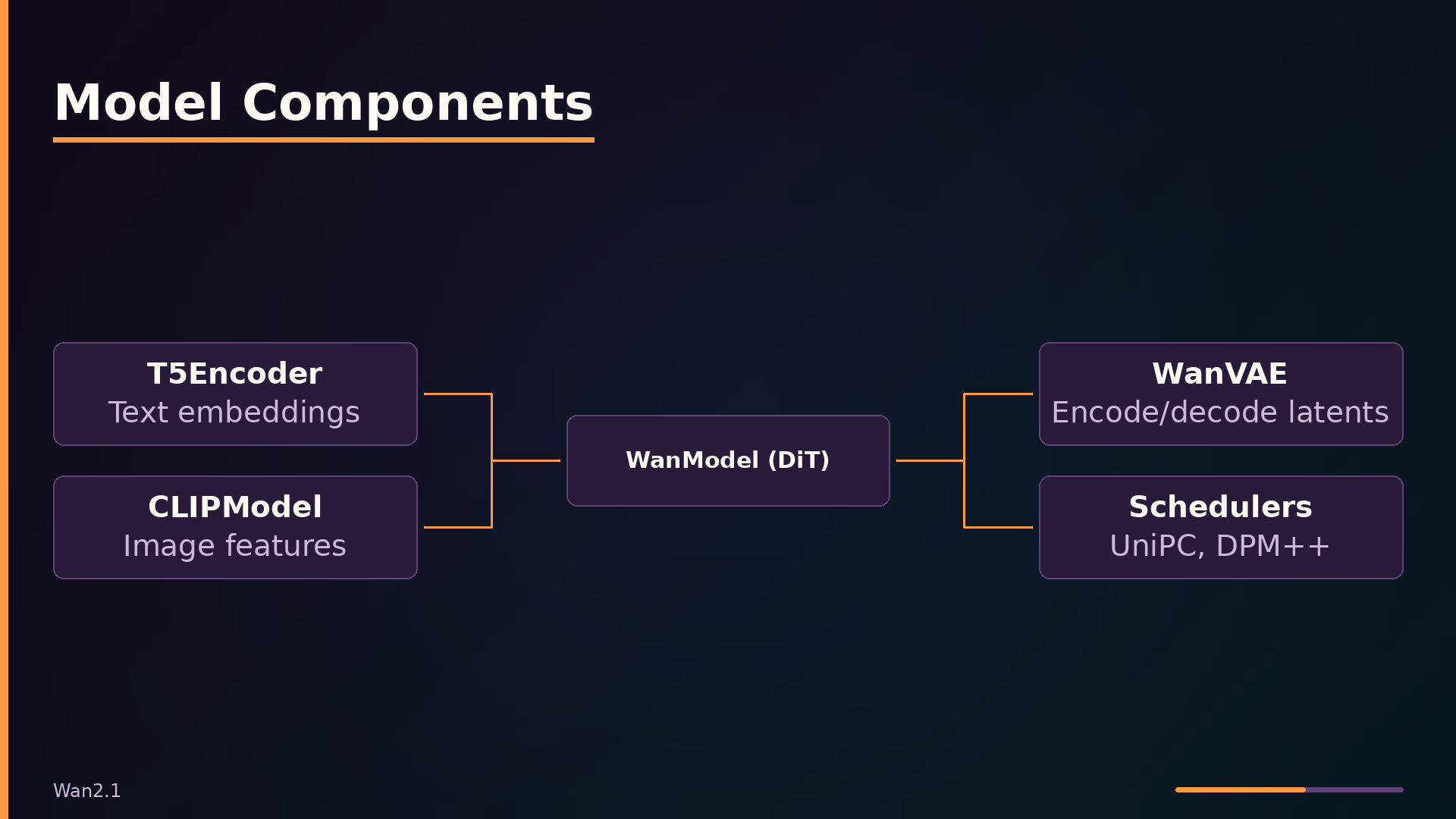
The core of Wan2.1 is a diffusion transformer whose blocks combine self-attention with rotary position embeddings (RoPE), cross-attention for text conditioning, and adaptive layer normalization (AdaLN) for timestep modulation. Each WanAttentionBlock in wan/modules/model.py applies a modulation vector e—derived from the sinusoidal timestep embedding—to scale and shift the normalized inputs before attention and feed-forward layers. The modulation parameters are initialized as torch.randn(1, 6, dim) / dim**0.5, producing six channels that control the self-attention input, its residual scale, and the corresponding FFN terms.
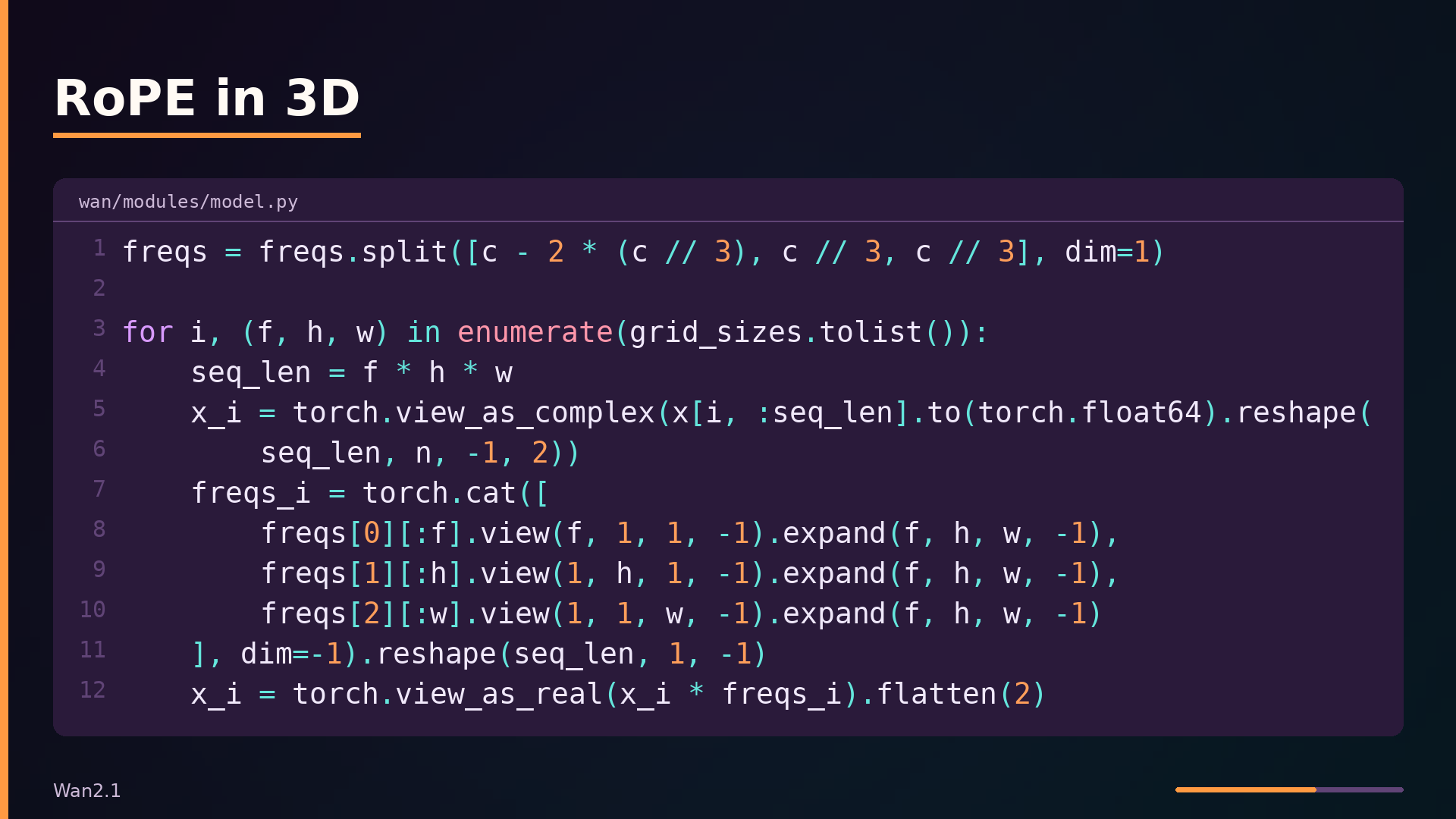
RoPE is applied separately to the temporal, height, and width dimensions, which is what lets the model handle arbitrary resolutions and frame counts. The rope_apply function in wan/modules/model.py splits the frequency tensor into three parts and expands each across its corresponding grid axis:
| |
Because each dimension gets its own frequency range, the model can extrapolate to longer videos or higher resolutions than it saw during training without re-learning position embeddings.
The VAE uses causal 3D convolutions with a frame cache to encode and decode videos of arbitrary length. The CausalConv3d class in wan/modules/vae.py shifts padding to the front of the temporal axis, and the encoder processes input in chunks of 1, 4, 4, 4… frames, carrying over the last two frames (CACHE_T = 2) between chunks. This avoids re-computing the full video and keeps memory bounded.
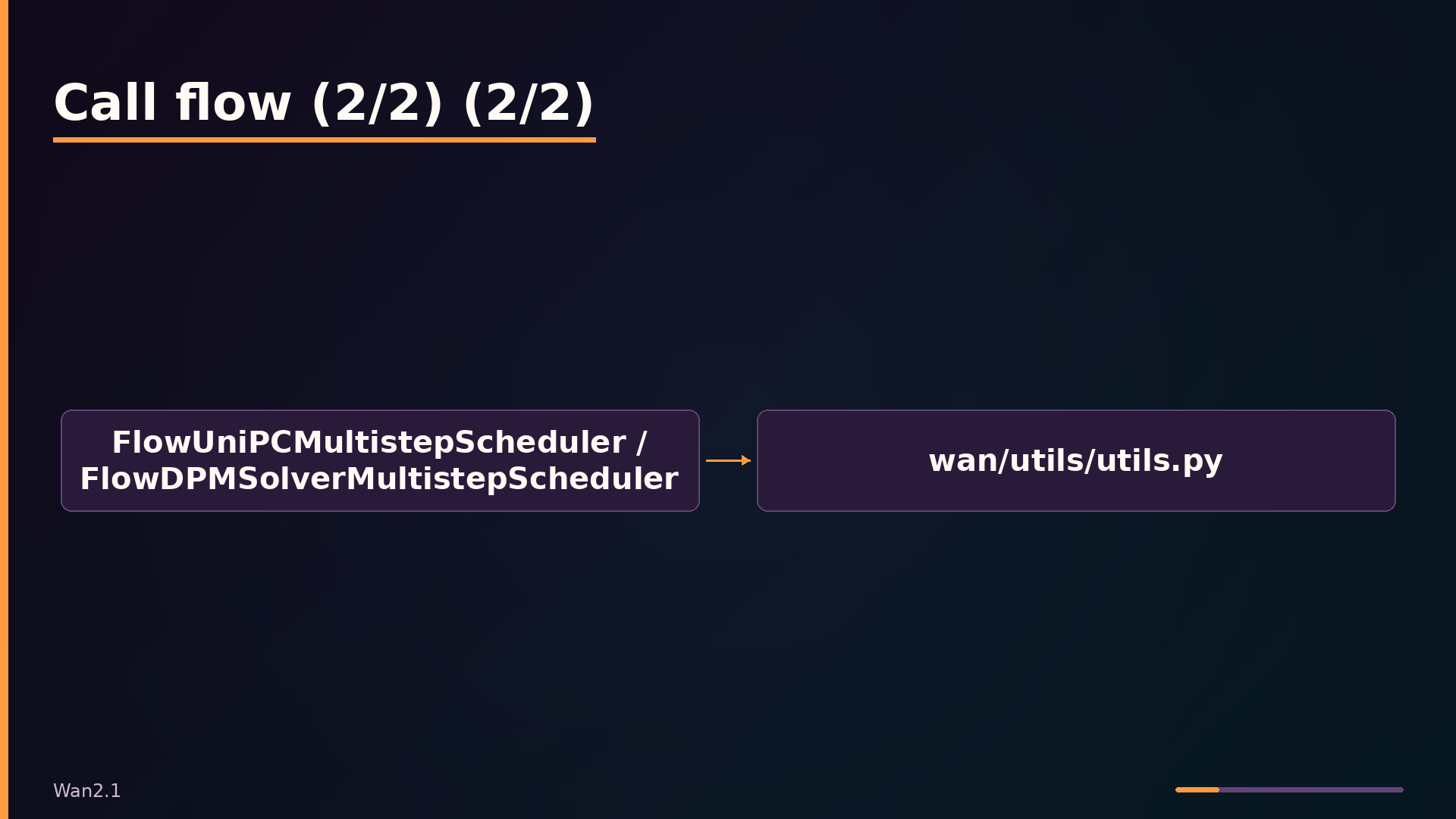
Both schedulers—FlowUniPCMultistepScheduler and FlowDPMSolverMultistepScheduler—implement flow matching with a shift parameter that controls the noise schedule’s concentration. The shift value scales the sigma schedule, letting users trade off sampling dynamics for different resolutions and tasks without changing the model weights.
What to take away
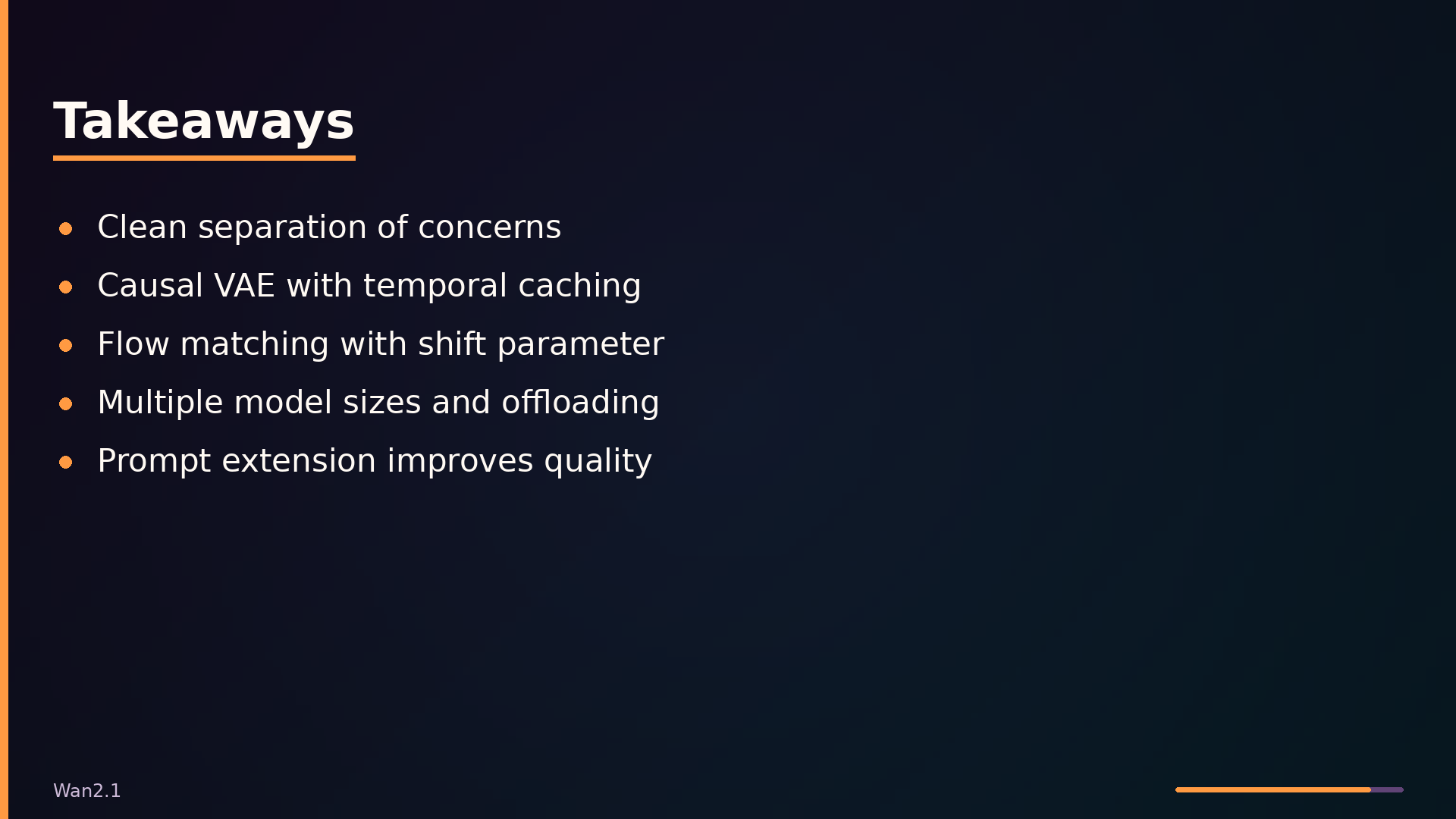
Wan2.1 demonstrates a practical template for structuring a diffusion-based video generation codebase. The separation between pipeline orchestration and model components is worth copying: each task gets its own thin wrapper, while the DiT, VAE, and schedulers remain shared and interchangeable. If you are building a similar system, that boundary will pay off when you add new conditioning modes or swap solvers.
The VAE’s causal 3D convolutions with temporal caching are the most transferable technique in the repository. Processing video in chunks while caching intermediate features lets you decode arbitrary-length sequences without quadratic memory growth. The same pattern applies to any autoregressive or sequential tensor operation.
The project is honest about its limits. It is inference-only; there is no training code, so fine-tuning or training from scratch requires looking elsewhere. The 1.3B model’s head count is not divisible by 8, which breaks Ulysses sequence parallelism on 8-GPU setups. The VACE pipeline depends on decord, which is missing from requirements.txt. Performance benchmarks across hardware configurations are not documented, so expect to measure VRAM and latency yourself.
The repository is actively maintained at github.com/Wan-Video/Wan2.1, with model weights on HuggingFace and ModelScope.
What this analysis could not determine
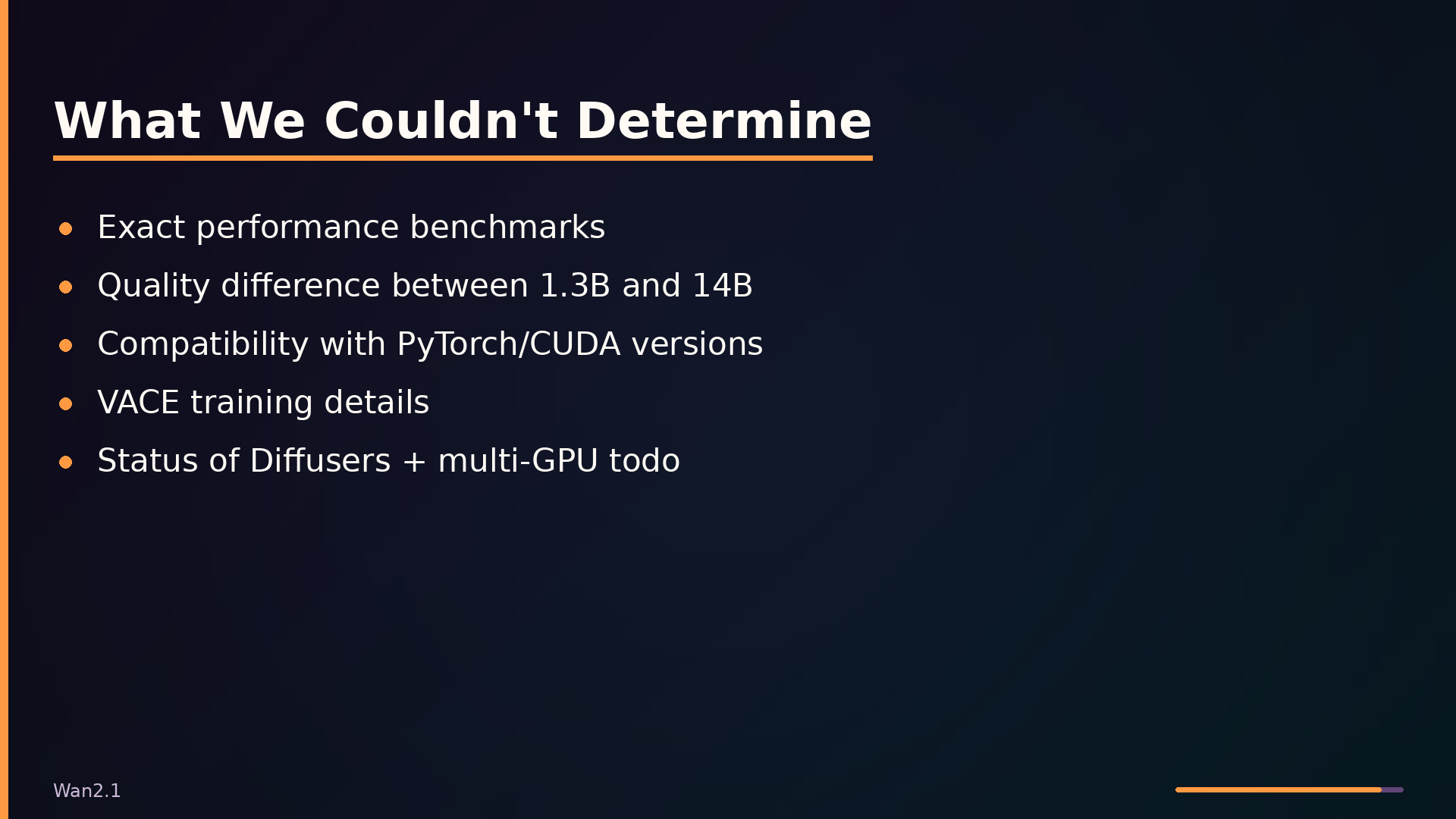
- The exact performance benchmarks (e.g., generation time, VRAM usage) for different models and settings are not fully detailed in the digest.
- The specific differences between the 1.3B and 14B models in terms of output quality are not quantified.
- The repository’s compatibility with different versions of PyTorch, CUDA, and flash-attn is not fully documented.
- The VACE model’s training details and the exact meaning of ‘context_scale’ are not fully explained in the provided digest.
- The status of the ‘Diffusers + Multi-GPU Inference’ todo item is unclear from the digest alone.
Further diagrams