How a Unix-socket leader, an actor-based session runtime, and a dual-mode workspace crate combine into a TUI/headless/ACP coding agent.
You have probably used an AI coding agent that feels bolted onto your editor, or a CLI that cannot keep state across reconnects. Grok Build, at https://github.com/xai-org/grok-build, addresses this by splitting the UI from the agent runtime with a leader process that multiplexes clients over a Unix socket. The same agent core serves a TUI, a headless script, and an editor plugin simultaneously, without duplicating session state.
The repository is a Rust workspace of roughly thirty crates, actively developed, with a full-screen TUI, headless entry points, and an Agent Client Protocol (ACP) implementation for editor embedding. The architecture separates entrypoint, control plane, and data plane layers, so the TUI never touches the filesystem directly.
By the end of this article you will understand how the leader multiplexes ACP clients, how the session actor dispatches tool calls through a dual-mode workspace handle, and why the design choices—channel-based actors, filesystem-aware SQLite journaling, and checksum-tracked bundle manifests—matter for a production agent.
What It Is and Where It Sits
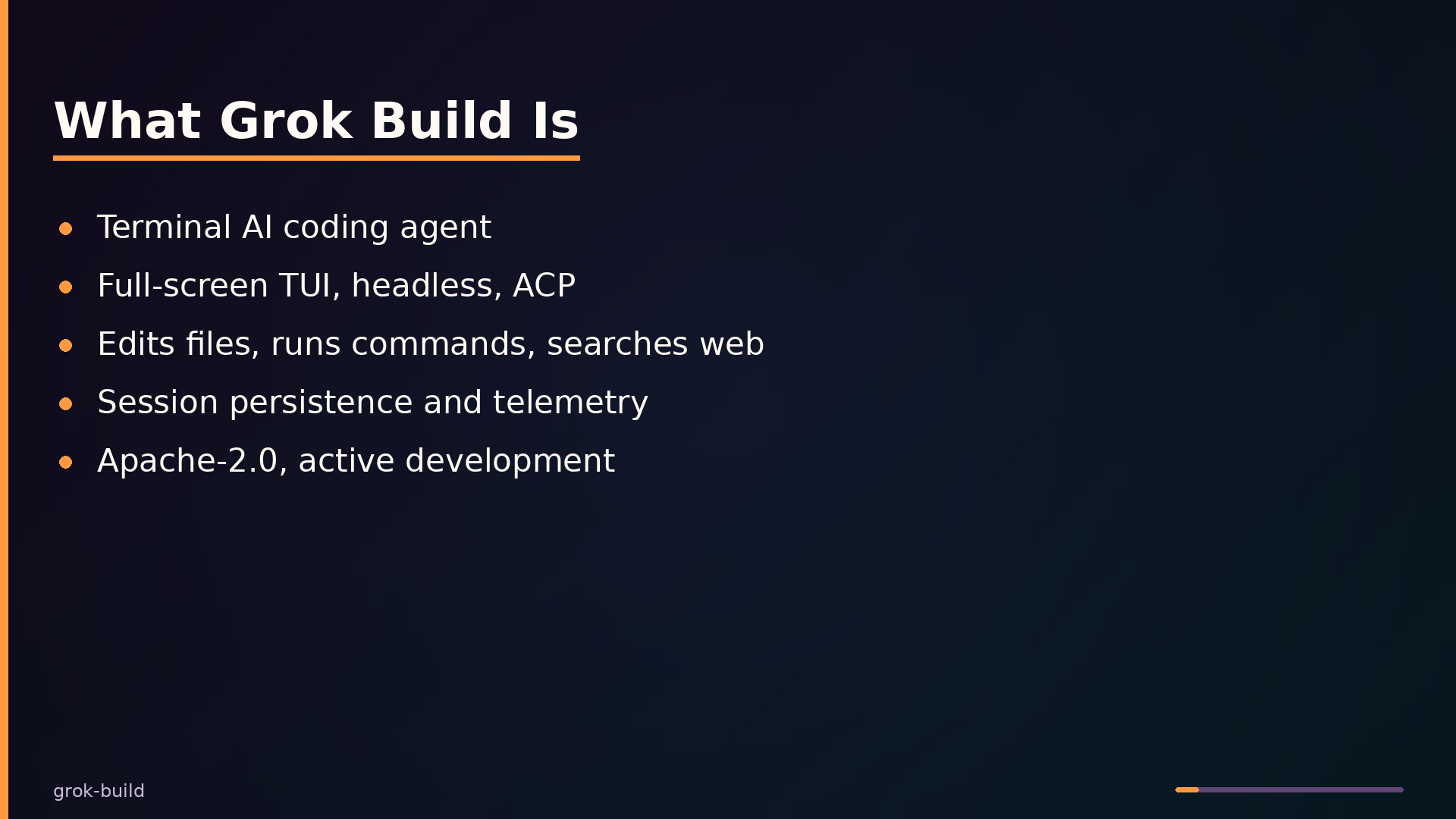
Grok Build is a terminal-based AI coding agent from SpaceXAI, implemented in Rust. It runs as a full-screen TUI that understands codebases, edits files, executes shell commands, searches the web, and manages long-running tasks. Beyond the interactive interface, it supports headless mode for scripting and CI, plus editor integration through the Agent Client Protocol (ACP).
It is not a web IDE or an autocomplete tool. Grok Build is a complete agent runtime with tool execution, session persistence, and telemetry. It sits above the operating system and model APIs, orchestrating filesystem access, version control, shell execution, and model inference through a single control plane.
The codebase is organized as a Rust workspace with several primary crates. xai-grok-pager provides the TUI frontend, xai-grok-shell implements the agent runtime and leader process, xai-grok-workspace handles filesystem and VCS operations, and xai-grok-tools contains the tool implementations. Supporting crates handle codebase indexing, session search, telemetry, and bundle management.
Two operational constraints are worth noting. The README states that external contributions are not accepted, so the project is effectively closed to outside developers. Windows builds are best-effort and untested; the project targets Unix-like systems as its primary platform.
Architecture: Leader, Session Actors, and Dual-Mode Workspace
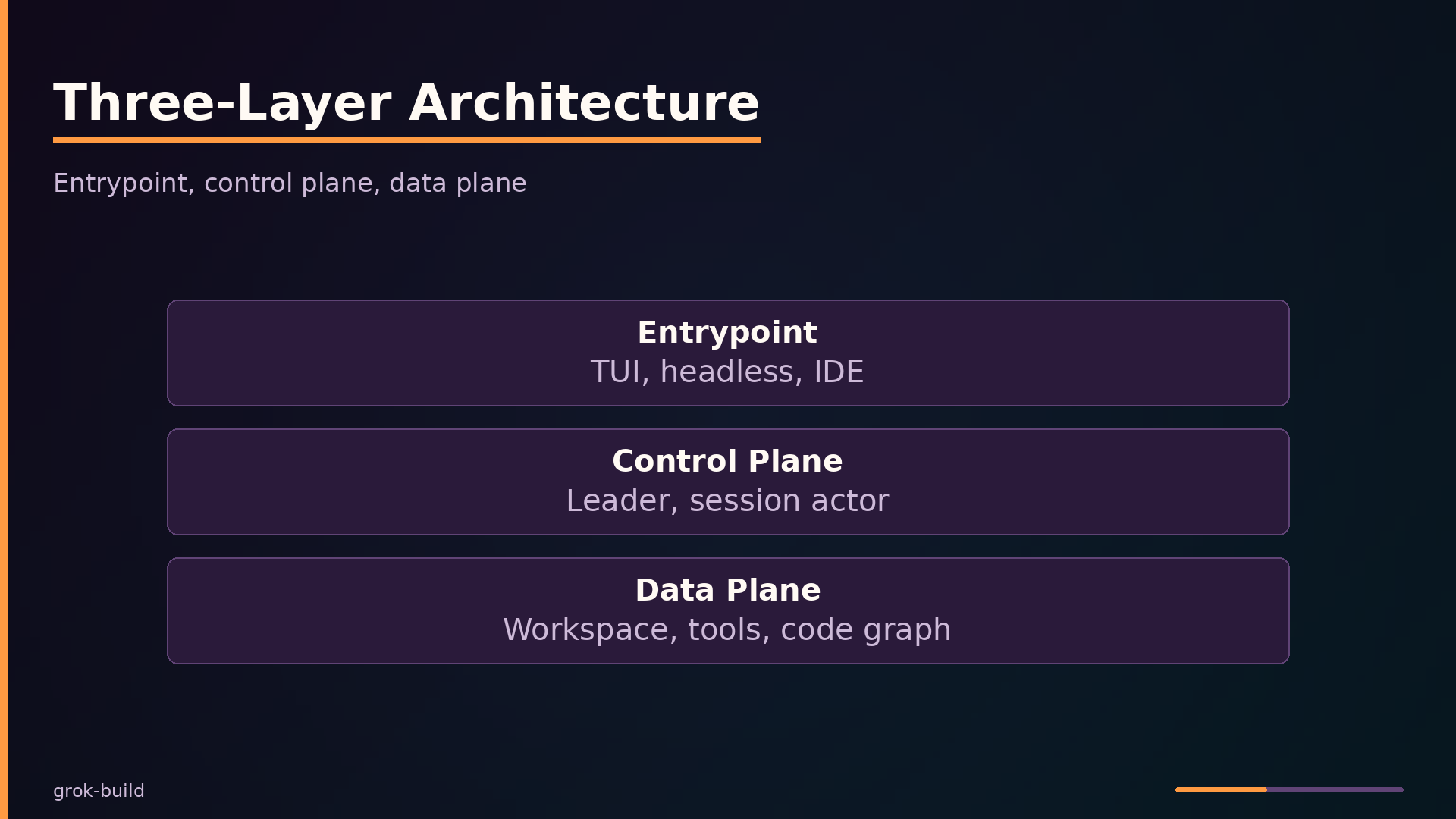
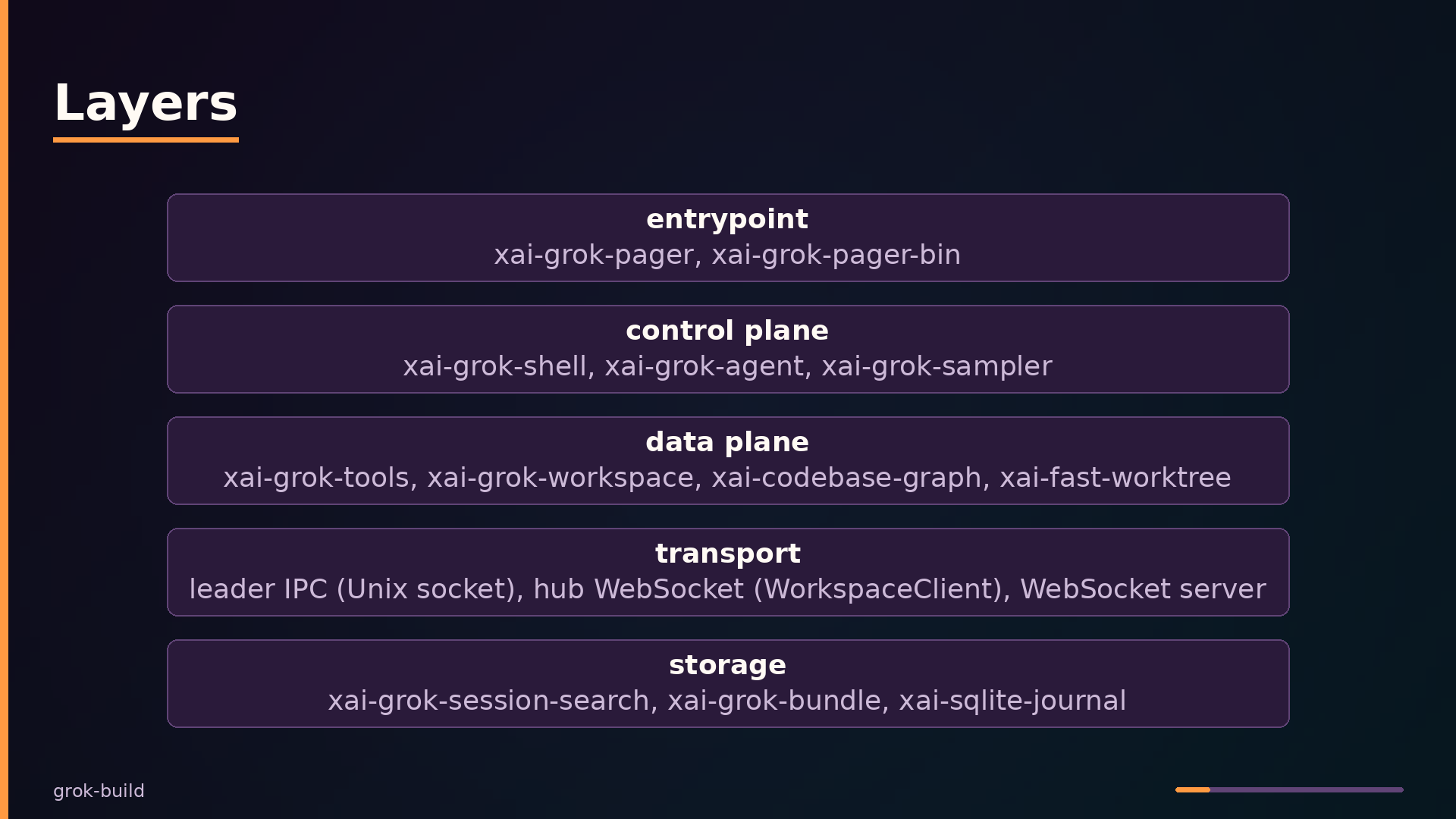
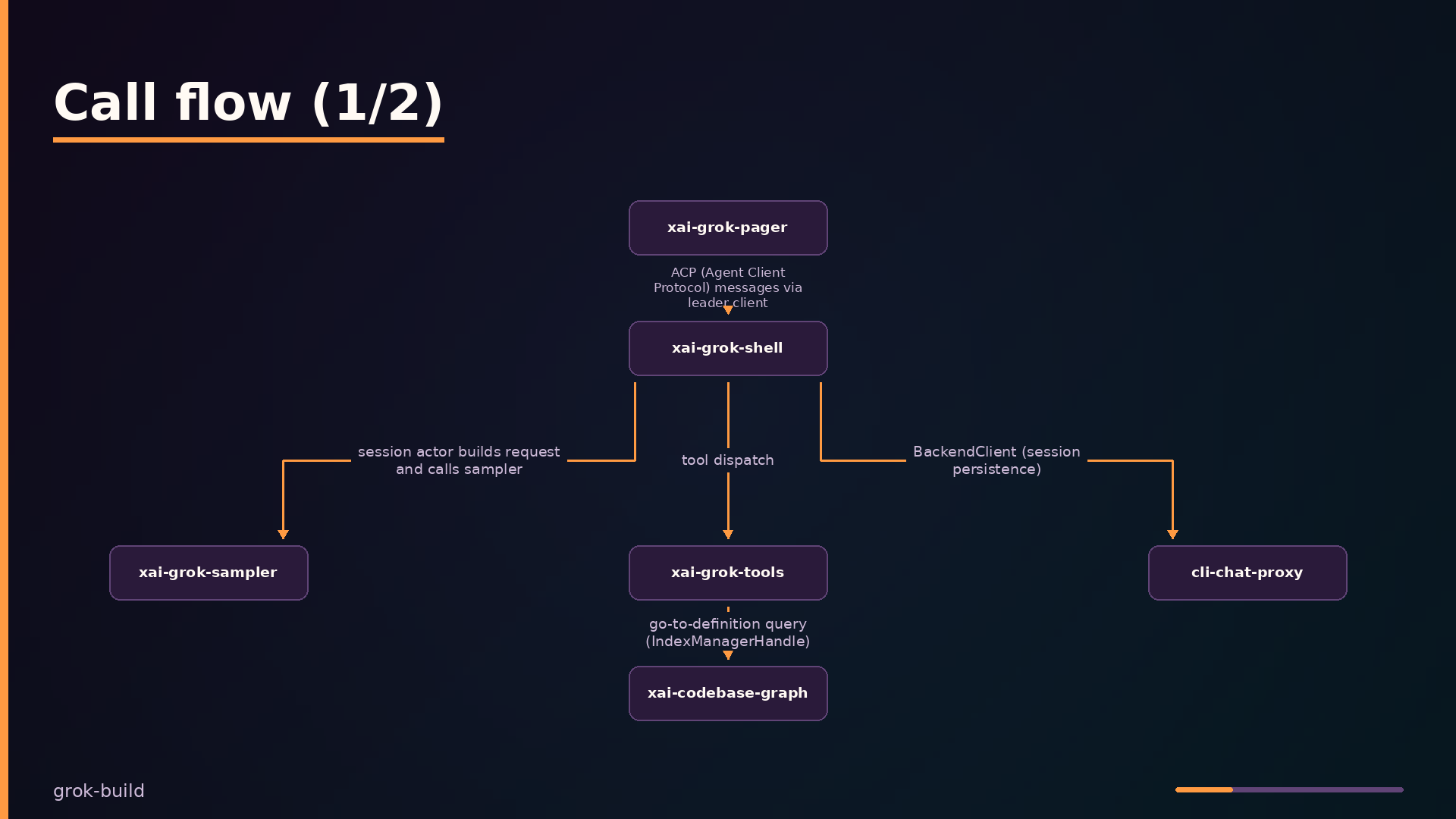
Grok Build separates into three layers: the entrypoint (xai-grok-pager), the control plane (xai-grok-shell), and the data plane (xai-grok-workspace and xai-grok-tools). The pager handles user input and rendering, communicating with the shell over a Unix socket via the Agent Client Protocol. The shell owns session lifecycle and the tool loop. The workspace provides filesystem, VCS, and code-navigation operations.
| |
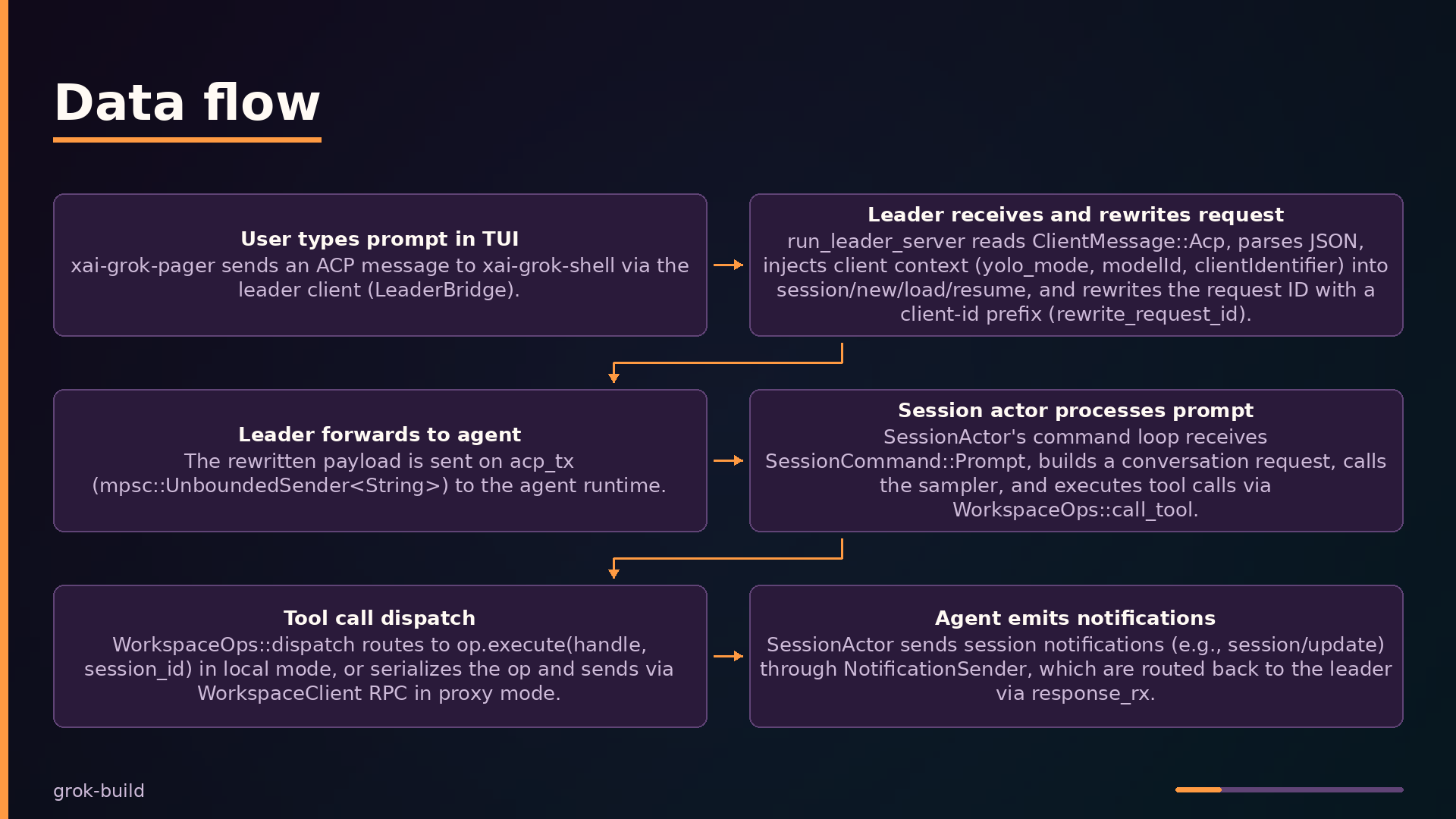
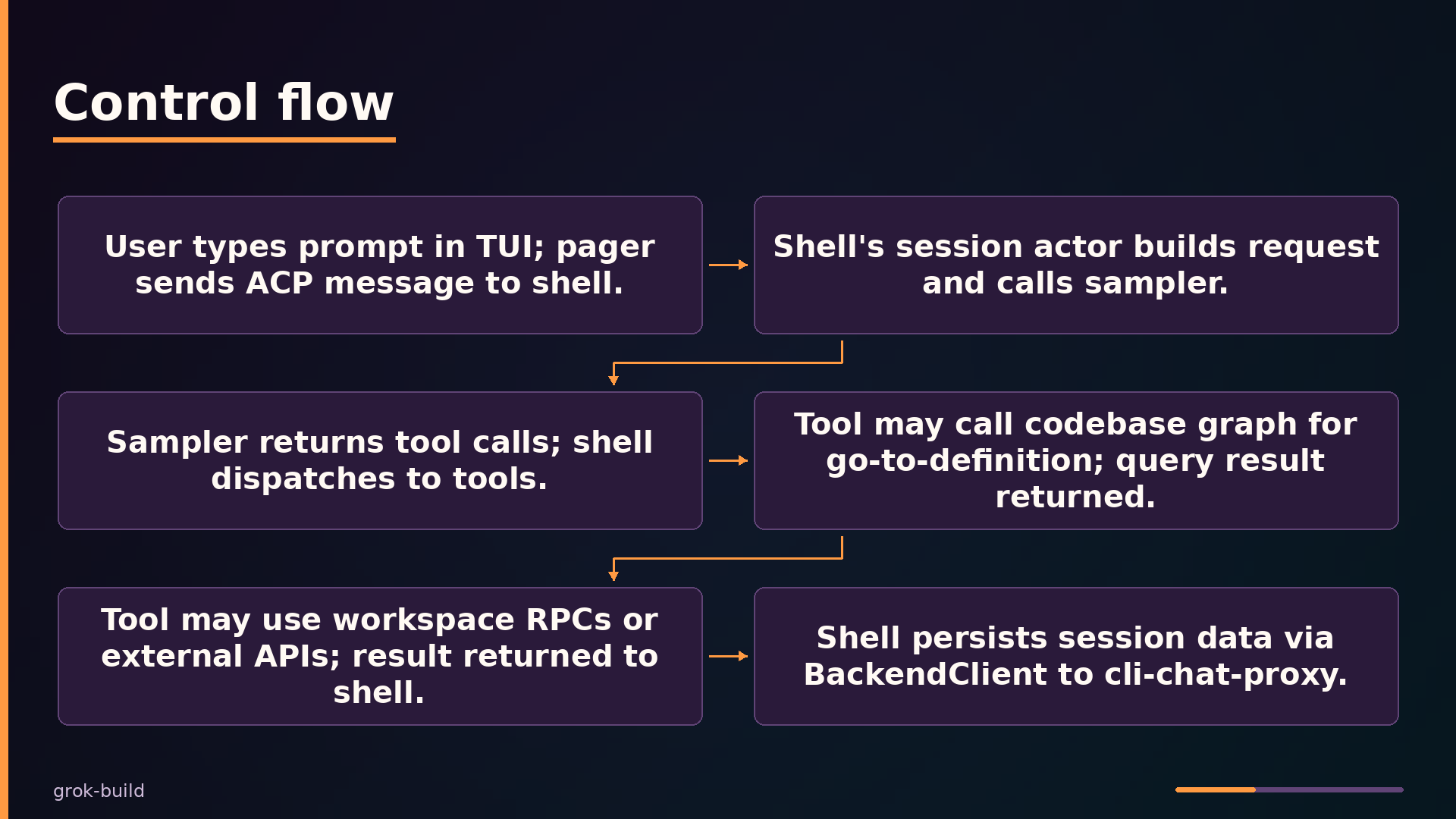
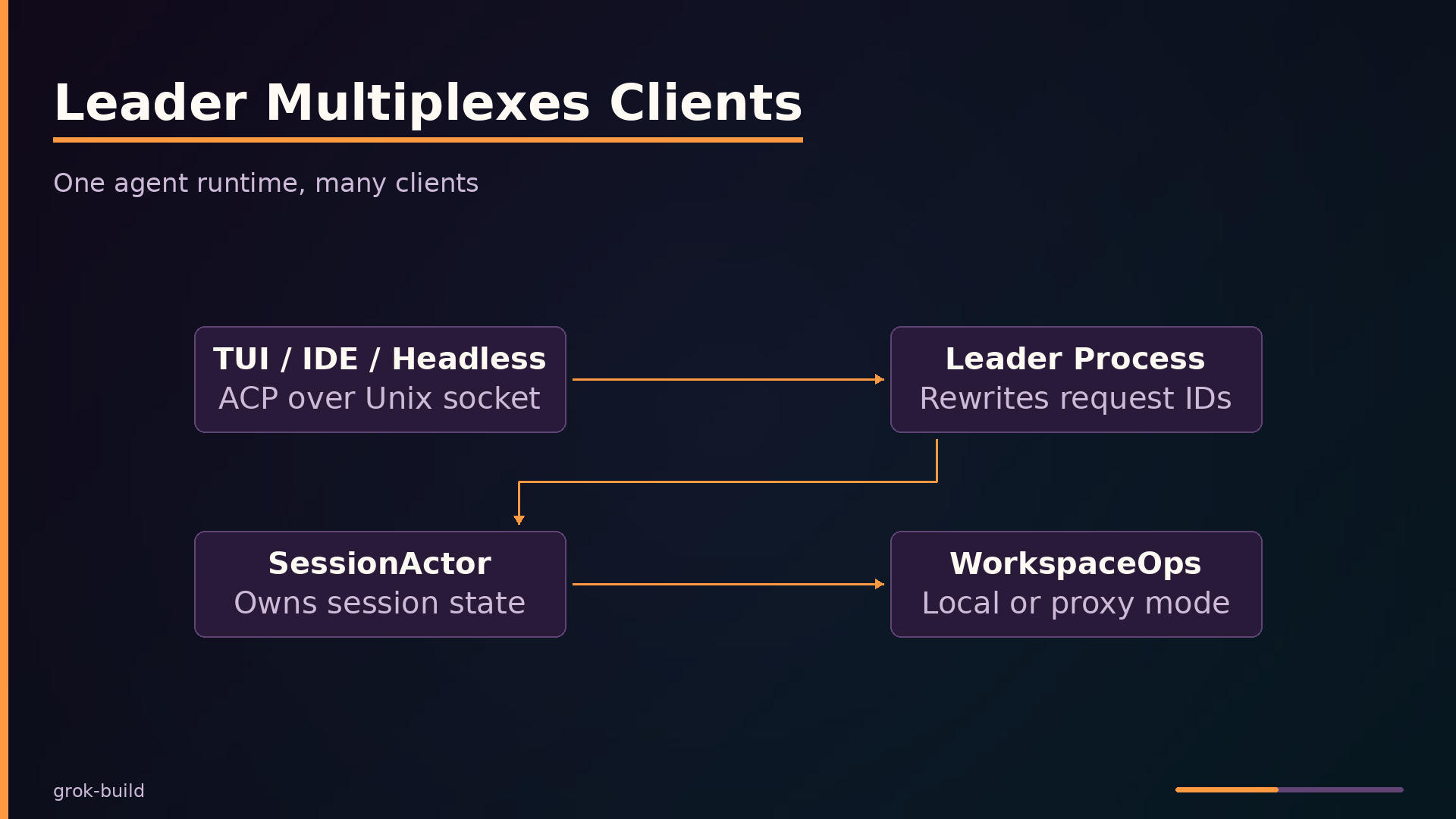
The leader process (run_leader_server) accepts Unix-socket connections and multiplexes multiple clients—TUI, IDE, headless—onto a single agent runtime. Each incoming ACP message gets its request ID rewritten with a client-id prefix, so responses can be routed back to the originating client. The leader injects client context such as yolo_mode and model selection into session lifecycle messages before forwarding them to the agent.
The SessionActor owns per-session state: a prompt queue, tool dispatch, and notification emission. Its command loop receives prompts, builds conversation requests, calls the sampler, and executes tool calls through WorkspaceOps::call_tool. Notifications flow back through a NotificationSender to the leader, which restores the original request ID and forwards the payload to the correct client channel.
WorkspaceOps is an enum with two modes. Local mode holds a WorkspaceHandle in-process and dispatches operations directly. Proxy mode serializes the same typed RPCs and sends them through a WorkspaceClient over a hub WebSocket, enabling remote execution. This dual-mode design means the session actor’s tool loop is agnostic to whether the workspace is local or remote.
A notable pattern is the channel-based IndexManager in xai-codebase-graph. It runs as its own task, processing file-system events sequentially, and returns Arc snapshots that are cheap to clone and isolated from mutations. This eliminates Arc<Mutex> contention while providing consistent views of the code index to concurrent tool calls.
Key Features: From TUI to Session Search
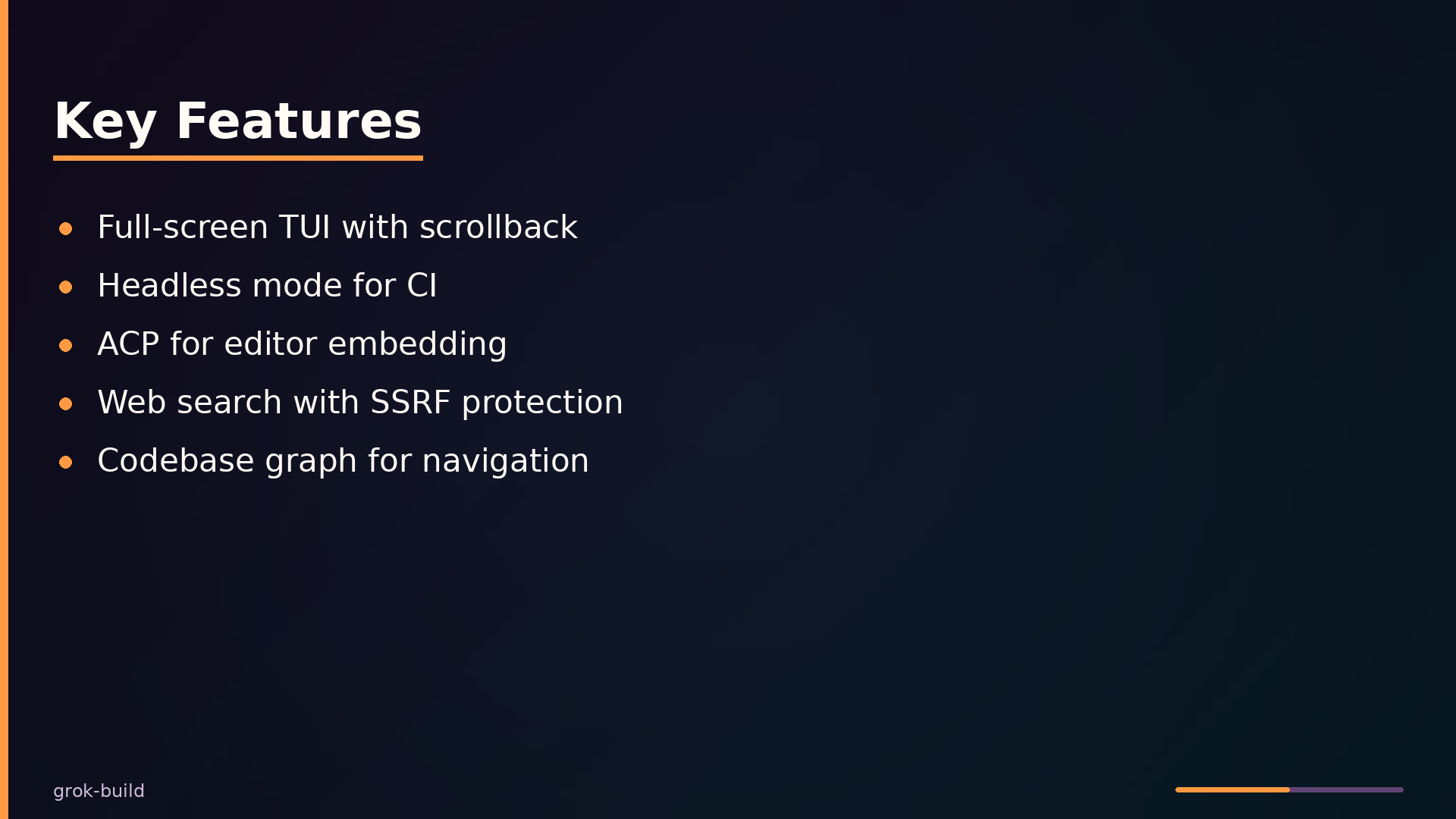
The full-screen TUI in xai-grok-pager is built on ratatui and provides scrollback, a prompt line, and modal dialogs. This solves the context-switching problem: instead of jumping between editor, terminal, and browser to gather information, the agent’s responses, file edits, and command output all appear in one scrollable surface. The TUI connects to the agent runtime through a leader bridge that handles reconnection and outbound message buffering.
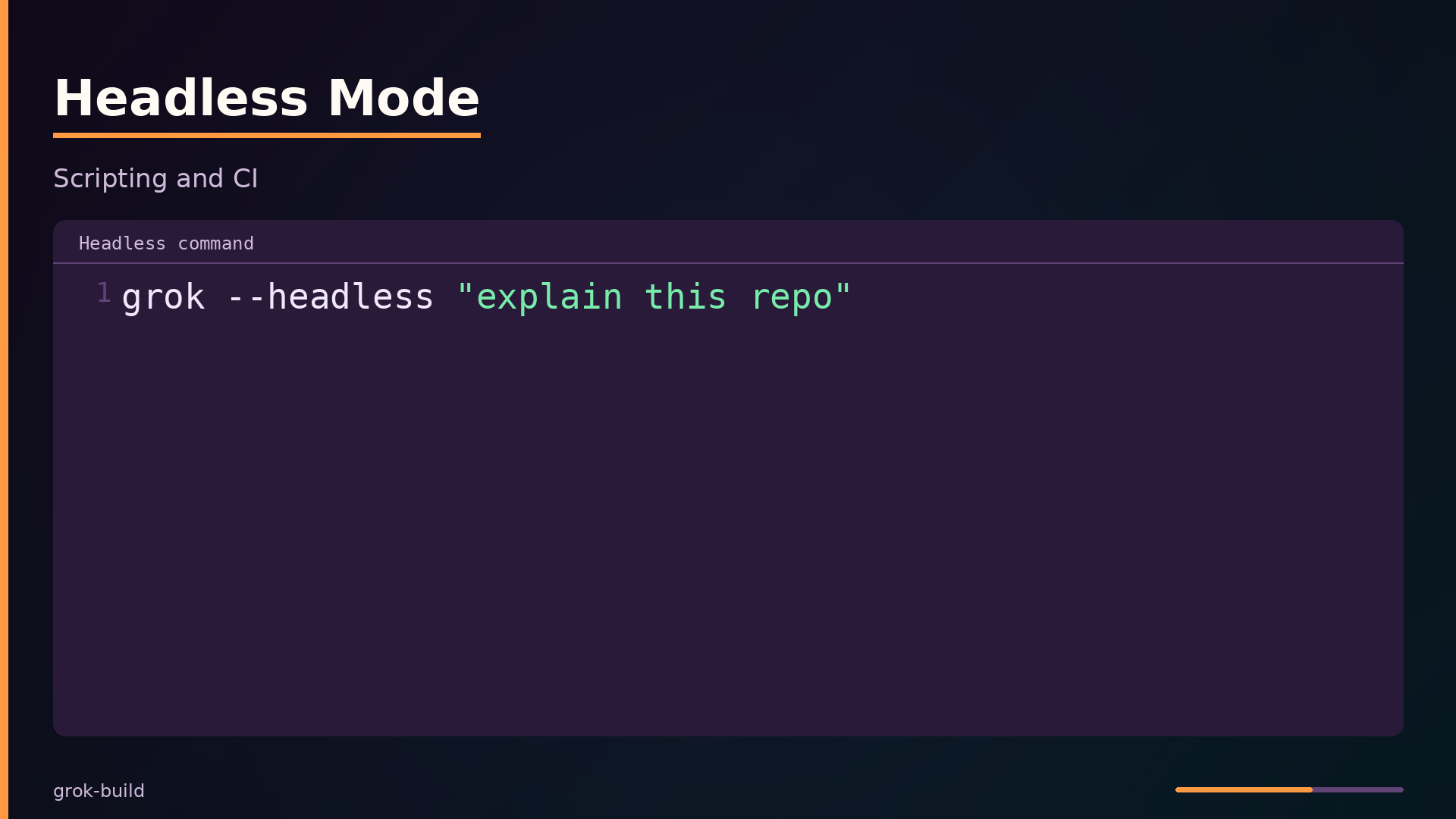
Headless mode in xai-grok-shell runs the same agent core without a TUI, accepting a command as an argument for scripting and CI pipelines. Because both modes share the same session actor and tool dispatch machinery, a prompt that works interactively behaves identically when invoked as grok --headless "explain this repo". This makes the agent automatable without maintaining a separate code path.
The Agent Client Protocol (ACP) in xai-acp-lib standardizes client-server communication so editors can embed the agent. The leader process accepts Unix-socket connections, registers client capabilities, and multiplexes JSON-RPC messages between multiple clients and the single agent runtime. Request IDs are rewritten with a client-id prefix so responses route back to the originating client, whether that is the TUI, an IDE plugin, or a headless script.
The web search tool in xai-grok-tools uses the Responses API and includes SSRF protection plus HTML-to-markdown conversion. This keeps the agent current without requiring the user to leave the terminal, while the SSRF guard prevents the agent from being tricked into fetching internal network resources.
Code navigation comes from xai-codebase-graph, a tree-sitter-based index that powers go-to-definition and find-references queries. The index runs as a channel-based actor that processes filesystem events incrementally and returns immutable snapshots, so concurrent queries never block on a shared lock.
Session search in xai-grok-session-search indexes past conversations into SQLite FTS for full-text retrieval. A cross-process bootstrap lease ensures only one process performs the reindexing work; other processes detect the lease marker and adopt the existing index instead of duplicating effort.
Hooks provide permission gating at two points: PreToolUse can deny a tool call before execution, and Stop can block an agent from halting. The subagent bundle in xai-grok-bundle uses a checksum-tracked manifest so that when bundled personas, roles, and skills are extracted to disk, user edits to those files are detected and preserved rather than silently overwritten.
Use Cases: Where It Shines and Where It Doesn’t
Grok Build fits well when you want an interactive AI pair-programmer inside your terminal. The full-screen TUI integrates code understanding, file editing, and shell execution in one place, so you can ask for a change, review the diff, and run tests without switching windows. The pager crate handles scrollback, prompts, and modals, making it a practical daily driver for terminal-centric workflows.
Headless mode covers CI automation. Running grok --headless "fix the bug" from the shell crate’s entry points lets you script coding tasks in pipelines. The leader architecture supports this by keeping a persistent agent runtime that multiple clients—TUI, headless, or editor—can attach to over a Unix socket.
Editor integration is a third good fit. The ACP library provides a standard protocol for embedding the agent in editors, and the pager’s bridge connects leader IPC into an ACP client channel. Teams building editor plugins can reuse this rather than inventing their own wire protocol.
Model provider flexibility is only partial. The sampler is configurable, but the codebase is tightly coupled to xAI services—authentication, the chat proxy backend, and web search all assume xAI endpoints. Swapping in another provider means reworking those integrations, not just changing a config value.
External contributions are a poor fit. The README explicitly states that outside contributions are not accepted, so this is not a project to fork-and-PR into. Performance characteristics are also unknown from this analysis; no benchmarks or profiling data appear in the codebase, so you should measure before committing to it for latency-sensitive workflows.
Interface and Usage: From Install to Headless
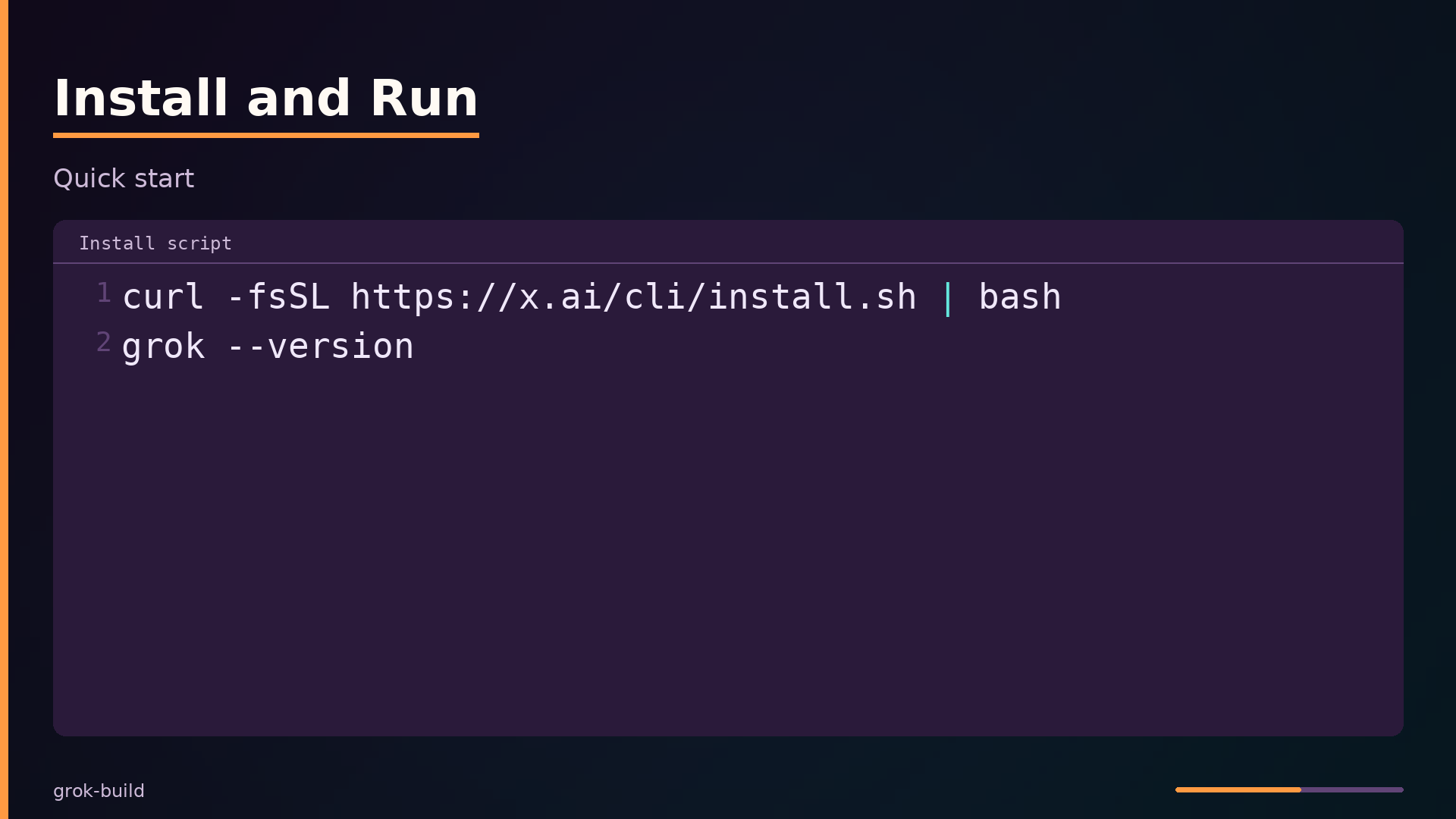
The quickest path to a running agent is the install script, which places the grok binary on your PATH. Verify the installation with a version check:
| |
Building from source targets the TUI entry point directly. The xai-grok-pager-bin crate is the thin binary wrapper around the pager library, and cargo run handles the full workspace build:
| |
This launches the full-screen TUI. On first launch, the shell opens a browser for OAuth authentication. The auth flow supports deployment keys and API keys as alternatives to the interactive browser flow.
Headless mode runs the agent without the TUI, which suits scripting and CI automation. The shell crate provides this entry point:
| |
The command executes the prompt against the agent runtime and prints the response to stdout. No interactive session is created, so this mode is deterministic and scriptable.
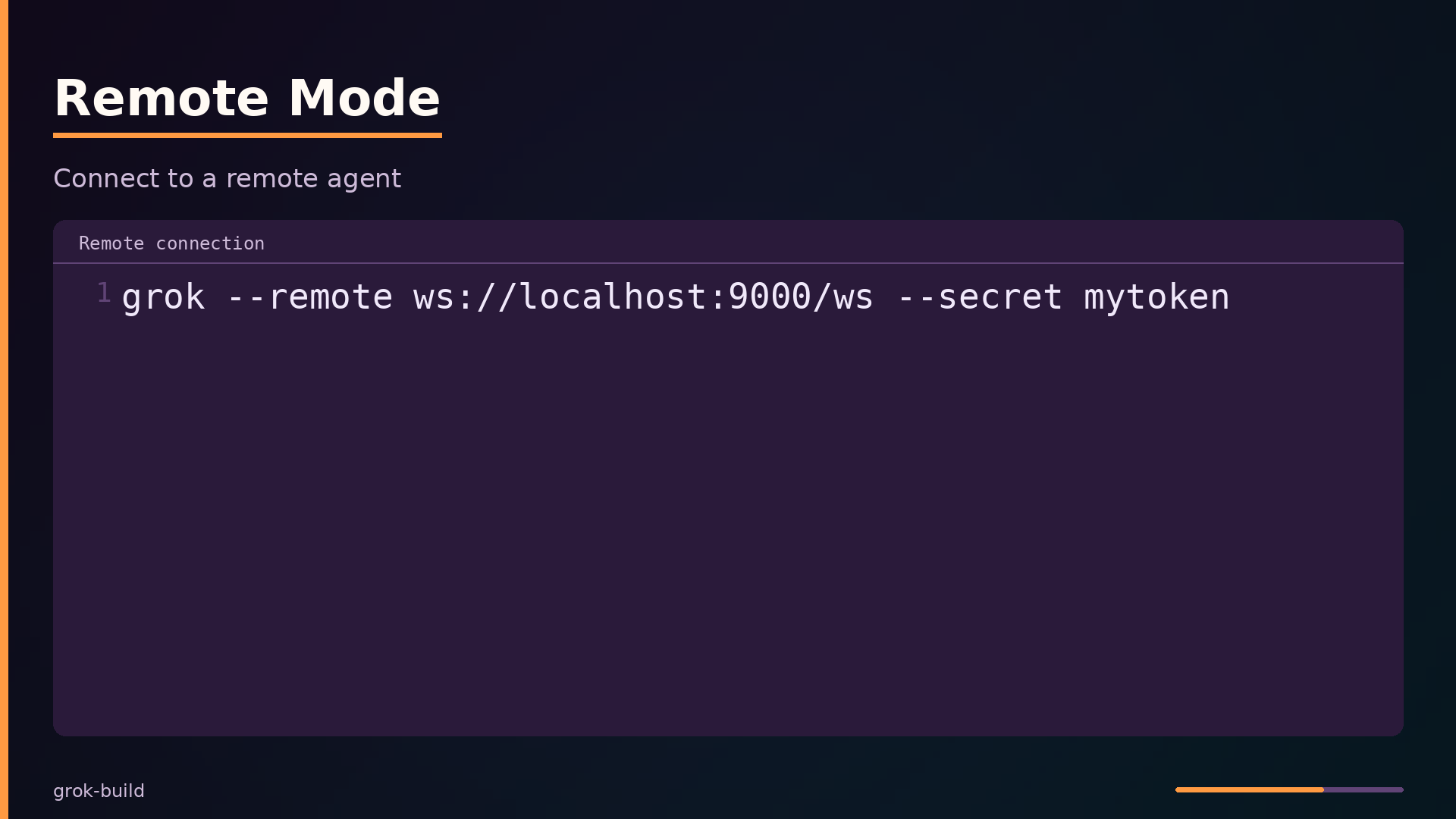
Remote mode connects a local TUI to an agent server running elsewhere. The --remote flag takes a WebSocket URL and a shared secret:
| |
The remote connection uses the same leader-multiplexed architecture as the local Unix socket. The leader server accepts both local and remote clients, registering each with capabilities and routing ACP messages to the single agent runtime. The LeaderClient in crates/codegen/xai-grok-shell/src/leader/client.rs handles registration, keepalive pings, and reconnect logic with a bounded retry budget:
| |
The worktree subcommand reports live mount status for a worktree path:
| |
This is useful when the fast-worktree daemon creates NFS-backed worktrees; the command confirms whether the mount is live or stale.
How It Compares: Grok Build vs. Codex CLI and Claude Code
The table below compares Grok Build against the two most common terminal-based AI coding agents. The comparison reflects general knowledge of these projects and may be out of date; verify current capabilities before making a choice.
| |
The most significant differentiator is the interface. Grok Build offers three modes—a full-screen TUI, headless scripting, and ACP for editor embedding—while both Codex CLI and Claude Code are CLI-only. This makes Grok Build the only one of the three that can serve as an embedded editor agent out of the box.
The implementation language and model provider also differ. Grok Build is written in Rust and tied to xAI’s models, matching Codex CLI’s Rust implementation but diverging from Claude Code’s TypeScript. The licence distinction matters for commercial adoption: Grok Build and Codex CLI are Apache-2.0, while Claude Code is proprietary.
Performance characteristics are unknown for all three tools; no public benchmarks were available in the analysis. Extensibility is comparable across the board, with all three supporting plugins, though Grok Build additionally exposes MCP servers and skills.
Notable Engineering Techniques Worth Stealing
The codebase demonstrates several transferable patterns for building robust distributed systems. The most instructive is the filesystem-aware SQLite journal mode selection in crates/codegen/xai-sqlite-journal/src/lib.rs. WAL mode relies on mmap’d shared memory and POSIX locks that network filesystems do not provide coherently. When $HOME is NFS-mounted across machines, a peer truncating the -shm file causes SIGBUS on the next wal-index read. The solution classifies the filesystem and switches to TRUNCATE journal mode:
| |
The Truncate mode also uses a per-host database file (worktrees.db → worktrees.h-<host>.db), so no peer—including pre-fix binaries that would flip a shared DB back to WAL—ever shares the file. This is a clean example of making a correctness decision based on the storage substrate rather than assuming local semantics.
The bundle cache in crates/codegen/xai-grok-bundle/src/lib.rs solves a different problem: respecting user edits while managing distributed content. Every write is checksum-tracked through manifest.json, and extraction is bounded to prevent zip-bomb style attacks:
| |
Before writing any file, the code checks whether the on-disk bytes match the manifest’s checksum. If a user has modified a file, the write is skipped and the previous checksum is retained. This pattern—treating the manifest as a source of truth for what the system owns, not what the user has touched—is directly applicable to any tool that distributes config files or templates.
The remaining techniques follow the same theme of defensive engineering. The actor-based index manager eliminates lock contention by processing events sequentially in its own task and returning Arc snapshots that are cheap to clone. The cross-process bootstrap lease for session search uses a SQLite meta table to ensure only one process reindexes, with others adopting the marker. The thread budget computation for gix status scans caps worker threads based on core count and RLIMIT_NPROC headroom, preventing process aborts under tight resource limits. Each of these is a small, self-contained solution to a specific failure mode that appears in real deployments.
What to take away
Grok Build demonstrates several engineering patterns worth reusing in any agentic system. The leader-multiplexed core is the most instructive: a single agent runtime that accepts multiple ACP clients over a Unix socket, rewrites request IDs with client prefixes, and routes responses back to the originating client. That design gives you persistent agent state across reconnections and headless operation without duplicating session logic per frontend. If you are building a tool with multiple frontends, consider whether a multiplexing leader is simpler than running separate agent processes.
The workspace crate’s dual-mode dispatch is another pattern to borrow. WorkspaceOps is an enum with Local and Proxy variants; the same typed RPC works in-process or over a WebSocket to a remote hub. That abstraction lets you test locally and deploy remotely without forking the tool-call path. The actor-based codebase index manager, which returns Arc snapshots instead of holding a lock, is a clean answer to read-heavy concurrent queries.
Be honest about the limits. The project is tightly coupled to xAI’s model services; swapping providers is not a first-class path. External contributions are not accepted, so this is a reference architecture more than a community project. Performance numbers for indexing and tool dispatch are not published, and the exact leader protocol details are only partially documented. If you adopt these patterns, verify them against your own workload.
The repository is at github.com/xai-org/grok-build (Apache-2.0).
What this analysis could not determine
- Exact model names and capabilities (e.g., grok-4.5) are not fully specified in the digest.
- The full list of tools and their implementations is not exhaustively covered.
- The exact behavior of the leader server and its protocol is partially inferred.
- The relationship between the workspace daemon and the main agent is not fully detailed.
- The performance characteristics of the codebase graph indexing are not quantified.
Further diagrams