How a Python server turns visual graphs into optimized model inference
You’ve seen the node graphs: a tangle of boxes and wires that turns a text prompt into an image. But what actually happens when you click “Queue”? Under the hood, ComfyUI is a carefully engineered Python server that topologically sorts your graph, caches aggressively, and manages VRAM like a juggler. Let’s trace the path from your browser to the GPU.
ComfyUI (github.com/Comfy-Org/ComfyUI) is a node-based visual engine for building and executing diffusion pipelines. It is not a training framework, nor a one-click generator. It is a local server that turns a graph of nodes—load checkpoint, encode text, sample, decode VAE—into optimized model inference. The project is mature and active: 130k stars, frequent releases (v0.3.18 to v0.3.25 within weeks), and a codebase spanning roughly 200 Python files across server.py, execution.py, and the comfy/ runtime modules.
By the end of this article, you will understand how the server validates and queues a prompt, how the executor walks the graph with caching, and how the sampling loop and memory manager cooperate to keep large models running on consumer GPUs.
What It Is and What It Is Not
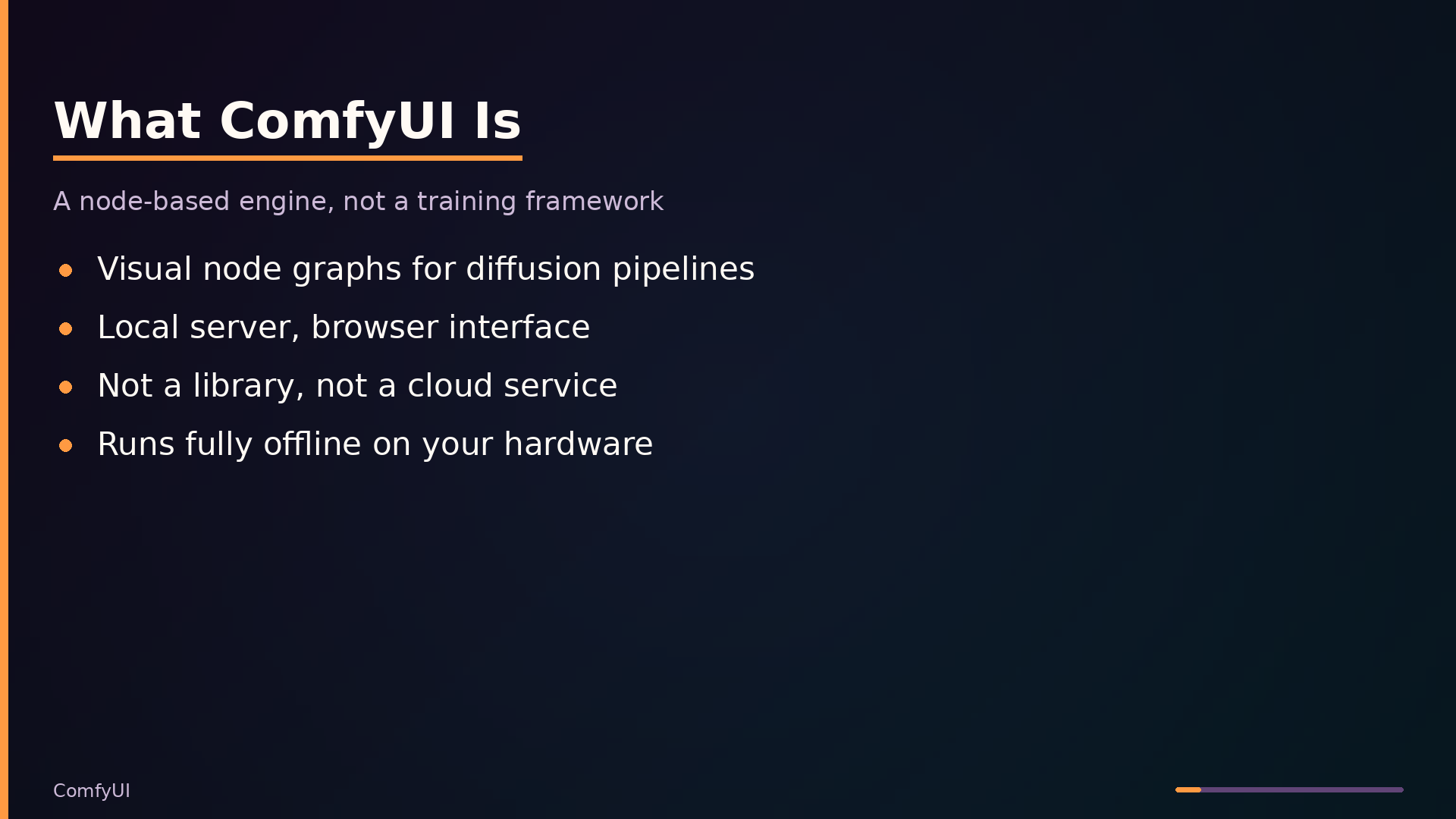
ComfyUI is a server application that executes diffusion model pipelines defined as node graphs. You run it locally with python main.py and interact with it through a browser-based interface served over HTTP and WebSocket. It is not a library you import into your own Python code; the execution engine and API live in the server process, and the frontend is a separate pip package (comfyui-frontend-package) that the server serves to the browser.
The core model is visual programming: nodes are operations (load checkpoint, encode text, sample, decode VAE), and edges are data flow between them. The server topologically sorts the graph, executes each node’s function, and caches results so that changing one parameter re-executes only the affected subgraph. This gives you fine-grained control over models, samplers, schedulers, and conditioning without writing boilerplate Python.
ComfyUI is not a training framework—it runs inference only. It is not a one-click image generator; you construct the pipeline yourself. It is not a cloud service; everything runs on your hardware, fully offline. It sits above PyTorch and model implementations, providing the execution engine, memory management, and sampling loop, and below the browser, which renders the node editor and sends workflow graphs to the server. The value proposition is reproducible, inspectable pipelines with precise control over every stage of the diffusion process.
Architecture: From Prompt to Pixels
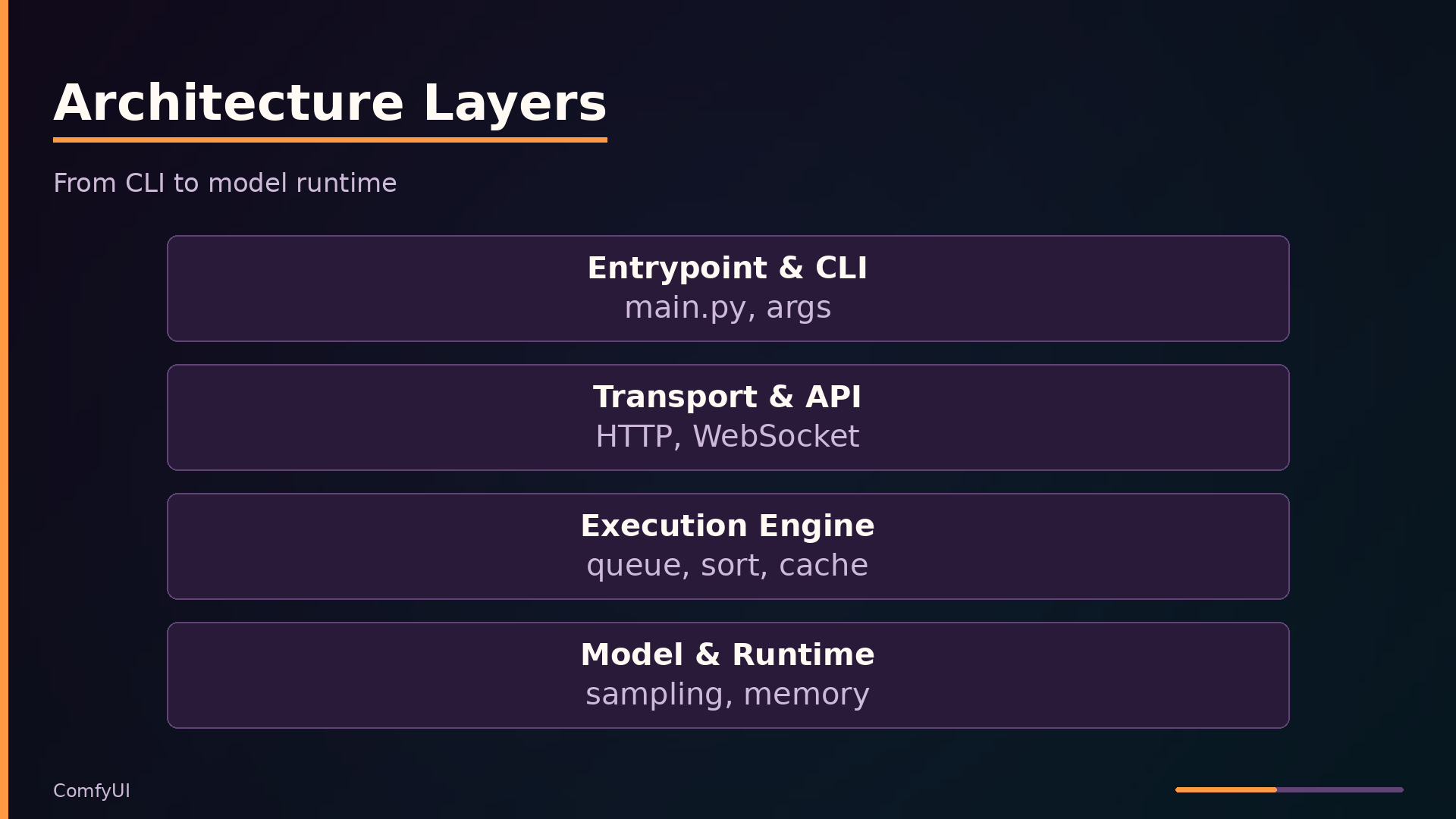
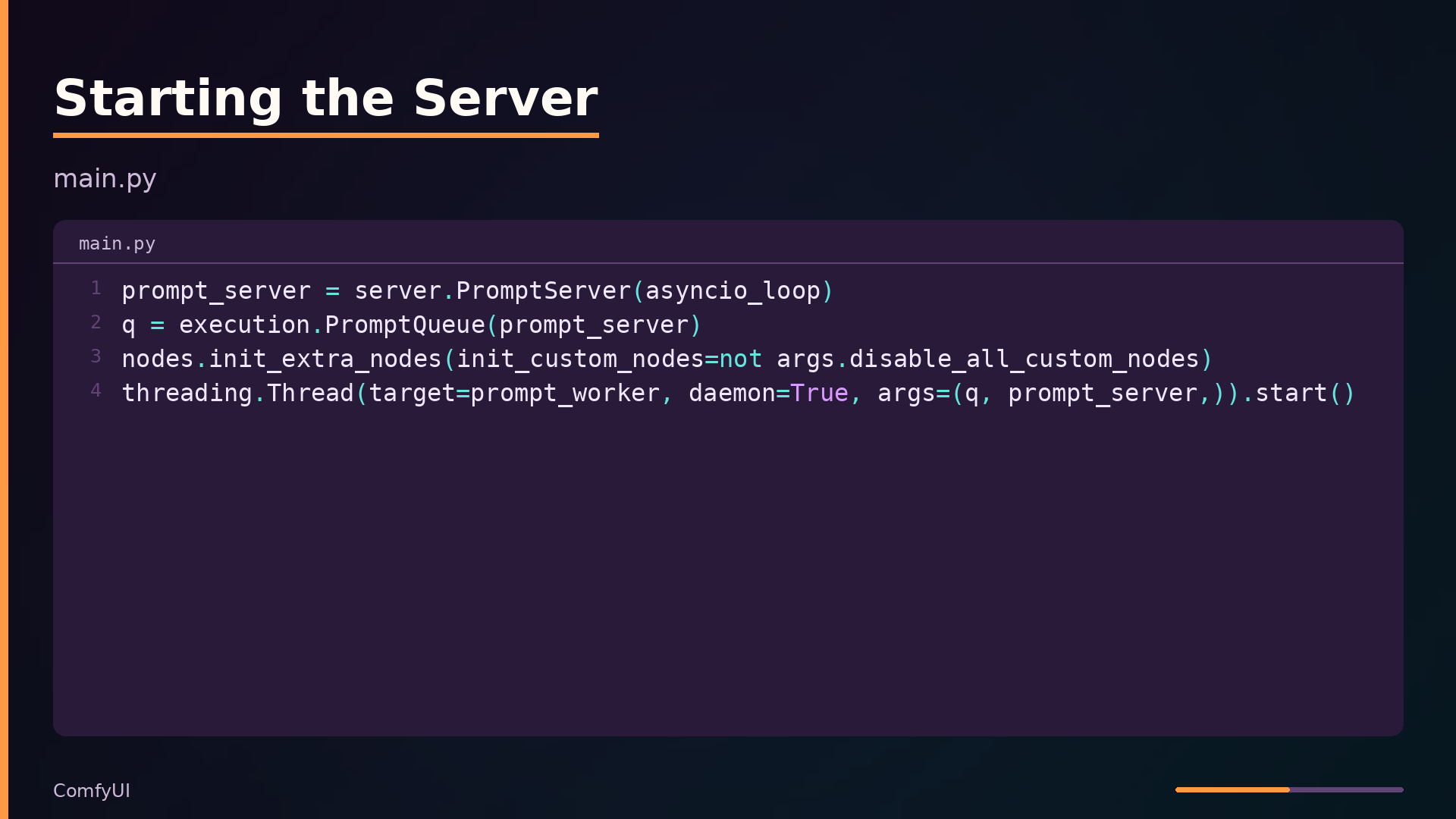
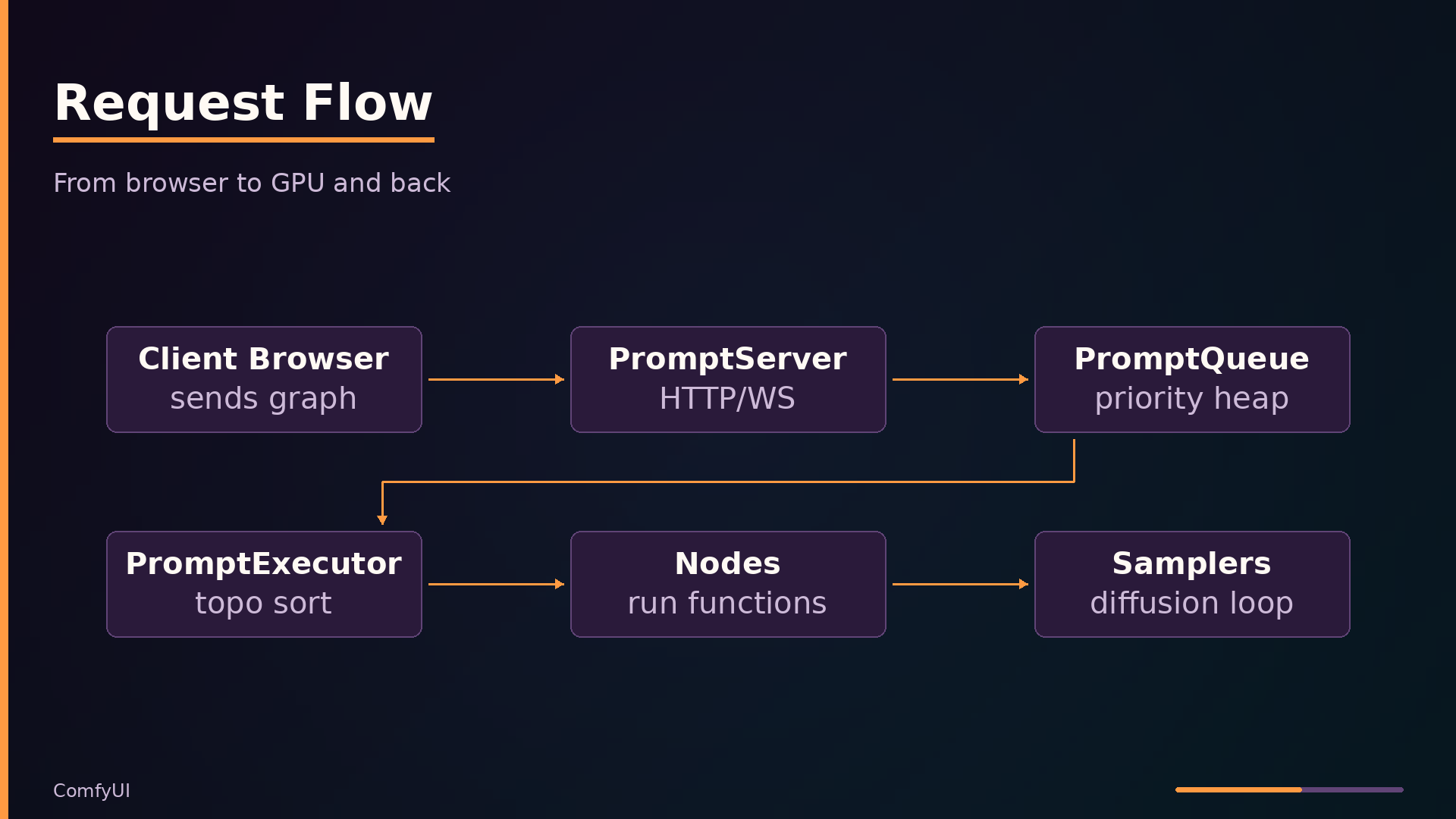
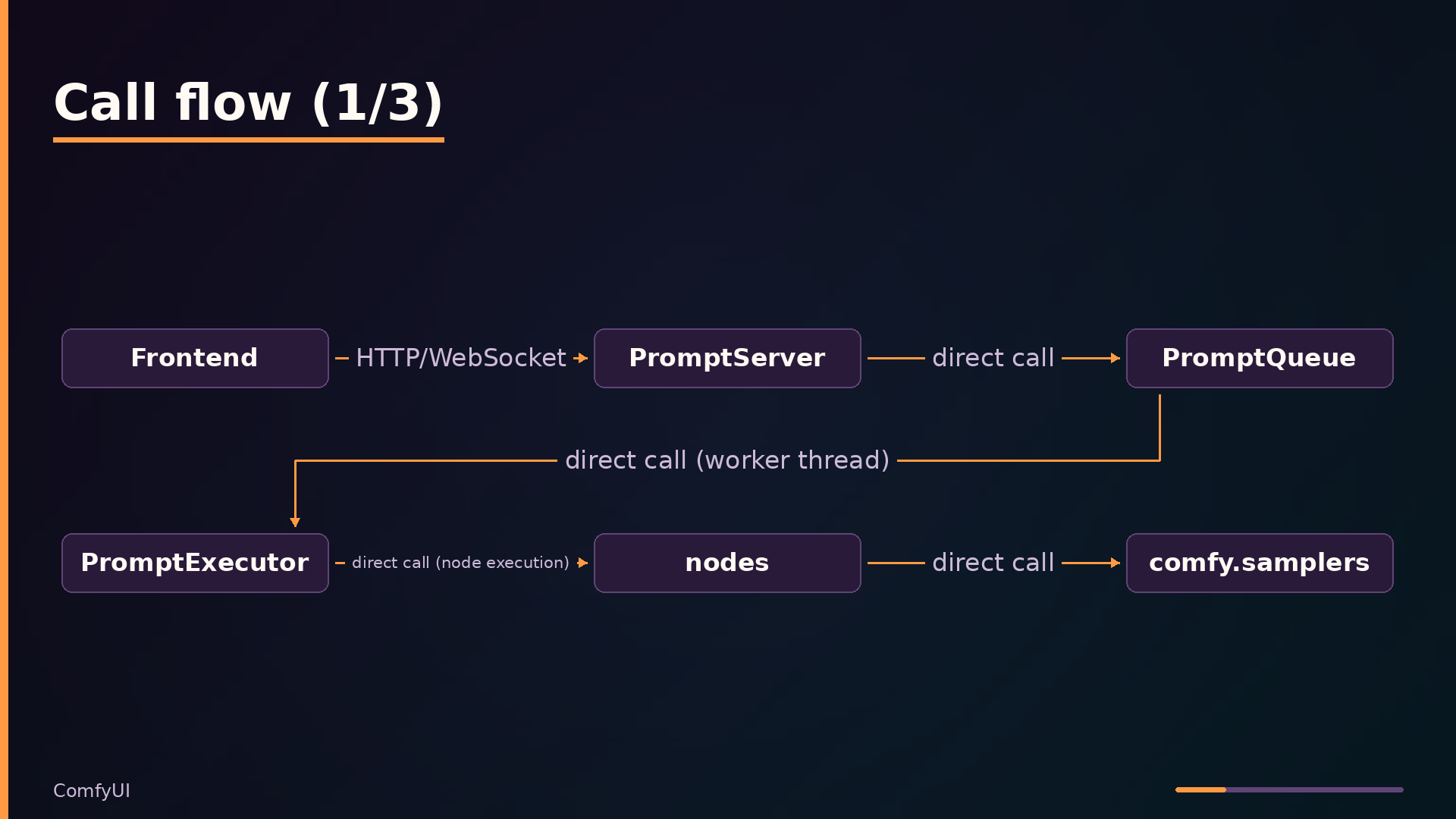
ComfyUI’s execution pipeline begins in main.py, which parses CLI arguments, applies custom paths, and instantiates the core components: a PromptServer for transport, a PromptQueue for scheduling, and a worker thread running PromptExecutor. The worker loop blocks on the queue, executes each prompt, and reports results back through the server.
| |
The transport layer, PromptServer in server.py, is an aiohttp application with middleware for CORS, origin checking, and response compression. The origin-only middleware rejects requests where the Host and Origin headers don’t match for loopback addresses, preventing CSRF-style attacks from malicious websites. The server also maintains WebSocket connections for real-time events and binary image previews.
| |
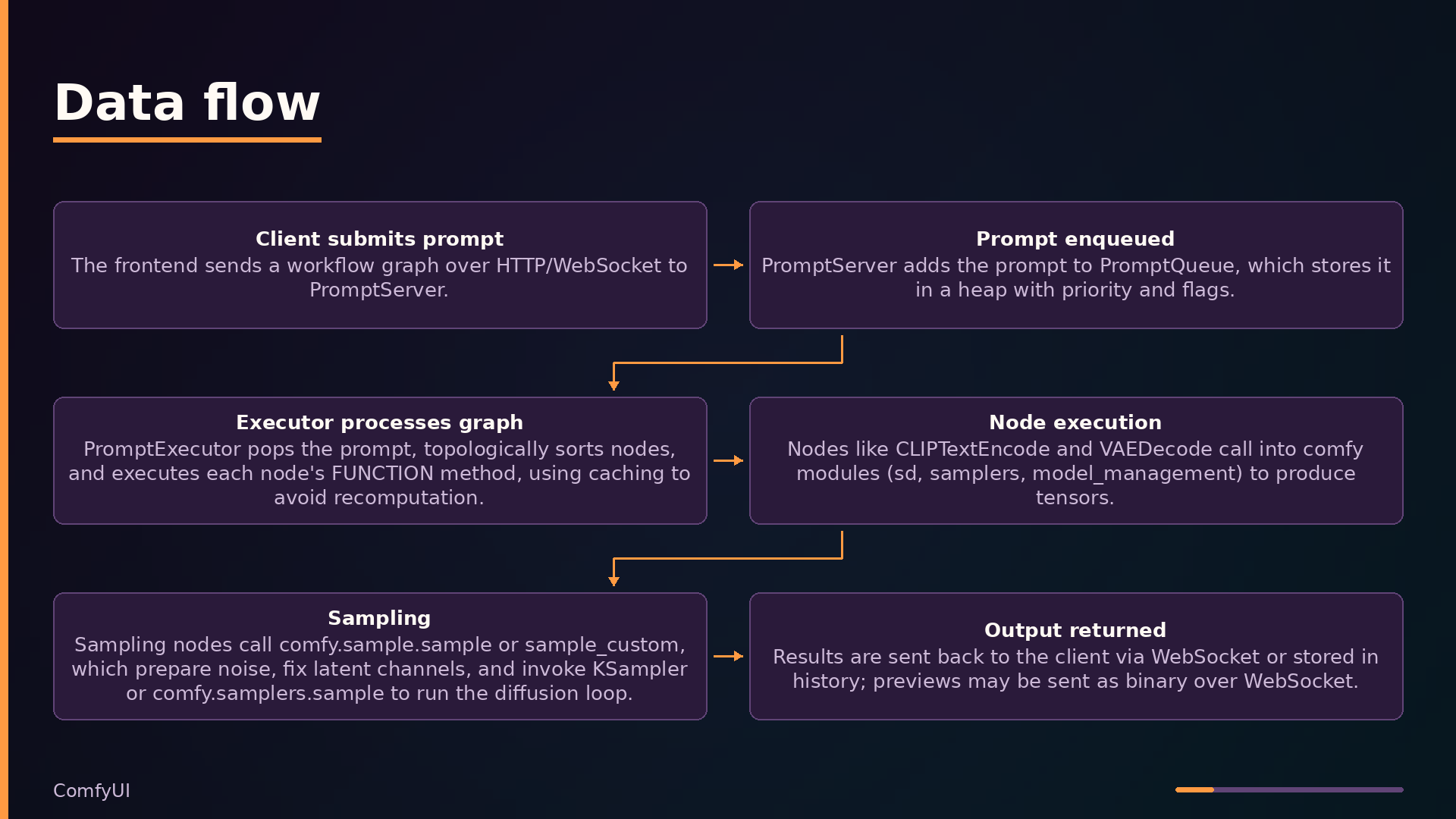
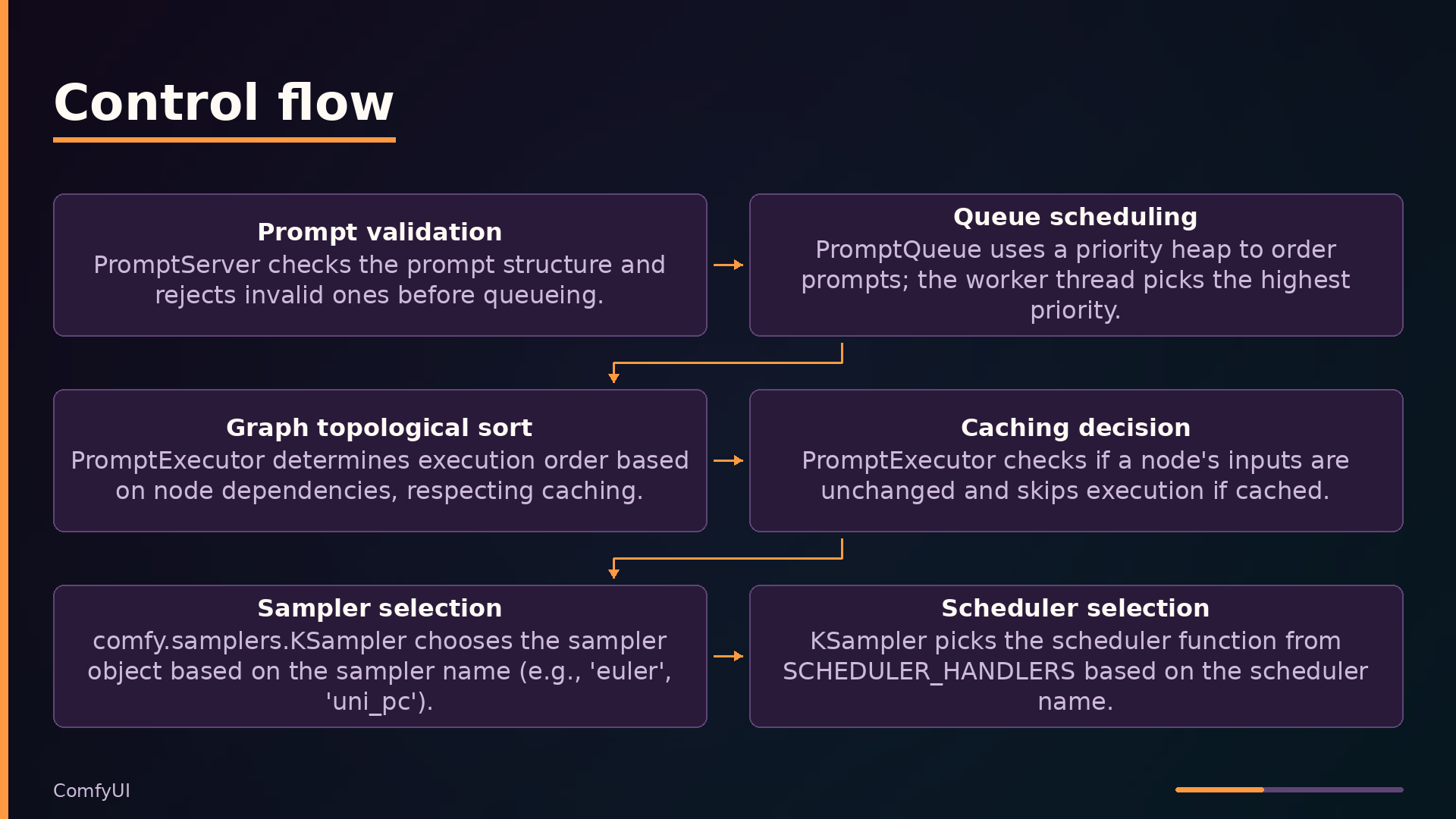
The control plane centers on PromptQueue in execution.py, a thread-safe priority heap that holds pending prompts. PromptExecutor pops prompts, topologically sorts the node graph, and executes each node’s FUNCTION method. A CacheSet with LRU or hierarchical variants skips unchanged nodes, enabling partial re-execution when only part of the graph changes.
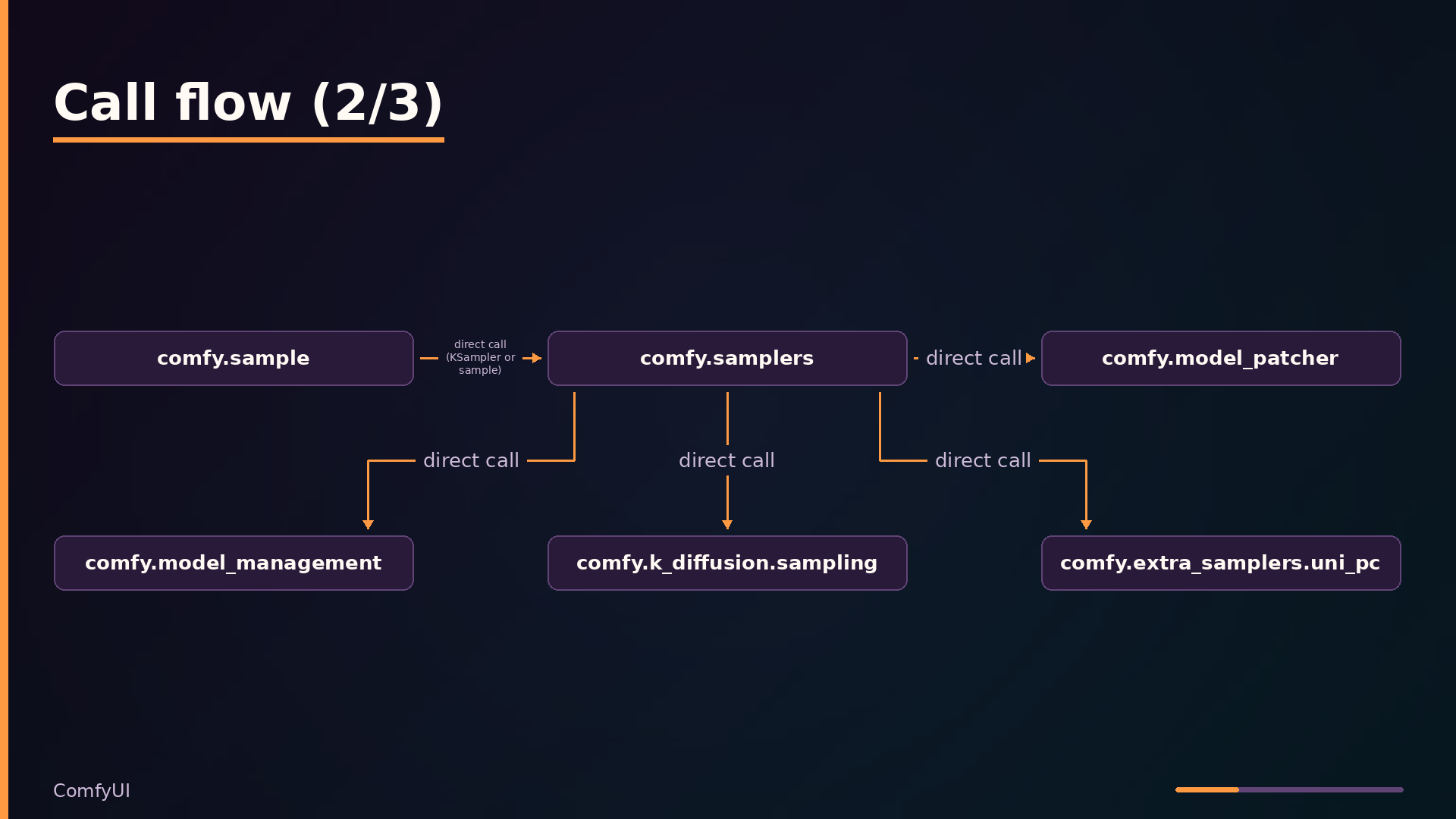
The runtime layer implements the actual diffusion work. nodes.py defines core node classes with INPUT_TYPES, RETURN_TYPES, and a FUNCTION method. comfy/samplers.py implements the sampling loop with CFG guidance and scheduler handling, while comfy/model_management.py manages VRAM state and model offloading. Nodes can return an expand dict to generate subgraphs dynamically, allowing workflows to adapt based on intermediate results.
Data flows from client submission through the queue to the executor, which runs nodes in dependency order. Sampling nodes call into comfy/sample.py to prepare noise and invoke the sampler, with results returned via WebSocket or stored in history.
Key Features: Problems They Solve
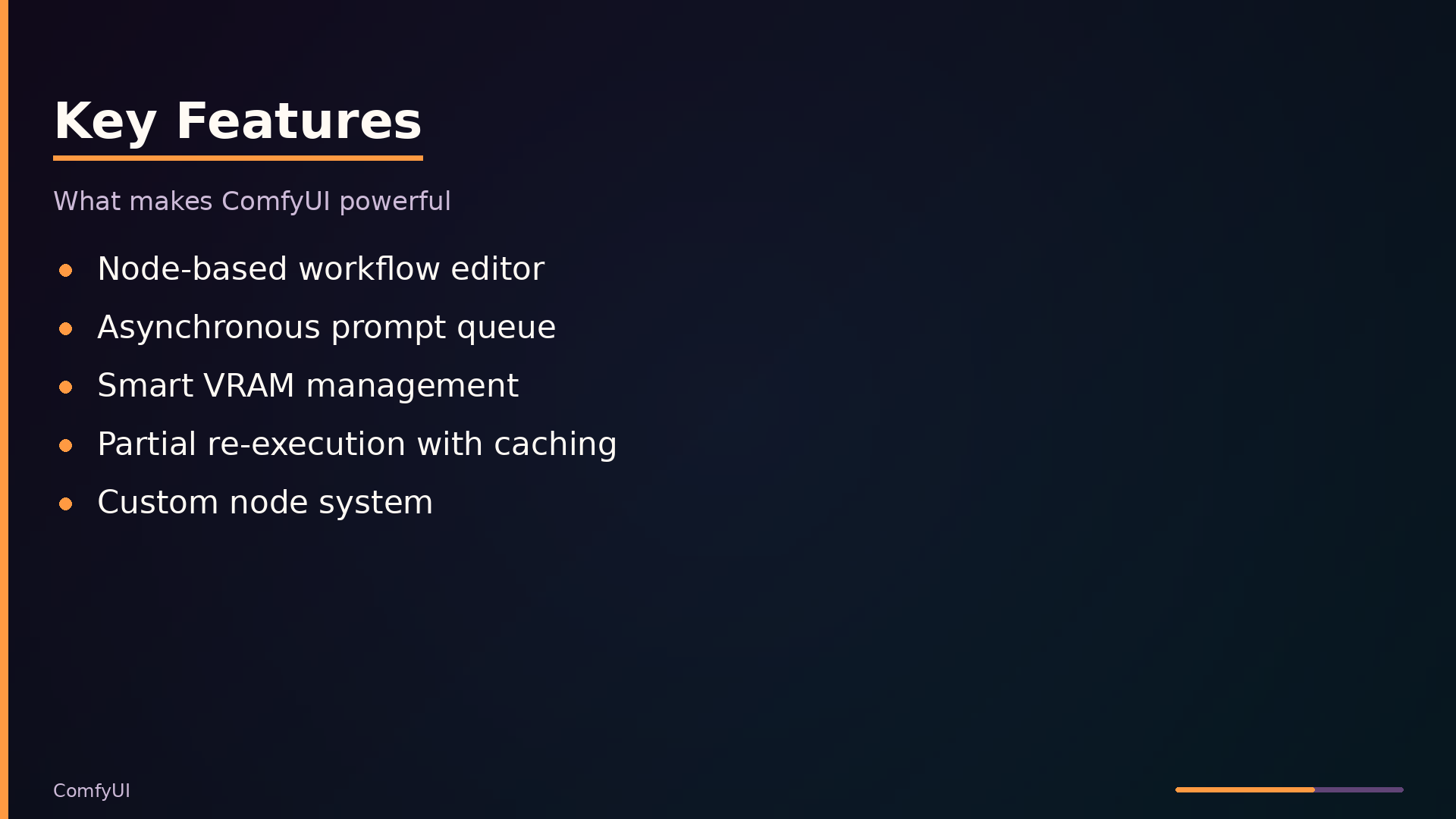
The node-based workflow editor removes the coding barrier for complex pipelines. Instead of writing Python glue code, you compose graphs visually: load a checkpoint, encode text, sample, decode the VAE. Each node exposes its parameters directly in the UI, so tweaking a CFG scale or seed is a form-field edit, not a code change. This matters most when a pipeline has dozens of stages—ControlNet, multiple conditioning inputs, custom samplers—where the graph structure itself documents the workflow.
The asynchronous queue decouples submission from execution. You can fire off several prompts in rapid succession; the PromptQueue in execution.py holds them in a priority heap and the worker thread processes them sequentially. This is a practical win for batch experimentation: queue ten variations, walk away, come back to ten results.
Smart memory management is what makes large models runnable on consumer GPUs. comfy/model_management.py detects VRAM state (LOW, NORMAL, HIGH) and adapts accordingly. In low-VRAM mode, ModelPatcher splits weights and moves only the needed parts to the GPU on demand, offloading the rest to CPU. The tradeoff is speed—offloading adds overhead—but the alternative is not running at all.
Partial re-execution saves time when iterating. The caching layer in comfy_execution/caching.py tracks which node outputs are unchanged; if you tweak only the seed, the executor skips re-running the text encoder and VAE decode. Only the sampling path re-executes. For large graphs, this turns multi-minute iterations into seconds.
Broad model support comes from heuristic detection. comfy/model_detection.py inspects state_dict keys to infer architecture—for example, the presence of joint_blocks.0.context_block.attn.qkv.weight signals an MMDiT model. This eliminates the need for per-model config files; drop a checkpoint in the models folder and ComfyUI figures out what it is.
The custom node system extends everything. Drop a Python file into custom_nodes/ and it loads at startup, registering new node classes into NODE_CLASS_MAPPINGS. This is how the community adds support for new models, samplers, and post-processing without waiting for core releases.
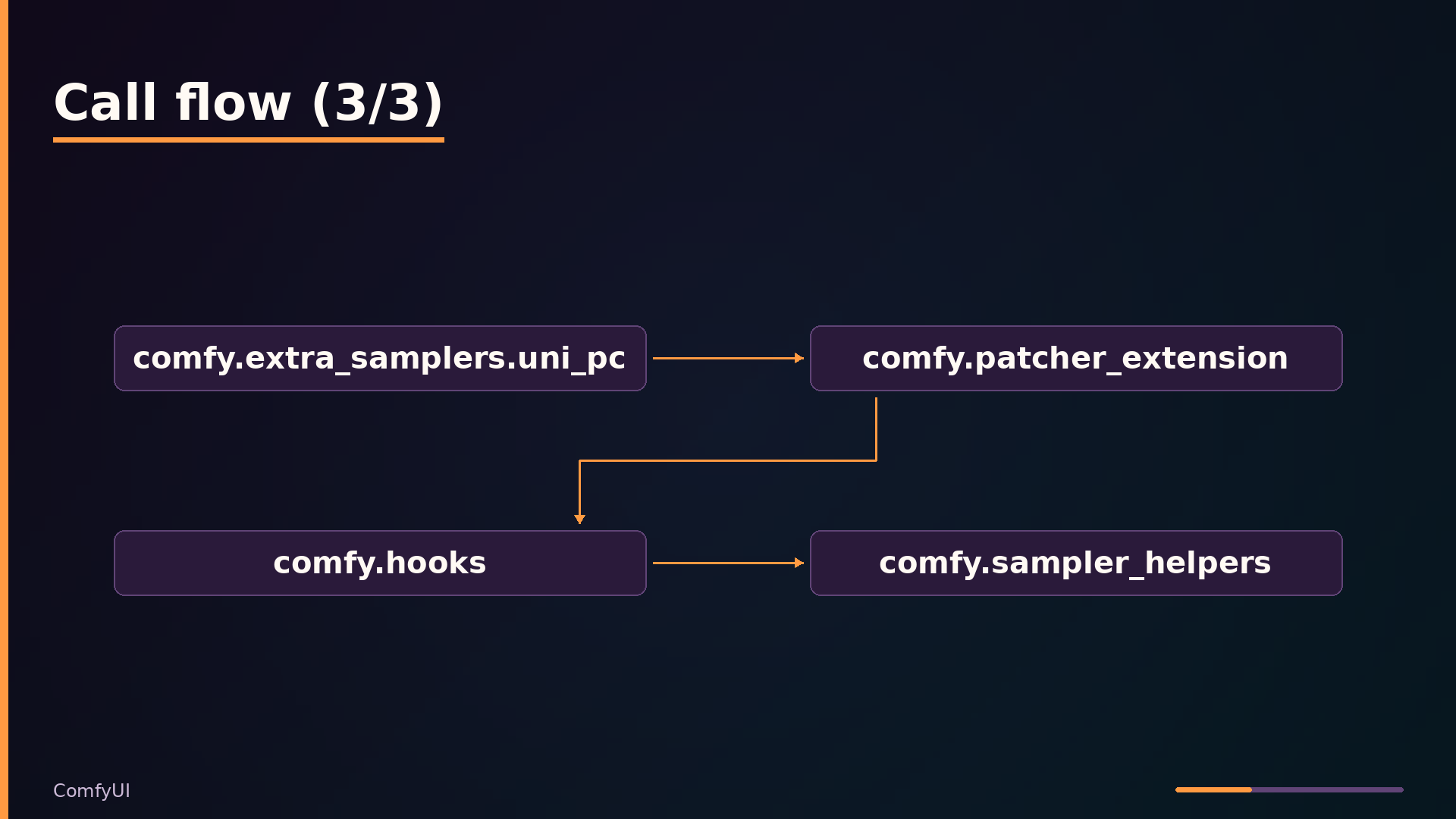
The hooks system addresses a subtler problem: per-prompt model modification. Instead of loading a separate model copy for each LoRA, you attach a hook to a specific conditioning input. The patch applies only when that conditioning path executes, enabling different LoRAs on different prompts in the same graph without reloading weights.
Use Cases: Where It Shines and Where It Doesn’t
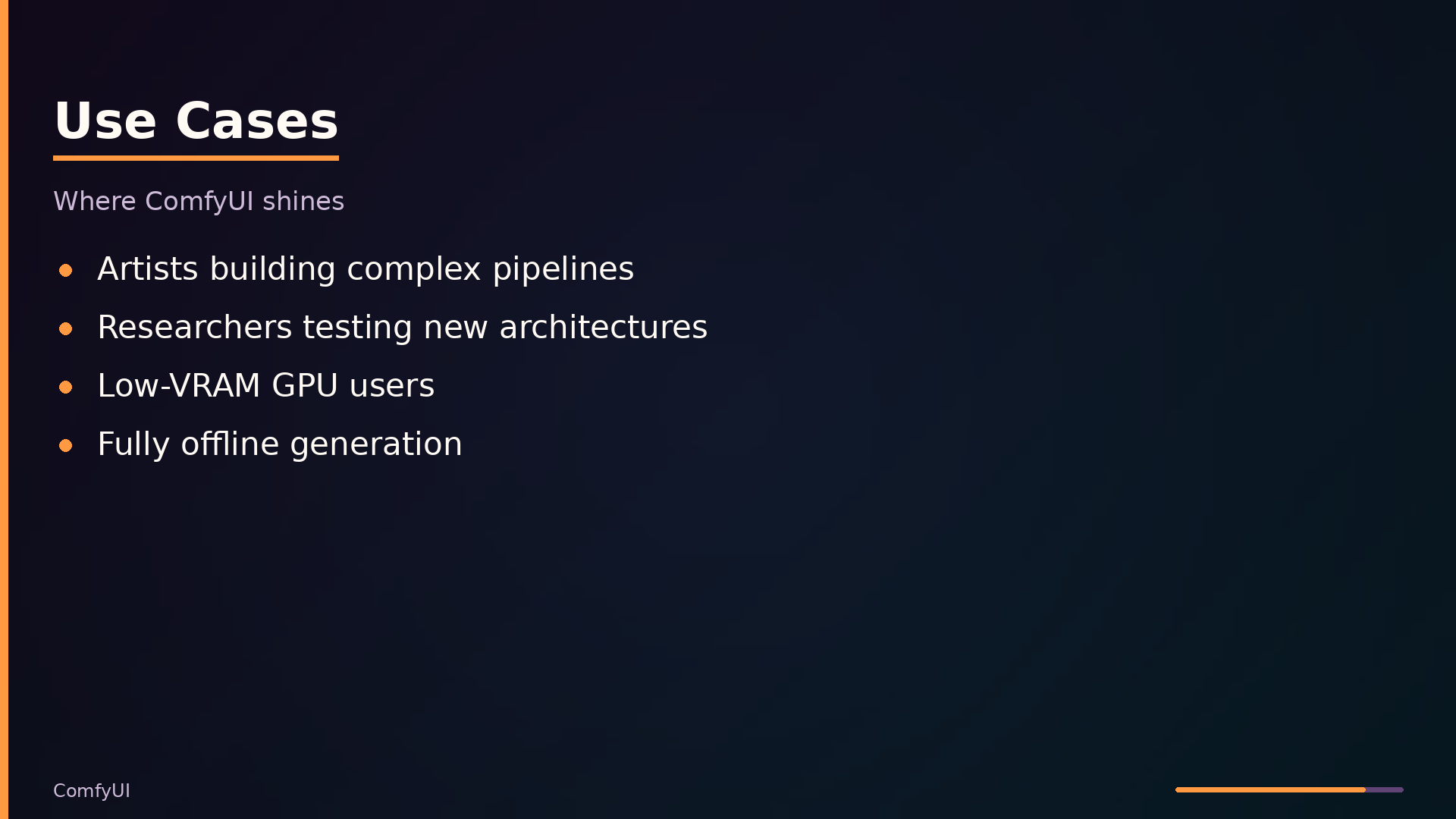
An artist building multi-model workflows with ControlNet, custom samplers, and fine-tuned LoRAs will find ComfyUI’s node graph a natural fit. The visual composition allows parameter tweaking without touching code, and the large library of built-in nodes covers most diffusion pipeline stages. The caching system means iterating on a single node’s settings re-executes only the affected subgraph, which keeps experimentation fast.
Researchers testing new diffusion architectures get a good fit as well. ComfyUI’s heuristic model detection in comfy/model_detection.py infers architecture from state_dict key patterns, so loading an unfamiliar checkpoint often works without configuration. New model types can be added via custom nodes, and the modular design of comfy/model_base.py supports SD, Flux, and video models under one execution engine.
Developers integrating image generation into an application face a partial fit. ComfyUI exposes HTTP and WebSocket endpoints for submitting prompts and receiving results, and it runs as a standalone backend service. However, the API is designed for the frontend, not as a general-purpose library. You will likely need to wrap the endpoints with your own abstraction layer to handle authentication, request shaping, and error semantics that fit your application.
Users with low-VRAM GPUs benefit from ComfyUI’s adaptive memory management. The model_management.py module detects VRAM state and applies offloading strategies, and the ModelPatcher’s low-VRAM patching moves only needed weights to the GPU. This enables running large models on cards with as little as 1GB VRAM, though at the cost of slower inference due to offloading overhead.
ComfyUI is a strong choice for fully offline use. It never downloads models or dependencies at runtime; the only network activity is optional frontend version updates. Everything runs locally once installed.
The poor fit is straightforward: if you need a simple, form-based interface for casual users, ComfyUI’s node graph is overkill. The learning curve is steep—users must understand concepts like conditioning, latent spaces, and sampler parameters before producing their first image. For a quick text-to-image tool, a conventional web UI with a prompt box and a generate button is the right tool. ComfyUI trades approachability for control, and that trade is only worthwhile when you need the control.
Interface and Usage: Talking to the Server
The server starts with python main.py, which binds to 127.0.0.1:8188 by default. Two flags change the listening behavior: --listen 0.0.0.0 exposes the server to other machines on the network, and --cpu forces CPU-only execution when no GPU is available or desired. The server itself is an aiohttp application; the frontend is served from a separate pip package, so the API layer is the contract between the browser and the execution engine.
The primary endpoint is POST /prompt, which accepts a JSON body containing a workflow graph and a client_id. The server validates the graph, enqueues it in the PromptQueue, and returns a prompt_id. From there, GET /history/{prompt_id} retrieves execution results, GET /models/{folder} lists available model files (e.g., checkpoints, loras), and GET/POST /settings manage user preferences. User files—workflows, uploads—are stored and retrieved via GET/POST /userdata/{file}.
Real-time communication happens over a WebSocket at /ws?clientId=.... The server pushes status updates, node execution progress, and binary preview images as they are generated. The send_image method in server.py encodes previews with a 4-byte type header followed by the image bytes, allowing the frontend to distinguish PNG from JPEG payloads without a separate message.
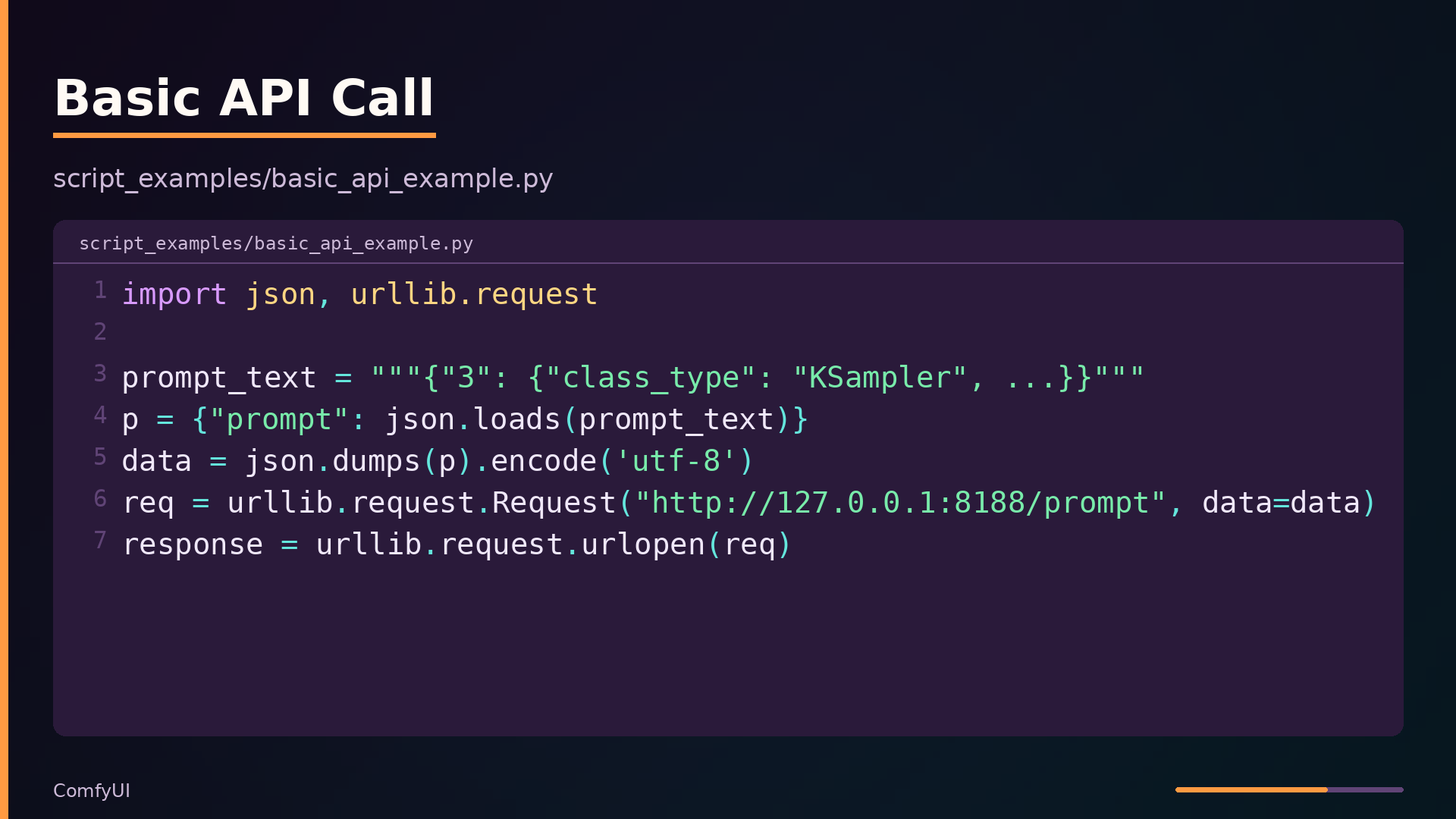
The repository ships a minimal client example in script_examples/basic_api_example.py that demonstrates the queue-and-poll pattern:
| |
This builds a prompt JSON, POSTs it to the server, and reads the response—which contains the prompt_id needed for later history lookups. The example uses only the standard library, so it runs without installing any ComfyUI-specific dependencies.
One caveat applies to anyone building on this API: it is not officially documented and may change between releases. The endpoints exist to serve the bundled frontend, not as a stable public contract. Code that depends on specific response shapes should pin a ComfyUI version and test against it.
How It Compares: ComfyUI vs. Alternatives
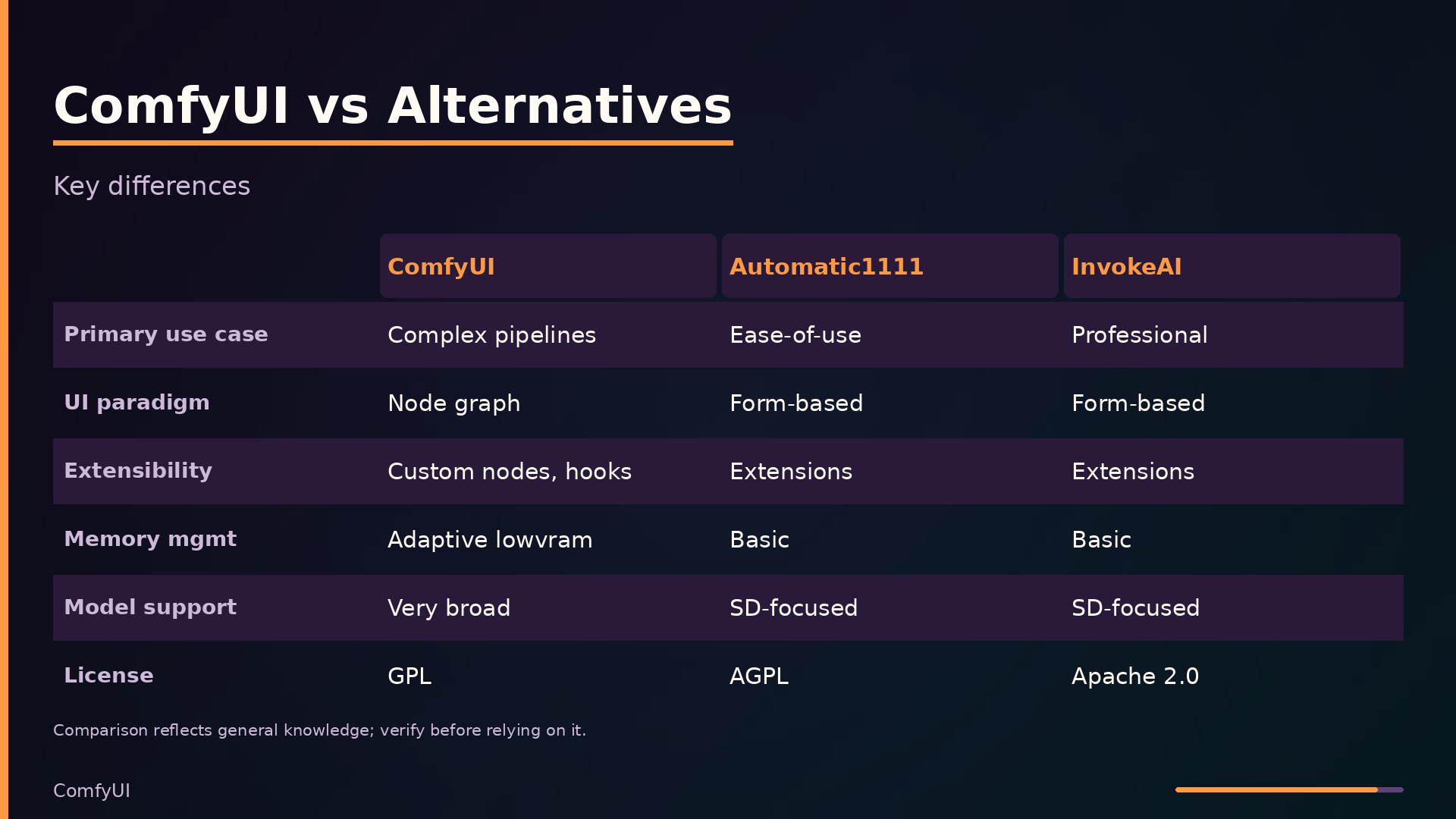
The comparison below reflects general knowledge of these projects and may be out of date. Where performance data was not available in the analysis, the table records “unknown.”
| Axis | ComfyUI | Automatic1111 | InvokeAI |
|---|---|---|---|
| Primary use case | Complex pipeline prototyping | Ease-of-use image gen | Professional image gen |
| UI paradigm | Node graph | Form-based | Form-based |
| Extensibility | Custom nodes, hooks | Extensions/scripts | Extensions |
| Memory management | Adaptive lowvram | Basic | Basic |
| Model support breadth | Very broad (SD, Flux, video) | SD-focused | SD-focused |
| Performance characteristics | Optimized caching | Unknown | Unknown |
| Maturity | Active, frequent releases | Active | Active |
| Deployment model | Local server | Local server | Local server |
| License | GPL | AGPL | Apache 2.0 |
The defining differentiator is the node-graph paradigm. ComfyUI’s graph model lets users compose arbitrary pipelines—multiple models, ControlNet, custom samplers—without writing code, and its caching engine re-executes only the changed portions of a graph. Automatic1111 and InvokeAI use form-based interfaces that are easier to learn but constrain workflows to their predefined layouts.
ComfyUI’s adaptive low-VRAM memory management is another significant distinction. The system detects VRAM state and offloads model weights to CPU as needed, enabling large models on consumer GPUs. Both alternatives use basic memory management that does not adapt to available VRAM.
Finally, ComfyUI supports a broader range of model architectures out of the box, including video models and Flux, whereas Automatic1111 and InvokeAI focus primarily on Stable Diffusion checkpoints. For users who need to experiment with the latest model architectures or build reproducible, complex pipelines, ComfyUI’s flexibility is the deciding factor; for casual generation, the form-based UIs remain more approachable.
Under the Hood: Model Detection and Low VRAM Patching
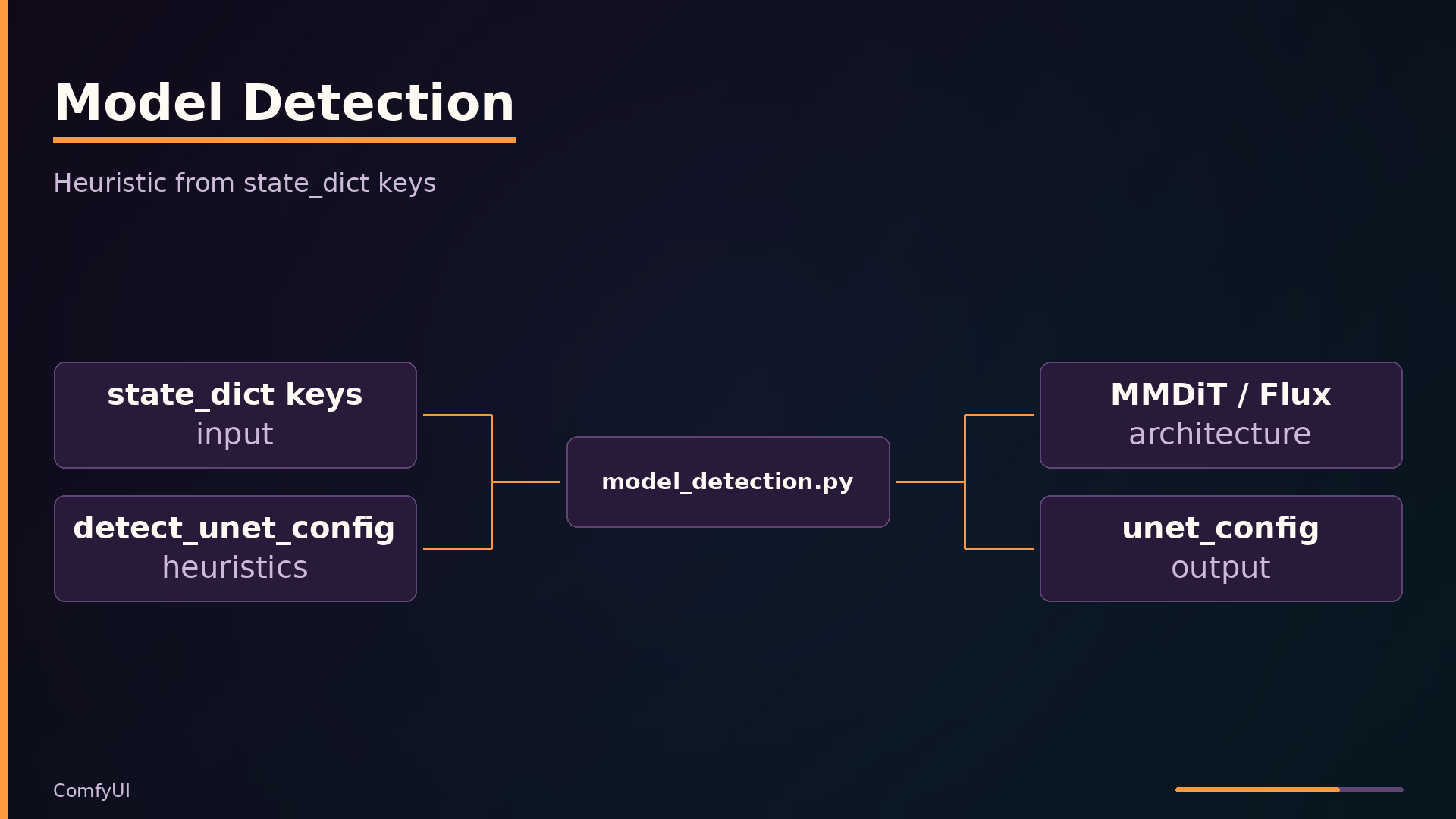
Two mechanisms make ComfyUI practical for real-world use: heuristic model detection and adaptive memory management. Both live in the comfy/ package and operate automatically when you load a checkpoint.
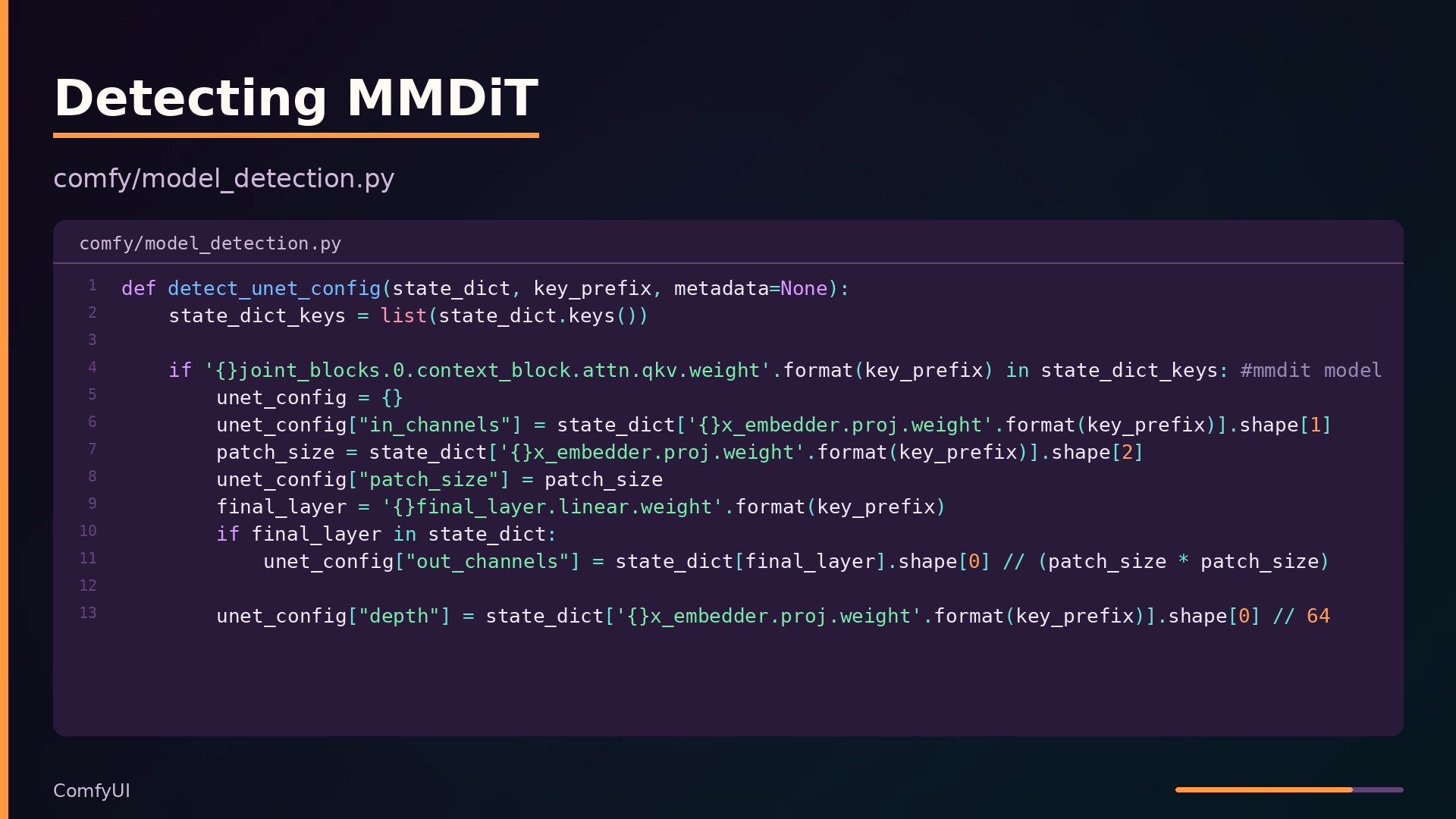
Model detection in comfy/model_detection.py inspects the keys of a model’s state_dict to infer its architecture. The function detect_unet_config checks for signature key patterns—for example, the presence of joint_blocks.0.context_block.attn.qkv.weight identifies an MMDiT model, while double_blocks.0.img_attn.norm.key_norm.scale indicates a Flux architecture. This approach avoids requiring users to supply explicit config files for each model variant.
| |
The function reads tensor shapes directly from the weights to derive configuration values—patch size from the embedding projection, depth from the projection’s output dimension, and attention normalization from the presence of specific keys. This works well across the many model families ComfyUI supports, but it is inherently fragile: if a model’s key naming convention changes, detection fails and the model cannot be loaded without code changes.
Low VRAM patching, implemented in comfy/model_patcher.py, addresses the other practical constraint: GPU memory. Rather than loading an entire model into VRAM, LowVramPatch and AutoPatcherEjector move only the weights needed for the current computation step to the GPU, then eject them back to CPU when done. This enables running large models on GPUs with as little as 1GB of VRAM, at the cost of slower inference due to constant offloading. The tradeoff is deliberate: performance degrades, but hardware compatibility expands dramatically.
What to take away
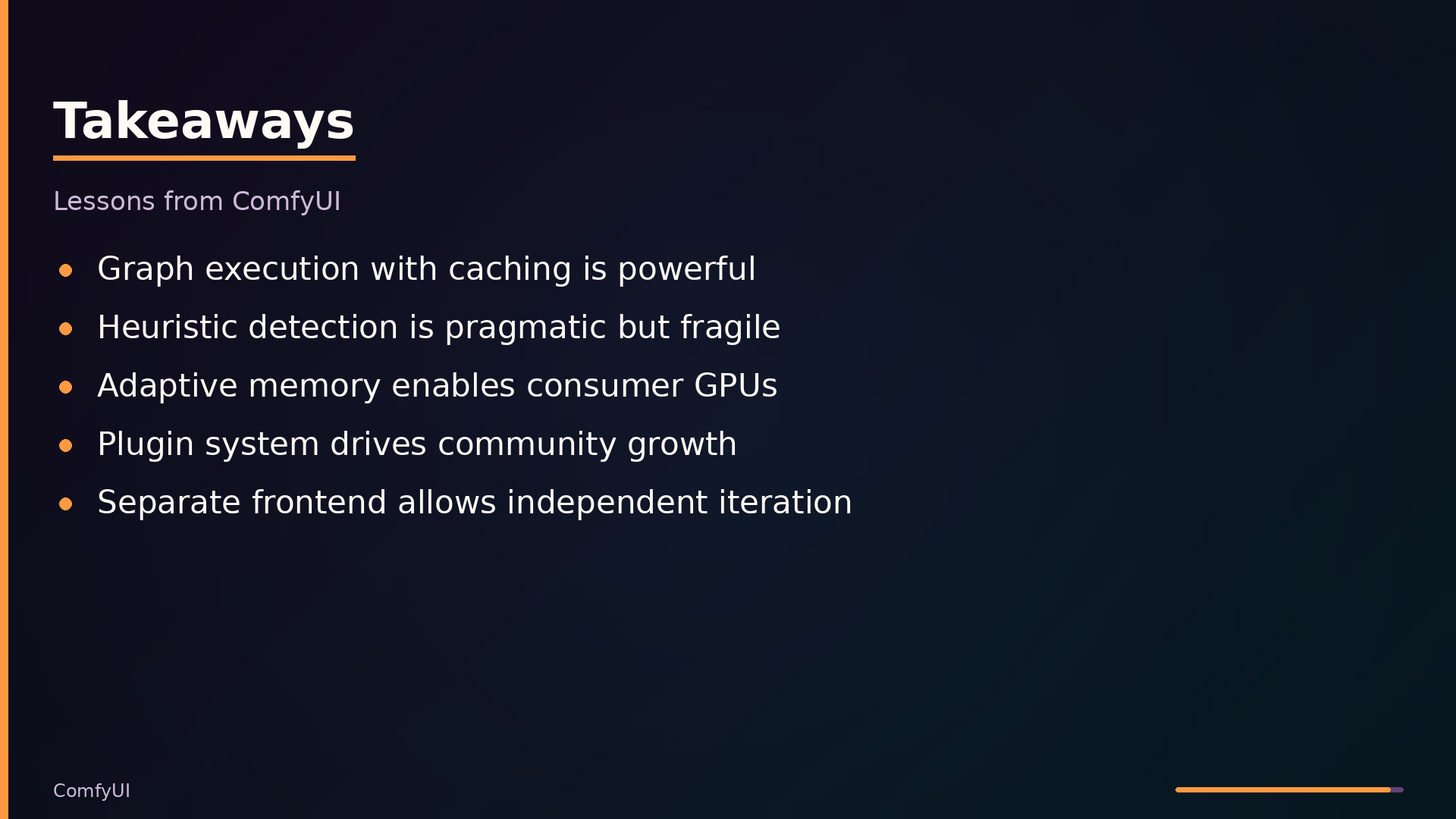
ComfyUI’s design carries several transferable lessons for building complex inference systems. Graph-based execution with caching is the central one: representing a pipeline as a directed graph of typed nodes, topologically sorting it, and caching node outputs lets users tweak one parameter without re-running the entire pipeline. That pattern generalizes well beyond diffusion models to any multi-stage computation with expensive intermediate results.
The project’s pragmatic shortcuts are equally instructive. Heuristic model detection from state_dict key patterns eliminates the need for per-model config files, at the cost of fragility when upstream architectures rename their weights. Adaptive VRAM management—detecting available memory and offloading model weights to CPU on demand—is what lets large models run on consumer GPUs, but it adds real complexity and can slow execution. The separate frontend package decouples UI iteration from core releases, but creates version-mismatch headaches.
Be honest about the boundaries. The HTTP API is designed for the bundled frontend, not as a stable public contract; it can change without notice. Custom nodes may break across releases. Performance claims relative to other UIs are not substantiated by published benchmarks.
The repository is at https://github.com/Comfy-Org/ComfyUI. Read execution.py and comfy/model_management.py first—they contain the ideas most worth borrowing.
What this analysis could not determine
- Exact performance benchmarks compared to other UIs are not available in the digest.
- The full list of supported models is not enumerated; only those visible in the code.
- The API surface is not fully documented; only the endpoints visible in the code are known.
- The exact behavior of the caching system under all edge cases is not fully detailed.
- The stability of the custom node API across versions is not guaranteed.
Further diagrams