A practical look at Spot’s programming interface: what it exposes, what it hides, and where your custom code fits.
You have a Spot robot on site, and the demo videos made it look easy: walk the perimeter, read a gauge, dodge a forklift. Then you sit down to write the mission script and discover the hard part is not the walking—it is figuring out which commands the SDK actually exposes, which ones it silently rejects, and why your program lost control the moment someone picked up the tablet. The Boston Dynamics SDK is the answer to that problem, but its real power and its hard limits are not obvious from the demos.
This repository is a practical examination of that SDK: what it lets you command, what it deliberately hides, and where your custom code fits in the stack. It is a Python-centric library, modest in size but dense with protocol details, and it is mature enough for production use yet still evolving. By the end, you will know the difference between high-level motion primitives and low-level motor access, understand the lease system that arbitrates control, and be able to judge whether your planned inspection or research task is feasible—or whether you are about to promise something the SDK cannot deliver.
What the SDK Is and Is Not
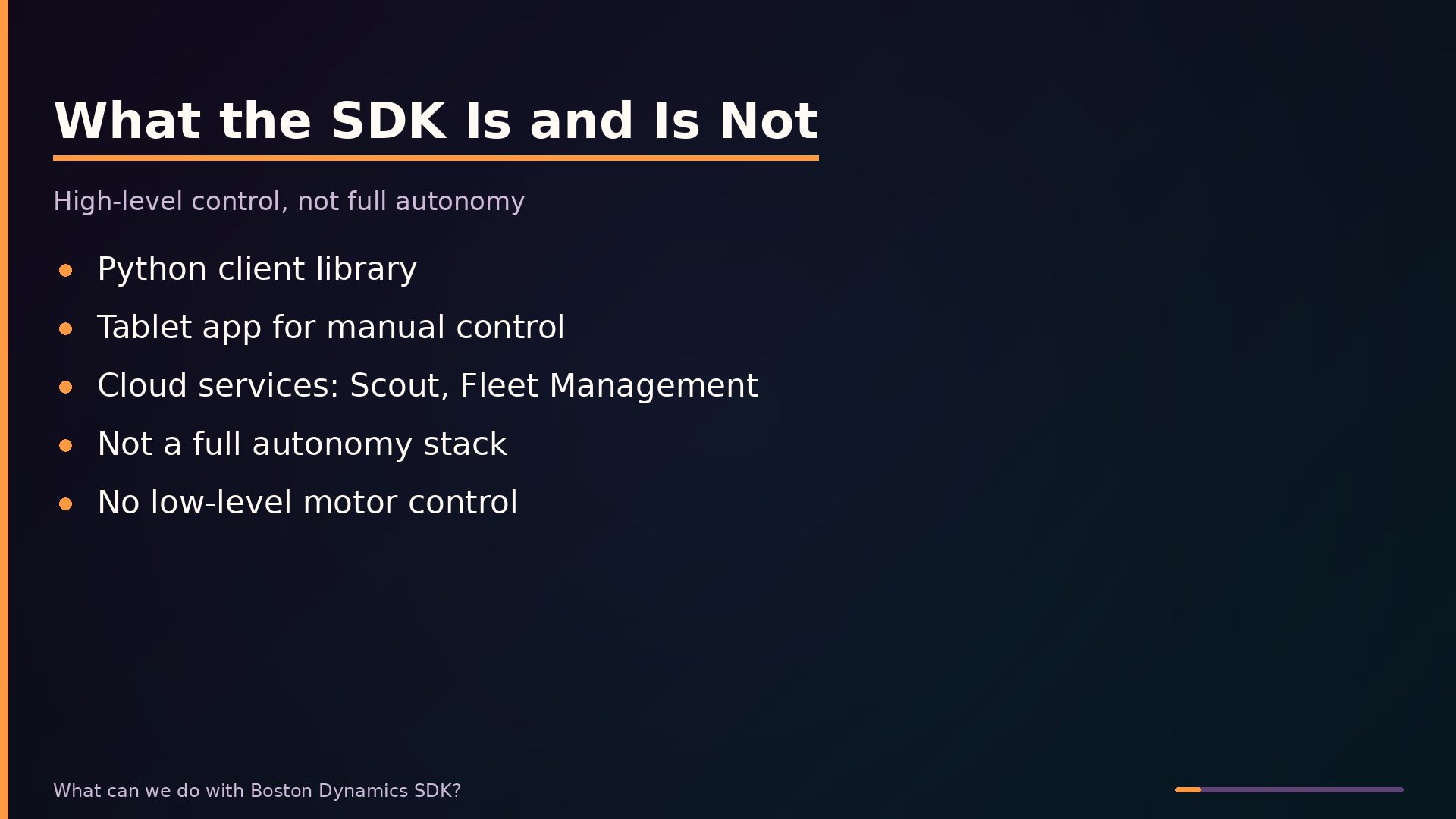
The Boston Dynamics SDK is a software toolkit comprising a Python client library, a tablet app for manual control, and cloud services such as Scout and Fleet Management for remote operation and multi-robot oversight. It is the primary programmatic interface for commanding Spot robots in custom applications.
The SDK is not a full autonomy stack. It provides no visual drag-and-drop environment for composing complex behaviors, and it does not expose low-level motor control or grant access to Spot’s internal walking algorithms. Boston Dynamics deliberately abstracts locomotion behind a safety layer; you cannot override the built-in gait, modify balance controllers, or issue raw joint commands.
The SDK sits between Spot’s onboard autonomy and your application. The robot’s internal systems handle balance, locomotion, and stability. Your code operates above that layer, sending high-level commands and consuming sensor data. This architectural boundary is intentional: it ensures safety and reliability while giving you enough control to build useful applications.
A common misconception is that the SDK provides “full control” over Spot. It does not. You can command the robot to walk to a pose, follow a path, or capture images, but you cannot make it perform movements outside its predefined motion primitives. Commands that would violate safety limits are rejected by the API. For engineers evaluating Spot, the practical implication is straightforward: plan for missions built from supported high-level operations, not for modifying how the robot moves at a fundamental level.
Architecture: How a Command Reaches Spot’s Legs
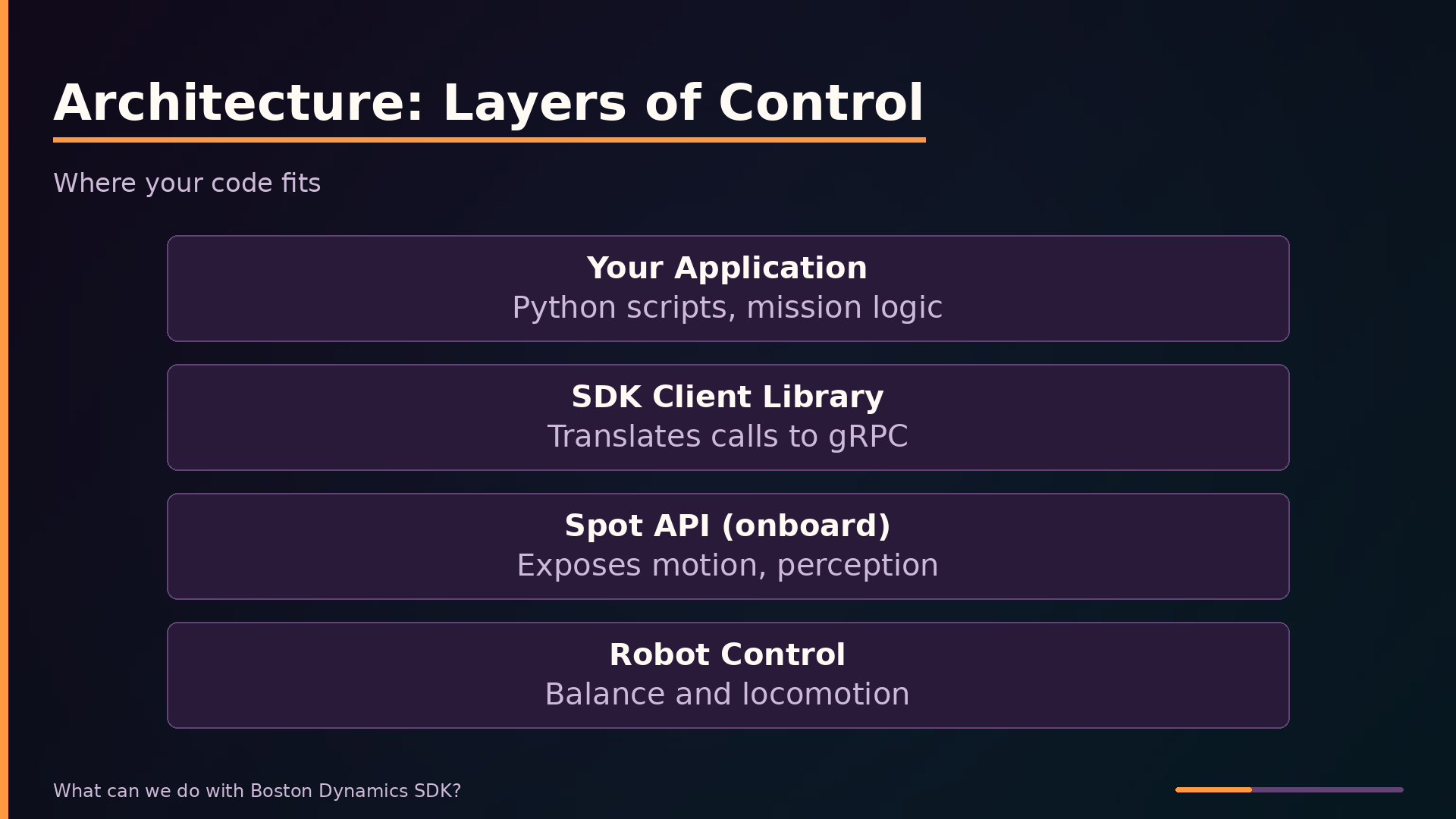
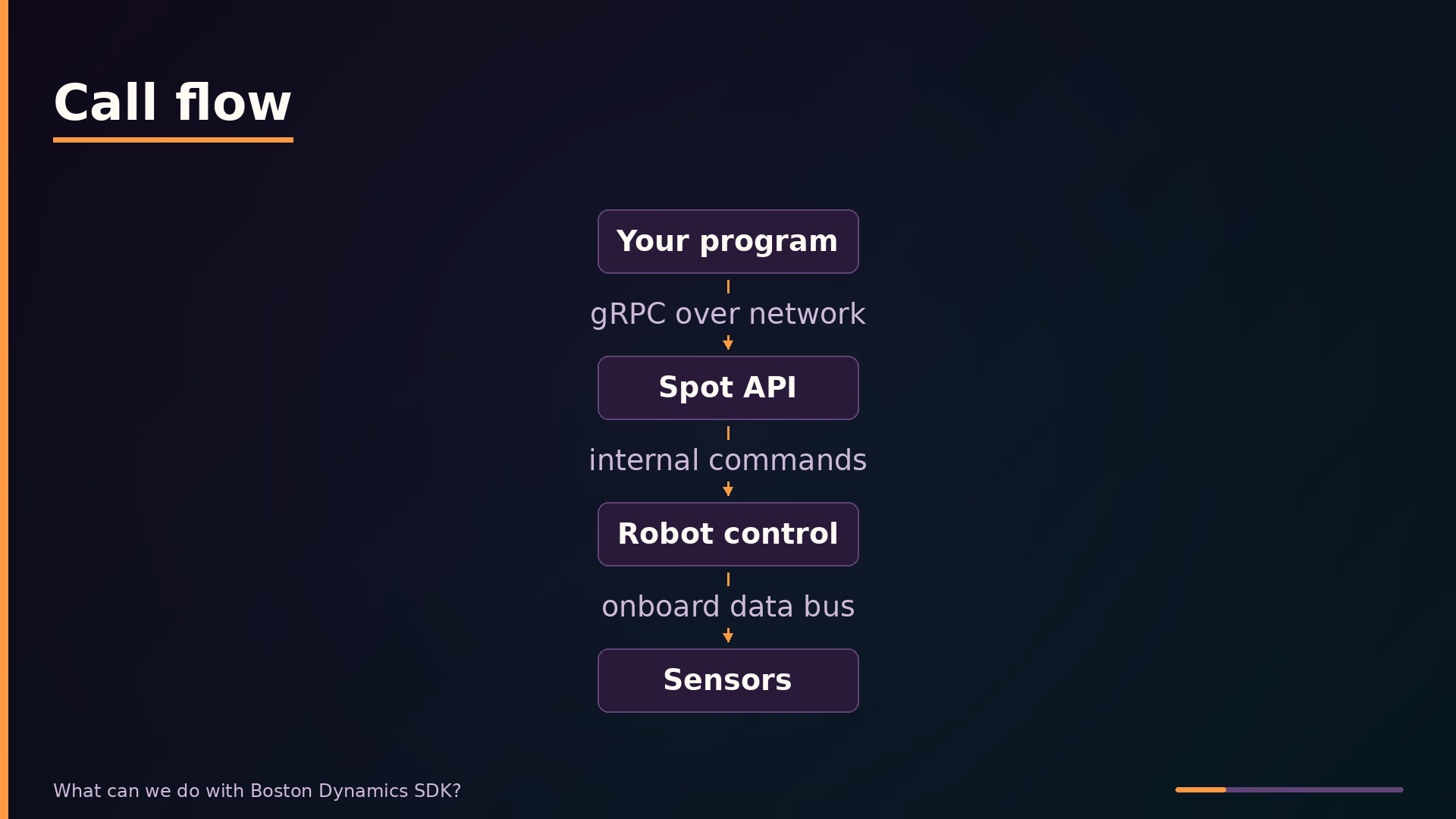
The Boston Dynamics SDK follows a layered architecture that deliberately separates your application code from Spot’s internal control systems. At the top sits your application layer—custom Python scripts that define mission logic. Below that, the SDK client library translates your high-level calls into gRPC requests. The API layer, running on Spot’s onboard computer, exposes services for motion, perception, and data. Finally, the robot control layer handles balance and locomotion internally; only high-level commands like “walk to this pose” cross that final boundary.
| |
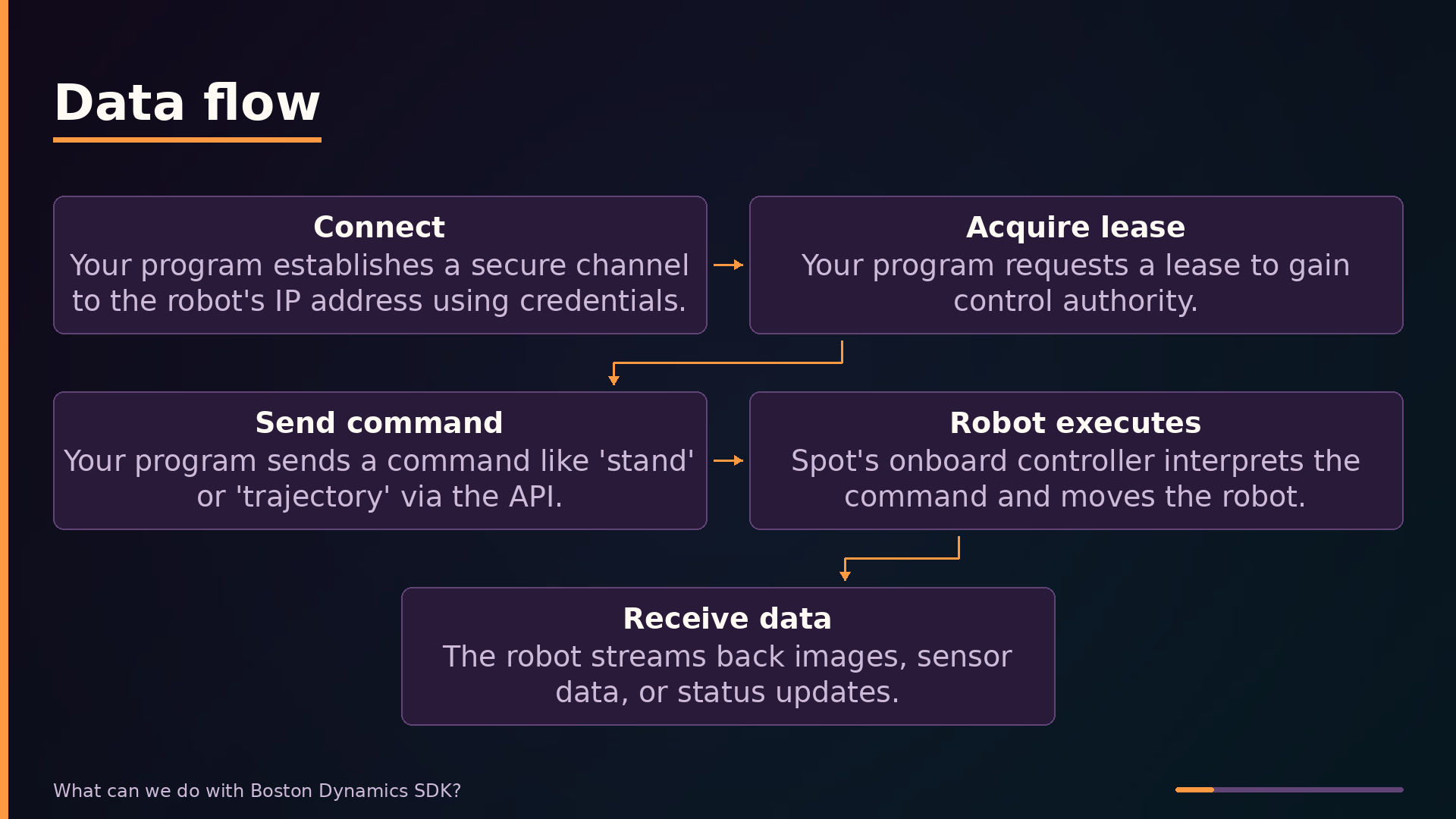
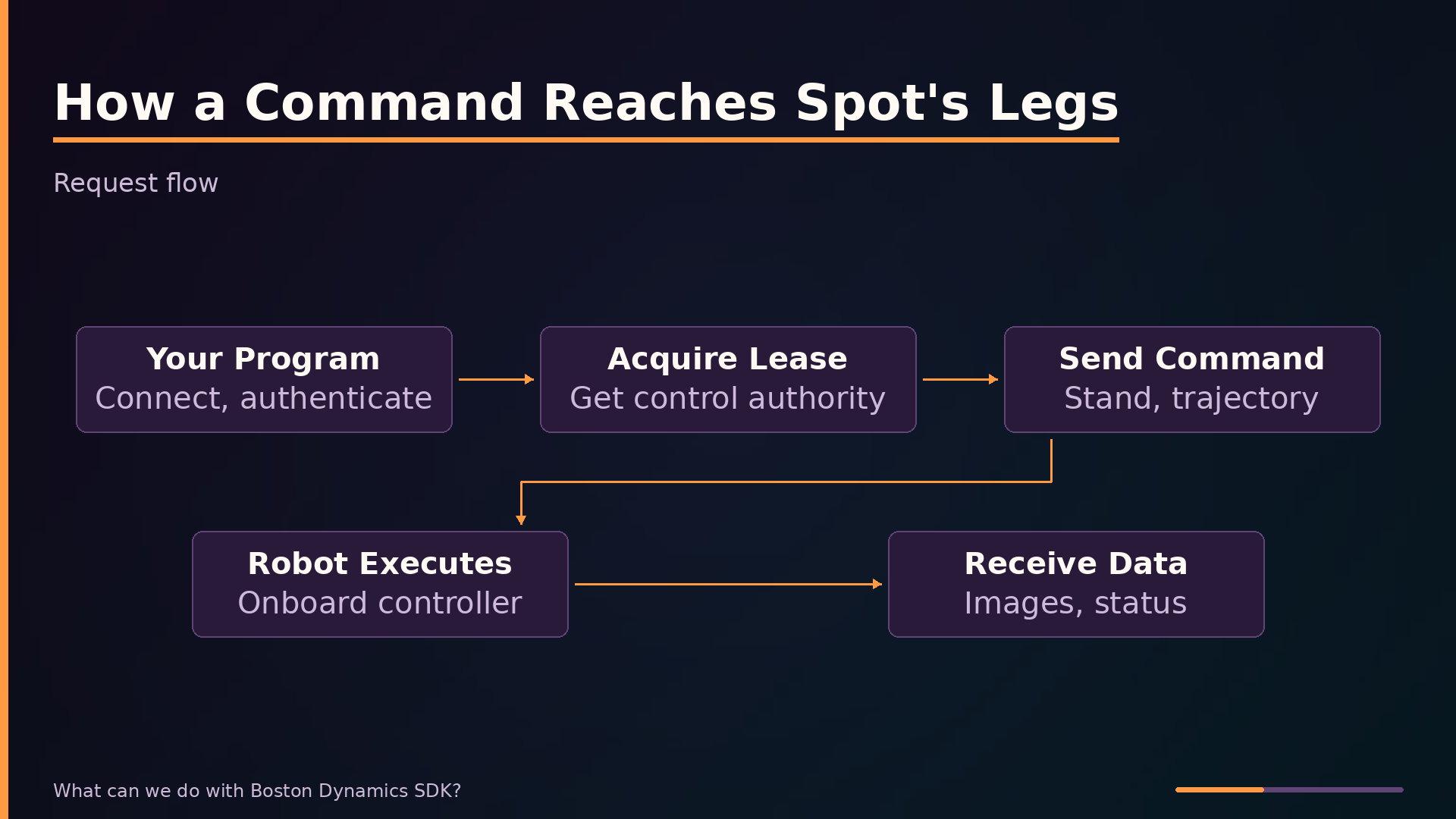
The request flow follows a strict sequence. Your program first establishes an authenticated connection to the robot’s IP address. It then acquires a lease—a token granting exclusive control authority. Only after lease acquisition can you send movement commands. Spot’s API validates each command against safety limits before execution; commands that would cause a fall or collision are rejected outright. During execution, the robot streams back images, sensor data, and status updates.
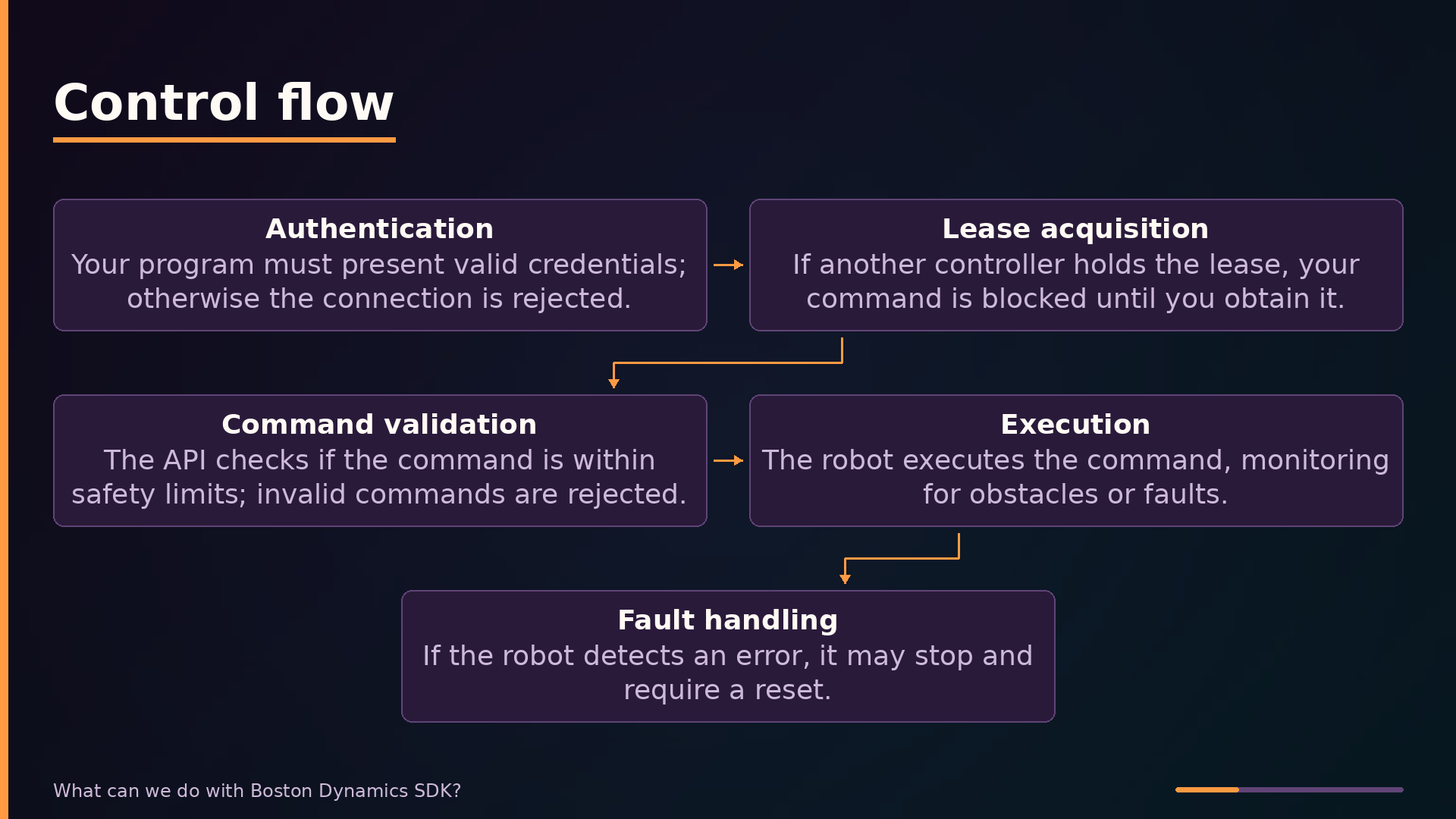
The lease system is the critical arbitration mechanism. It ensures only one controller—your program, the tablet app, or Scout—holds authority at any moment. If an operator is driving Spot with the tablet, your program’s lease request will be blocked until the tablet releases control. This prevents conflicting commands from reaching the robot’s control loop.
Safety validation happens at two points. The API layer rejects commands that violate kinematic or environmental limits before they reach the control system. During execution, Spot’s onboard autonomy continuously monitors for faults; if it detects an unstable state or unexpected obstacle, the robot halts and requires a manual reset before resuming.
Key Features: What Problems They Solve
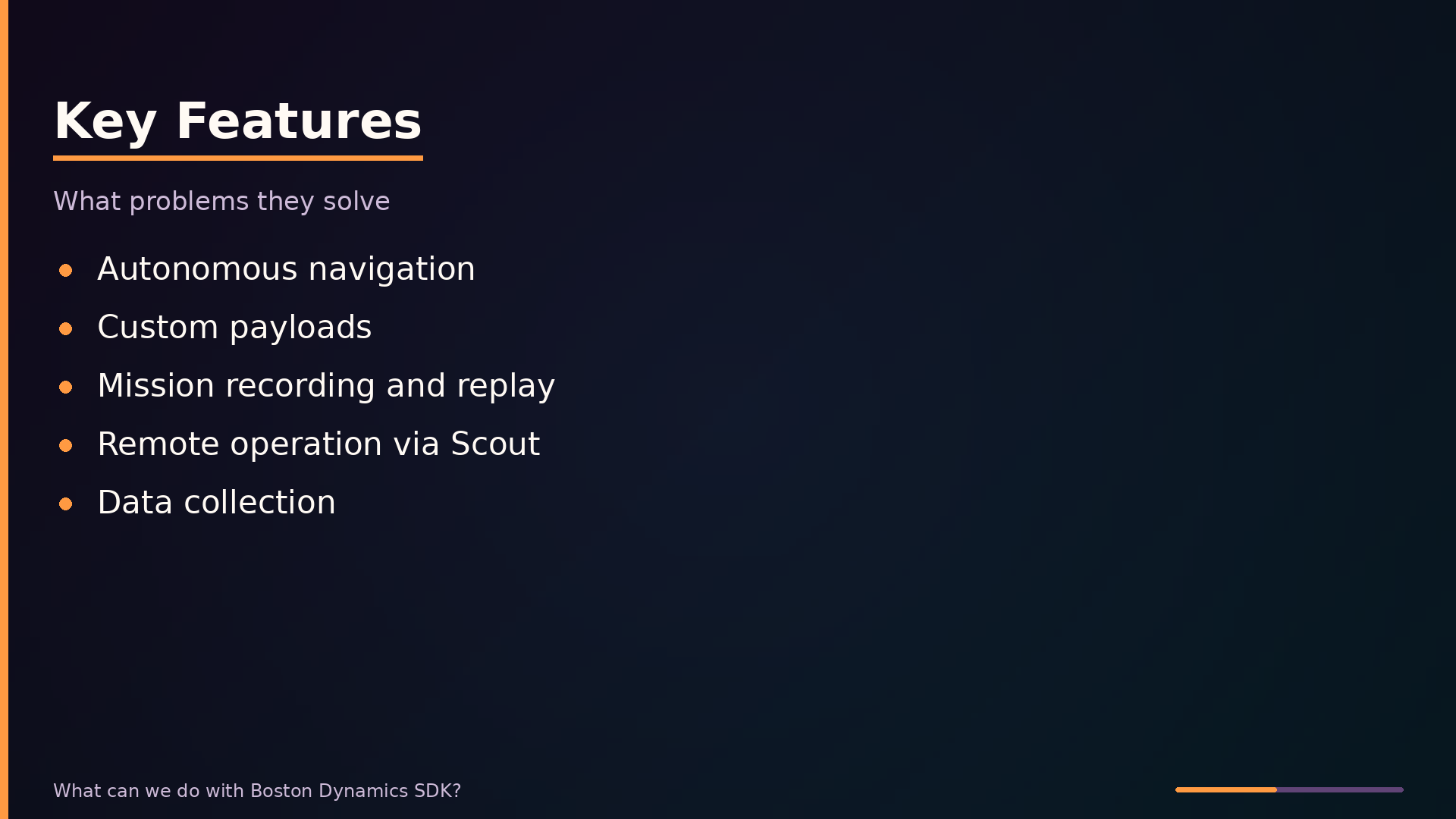
Autonomous navigation removes the need for a human to drive Spot through every patrol. The SDK’s navigation API accepts waypoints, and Spot’s onboard perception handles obstacle avoidance during transit. For a facility patrol mission, you define a sequence of coordinates and Spot walks the route while its built-in safety systems handle unexpected obstructions. This turns a teleoperation task into a supervision task: the engineer monitors rather than steers.
Custom payloads solve the problem of collecting data the stock robot cannot sense. Spot ships with cameras, but an inspection mission may require thermal imaging, gas detection, or acoustic monitoring. The payload interface lets you mount third-party sensors and integrate them with the SDK, so your program can correlate sensor readings with the robot’s position and time. For real-time processing, a payload computer onboard Spot runs your code close to the sensors, avoiding network latency.
Mission recording and replay addresses repeatability. Using the tablet app, you walk Spot through a route once—stopping at each gauge or inspection point. The SDK can then replay that recorded route programmatically, executing the same path on a schedule. This is the fastest path to a repeatable inspection mission because it requires no waypoint programming; the tablet captures the route geometry, and your code adds the per-stop logic.
Remote operation via Scout removes the distance constraint. Scout runs in a web browser, so an operator can command Spot from a safe location—across a plant floor or across a site—without line-of-sight to the robot. This matters for hazardous environments where standing near the robot is unsafe, and for missions where the operator must be elsewhere while Spot works.
Data collection gives your application access to what Spot sees. The SDK’s ImageClient and related services stream camera feeds and point clouds to your program, enabling automated analysis. A gauge-reading mission, for instance, captures an image at each stop and runs computer vision locally or in the cloud. The SDK does not just move the robot; it feeds the sensor data that makes the mission useful.
Use Cases: Where It Fits and Where It Doesn’t
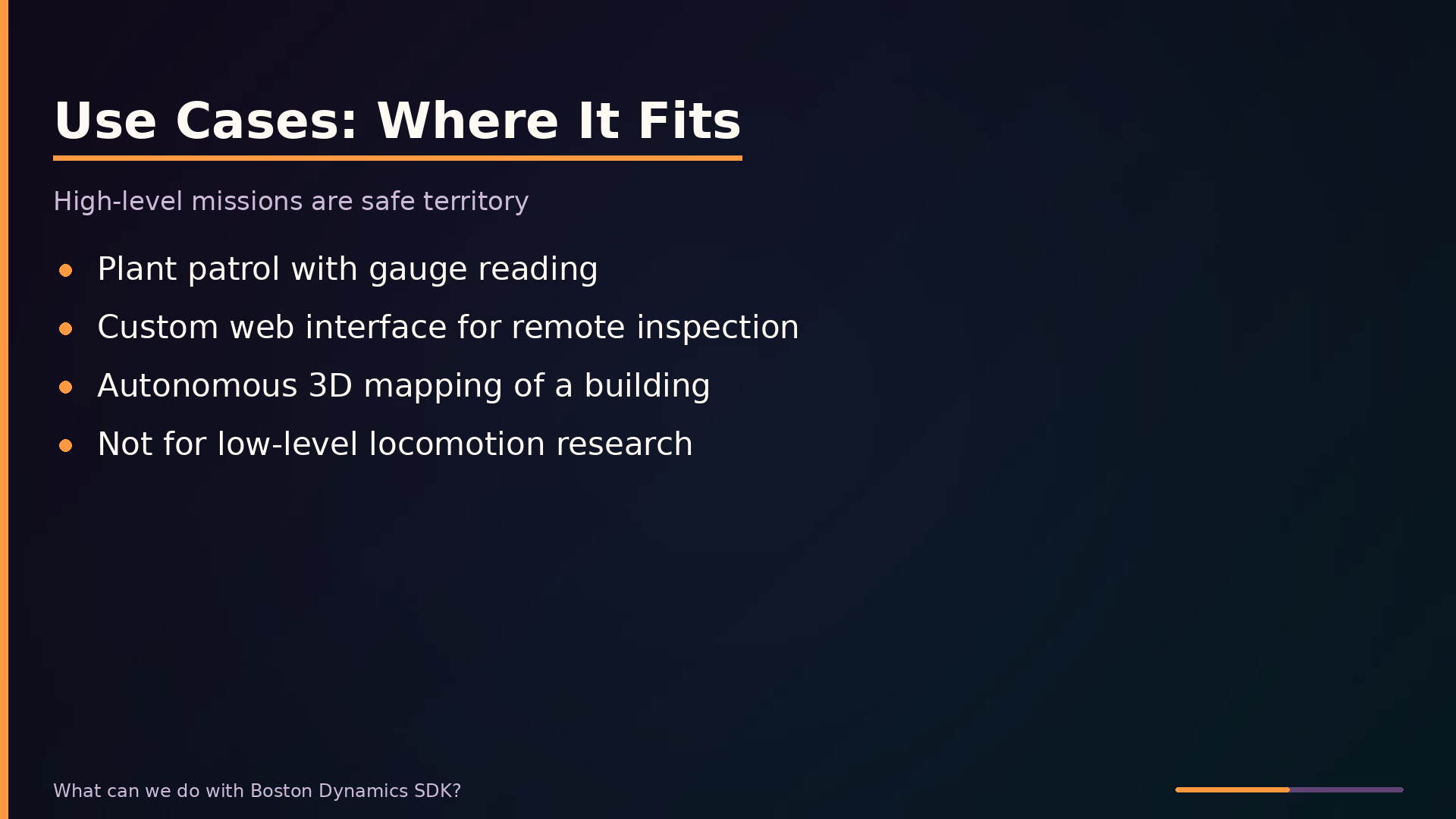
A plant patrol mission is a textbook fit. You program Spot to walk a fixed route, stop at each gauge cluster, and capture images through the SDK’s camera access. The onboard autonomy handles balance and obstacle avoidance while your code handles the inspection logic. This works because the mission is composed of high-level primitives—waypoints, image capture, and status checks—all of which the SDK exposes directly.
Custom web interfaces for remote inspection are equally well supported. The Python client gives you programmatic access to video streams and robot state, while the Scout API provides a browser-based path for operators who do not need a custom application. You can build a dashboard that shows live camera feeds and lets an operator issue movement commands from a safe distance, without touching Spot’s locomotion internals.
Autonomous 3D mapping of an unfinished building is another strong use case. The SDK’s mapping and navigation services let Spot explore and build a map of an unknown environment using its onboard sensors. You script the exploration pattern; the robot handles localization and path planning within the framework’s safety constraints.
The poor fit is low-level locomotion research. If your goal is to test a novel walking algorithm, the SDK will not help you. Boston Dynamics deliberately abstracts gait control behind safety limits, and the SDK exposes no joint-level commands or gait parameters. You cannot override the built-in walking behavior, and commands that would violate safety constraints are rejected outright.
The pattern is simple: high-level missions are safe territory, low-level robot research is not. If your task can be expressed as a sequence of waypoints, sensor readings, and data collection, the SDK is the right tool. If your task requires modifying how Spot moves at the mechanical level, you need a different platform or special access from Boston Dynamics.
Interface and Usage: Code That Talks to Spot
Getting started requires three things: the SDK package from Boston Dynamics’ developer site, a Spot on your network with valid credentials, and the Python client installed. The SDK’s primary interface is a Python library that communicates with the robot over gRPC. Boston Dynamics ships example scripts with the SDK; these are the fastest way to learn the API structure.
The minimal workflow is connect, authenticate, acquire a lease, then command. The lease system is critical: it ensures only one controller has authority at a time. If the tablet app holds the lease, your program’s movement commands will be blocked until you obtain it. This prevents conflicting commands from multiple sources.
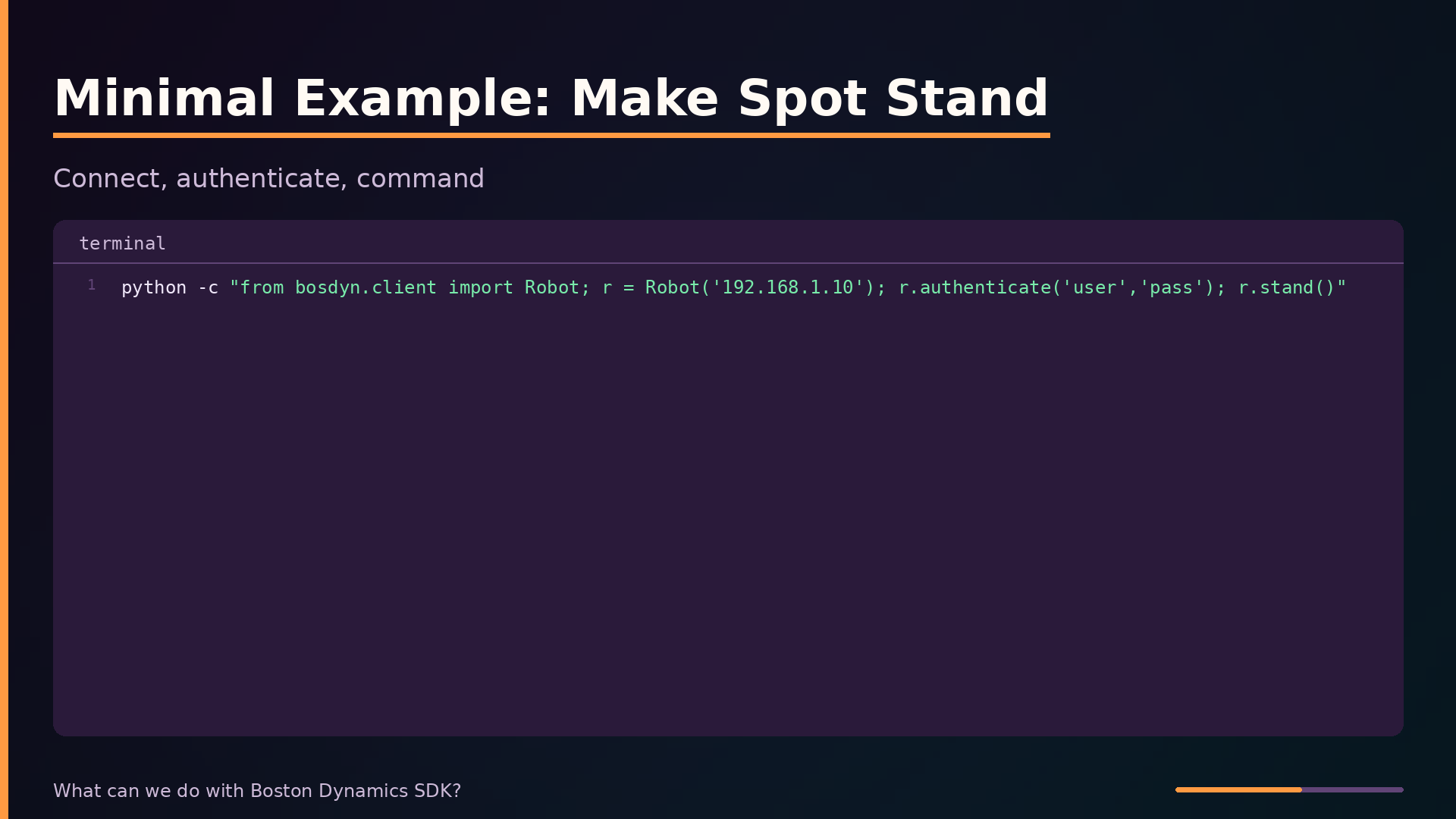
The simplest end-to-end example makes Spot stand:
| |
This connects to Spot at the given IP, authenticates with credentials, and issues a stand command. The Robot class handles the gRPC channel setup and exposes high-level methods.
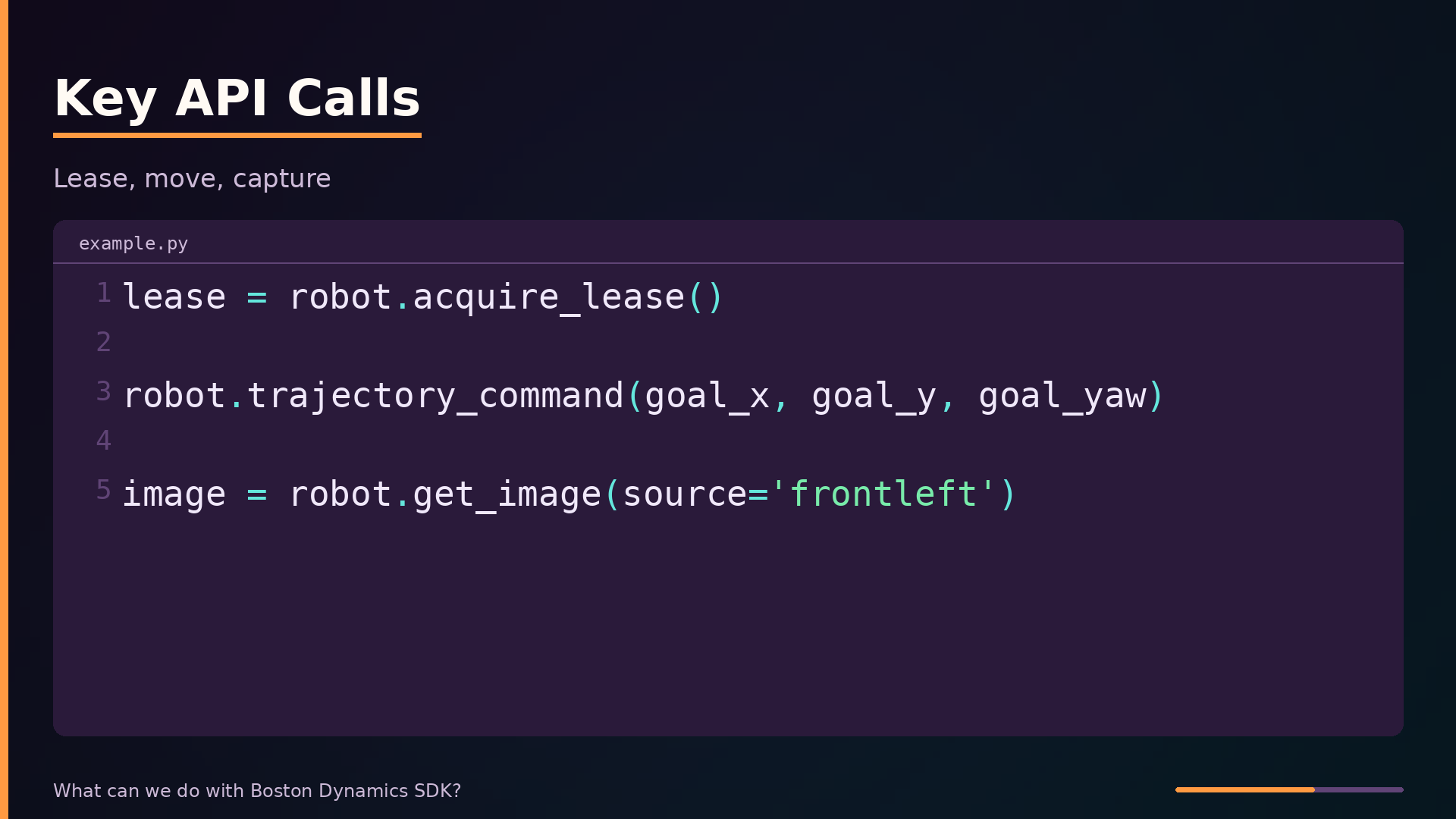
The key API calls follow a consistent pattern. Before any movement, acquire the lease:
| |
Movement commands require that lease. For position control, use trajectory_command, which moves Spot to a specific ground pose:
| |
For perception data, the get_image call captures from a named camera source:
| |
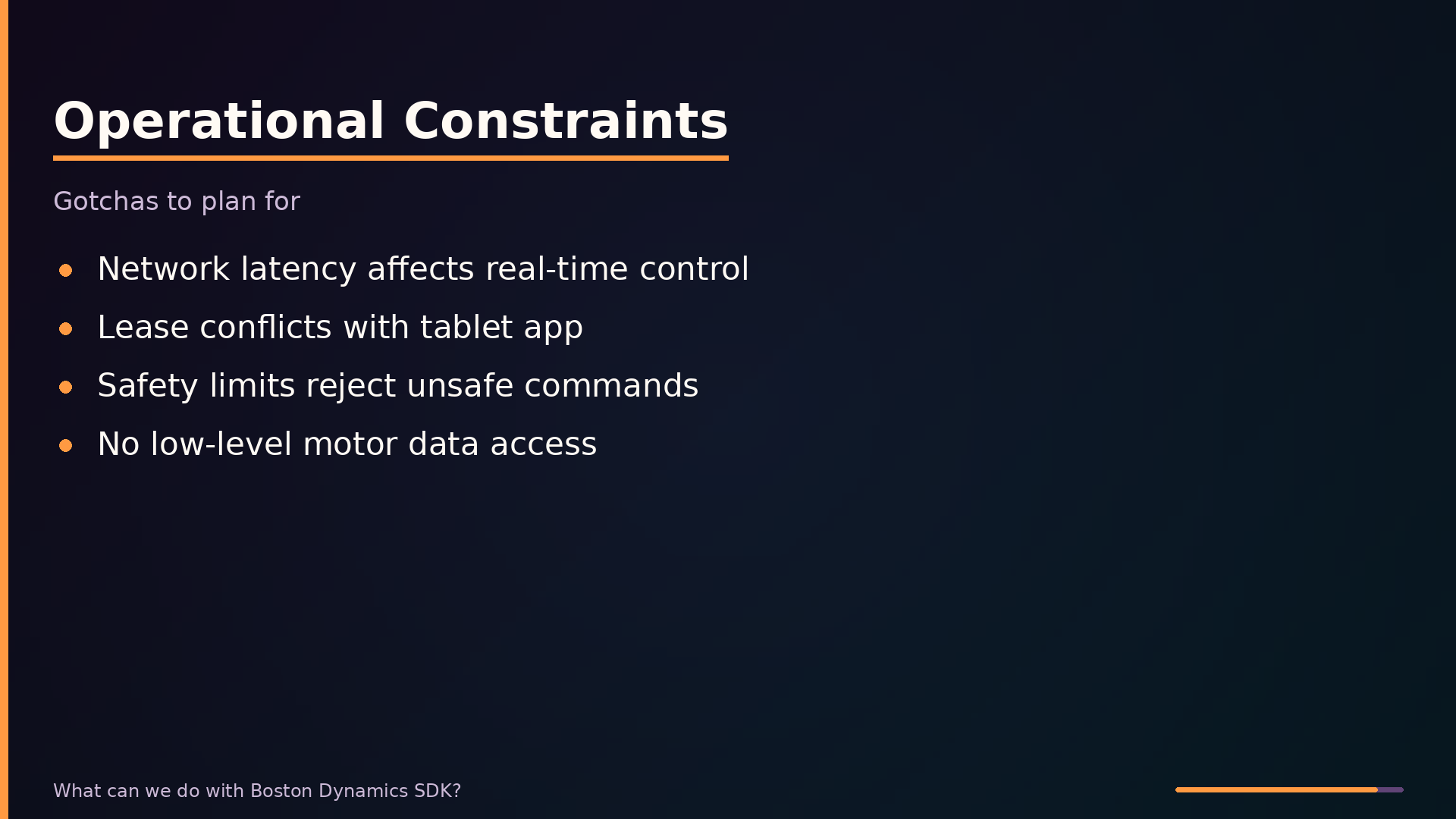
Two operational constraints matter in practice. Network latency affects real-time control; the SDK is not suitable for sub-100-millisecond closed-loop tasks over an unreliable link. And Spot enforces safety limits—commands that would cause a fall or collision are rejected by the API before execution, so your code must handle command rejection gracefully rather than assuming every request succeeds.
Comparison with Alternatives
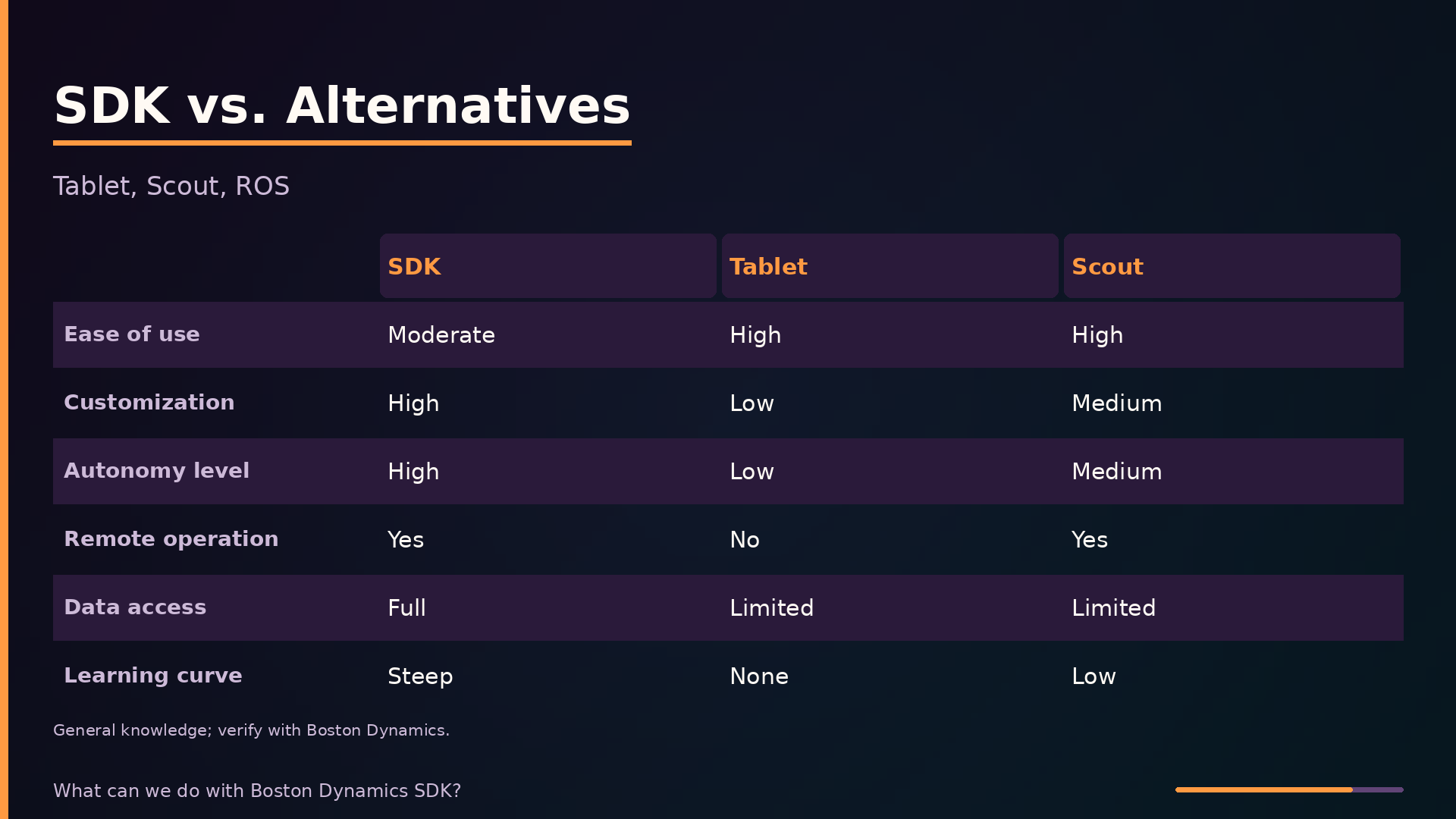
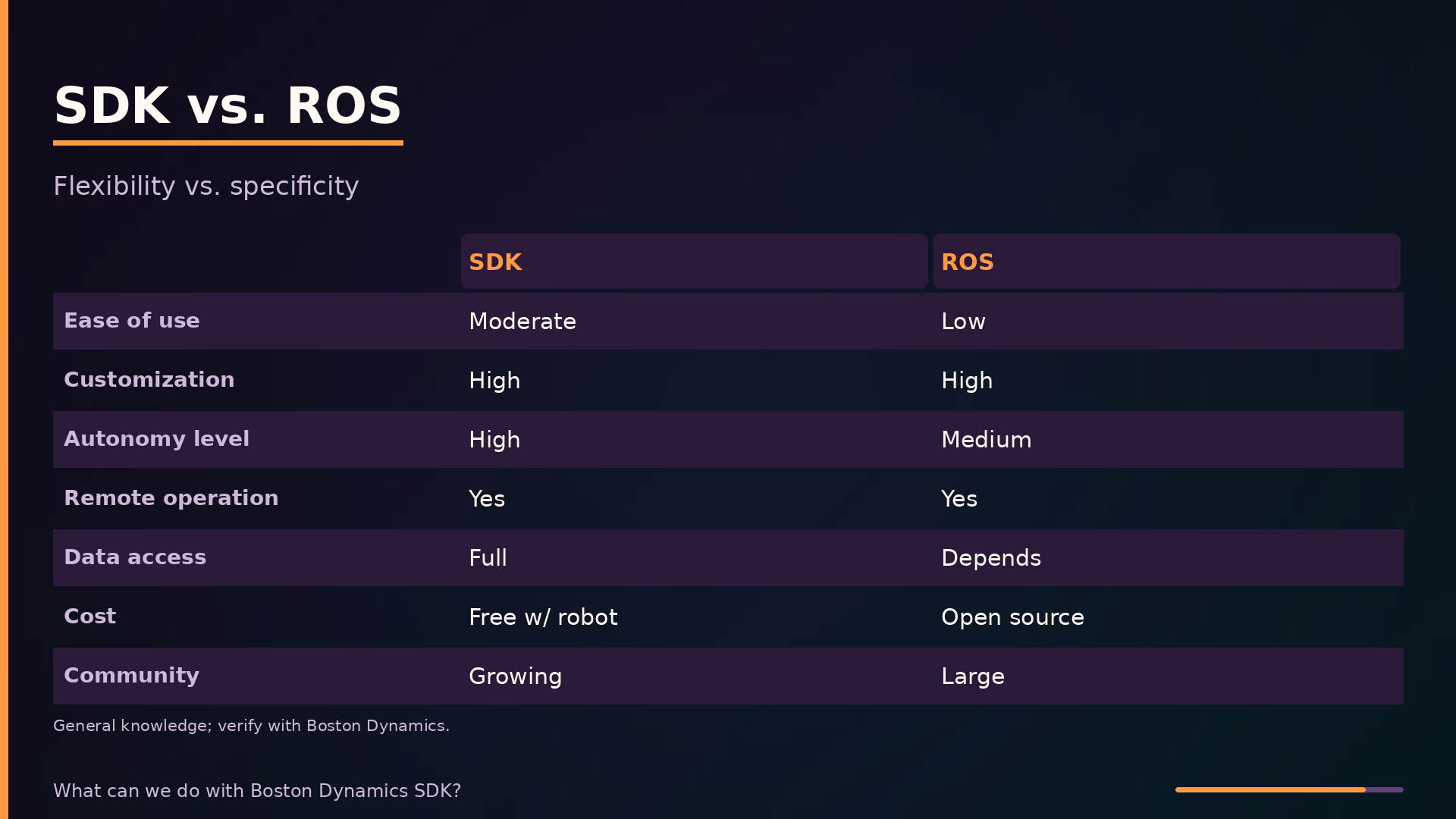
The SDK is not the only way to interact with Spot. The tablet app, Scout web interface, and ROS each occupy different positions in the control spectrum. The table below compares them across the axes that matter for project planning.
| Axis | SDK | Tablet App | Scout | ROS |
|---|---|---|---|---|
| Ease of use | Moderate (Python API) | High | High | Low |
| Customization | High | Low | Medium | High |
| Autonomy level | High (missions) | Low | Medium | Medium |
| Remote operation | Yes (via API) | No | Yes | Yes |
| Data access | Full sensor data | Limited | Limited | Depends on drivers |
| Cost | Free with robot | Included | Subscription | Open source |
| Learning curve | Steep | None | Low | Steep |
| Community support | Growing | N/A | N/A | Large |
This table reflects general knowledge and may be out of date; exact pricing and feature availability should be verified with Boston Dynamics. Where analysis could not determine a value, it is marked unknown.
The tablet app is the simplest path: manual driving with no code, but no automation, custom logic, or data logging. Scout provides ready-made remote operation from a browser but offers only medium customization. ROS is open-source and flexible across many robot platforms, yet it has no built-in support for Spot’s locomotion—you would need to integrate the SDK’s Python client into a ROS node to bridge that gap.
The SDK sits between these extremes: moderate ease of use, high customization, full sensor data access, and the steepest learning curve of the first-party options. For teams that need repeatable autonomous missions, the SDK is the only path that combines programmatic control with Spot’s native capabilities.
Lease Management and GraphNav: The Hidden Complexity
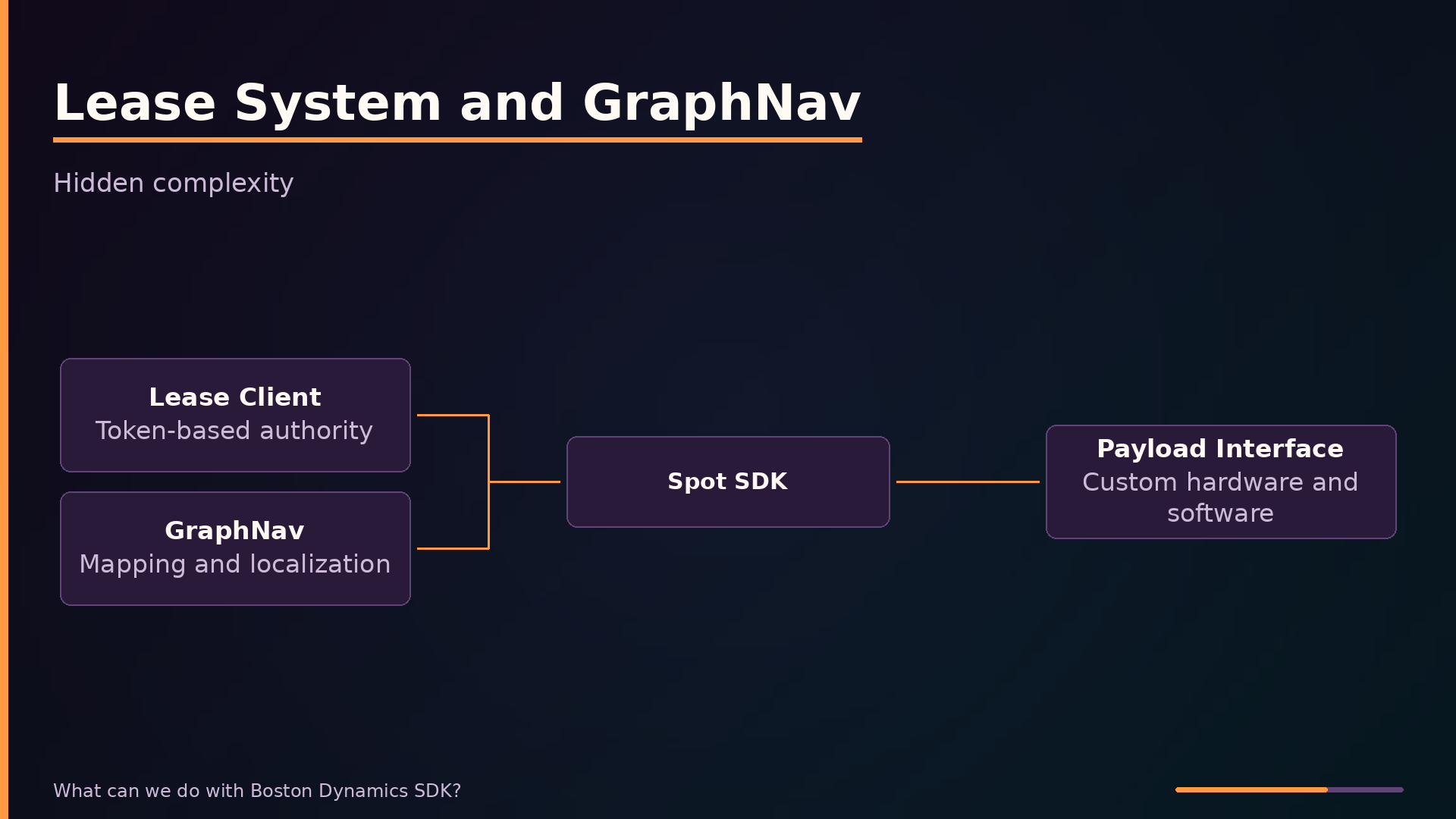
Two mechanisms determine whether a Spot program succeeds or stalls in the field: the lease system and GraphNav. The lease is a token-based authority mechanism that ensures only one controller can command the robot at a time. Before any movement command, your program must acquire the lease; otherwise, the API rejects your requests. This matters most in multi-controller setups where a tablet, Scout, and your custom application might compete for control.
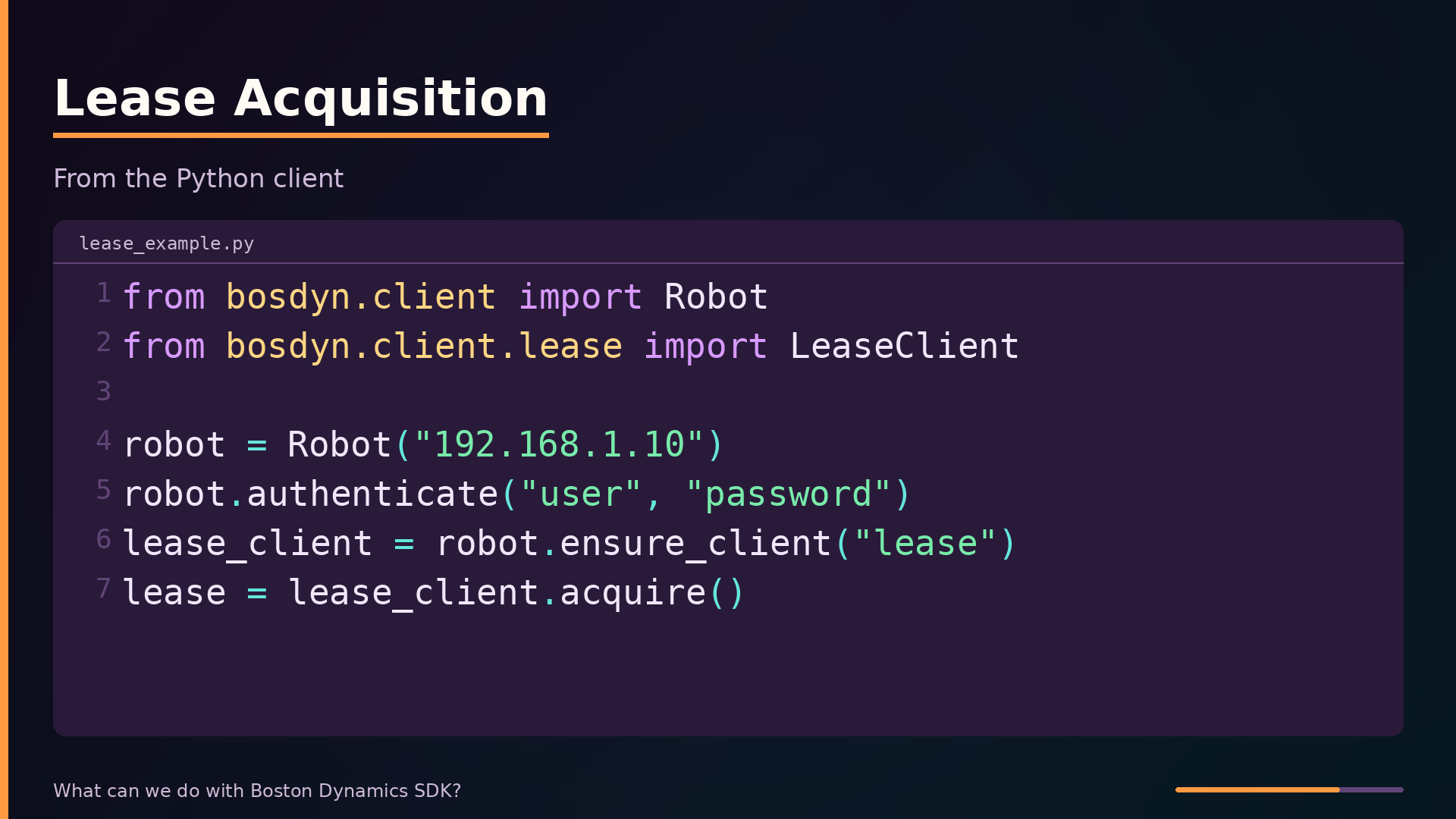
The acquisition pattern is straightforward. From the SDK’s Python client, you request the lease and hold it for the duration of your mission:
| |
The LeaseClient manages the token lifecycle. If the tablet app is connected and holds the lease, your acquire() call blocks or fails until you take stewardship. A common failure mode is forgetting to release the lease when your program exits, which leaves the robot unresponsive to other controllers until the lease times out.
GraphNav handles the other half of autonomous missions: knowing where the robot is and how to reach a goal. You first record a map of the environment using the tablet or SDK, then GraphNav localizes Spot within that map during operation. Without GraphNav, you are limited to manual teleoperation or simple relative moves; with it, you can issue waypoint commands for patrol routes or inspection sequences.
Payload integration extends Spot’s sensing and processing beyond the factory configuration. You mount custom hardware—thermal cameras, gas detectors, or an onboard computer—and expose it through the SDK’s payload interface. The payload computer can run gRPC services that your application calls alongside the robot’s native APIs, giving you real-time data processing without round-tripping through a remote server.
These mechanisms are not optional plumbing. A program that skips lease acquisition will be blocked by the API. A mission that assumes the robot knows its position without a GraphNav map will fail at the first waypoint. Plan for lease stewardship—who holds it, when it is released, and what happens if the tablet reconnects mid-mission—before you write your first movement command.
What to take away
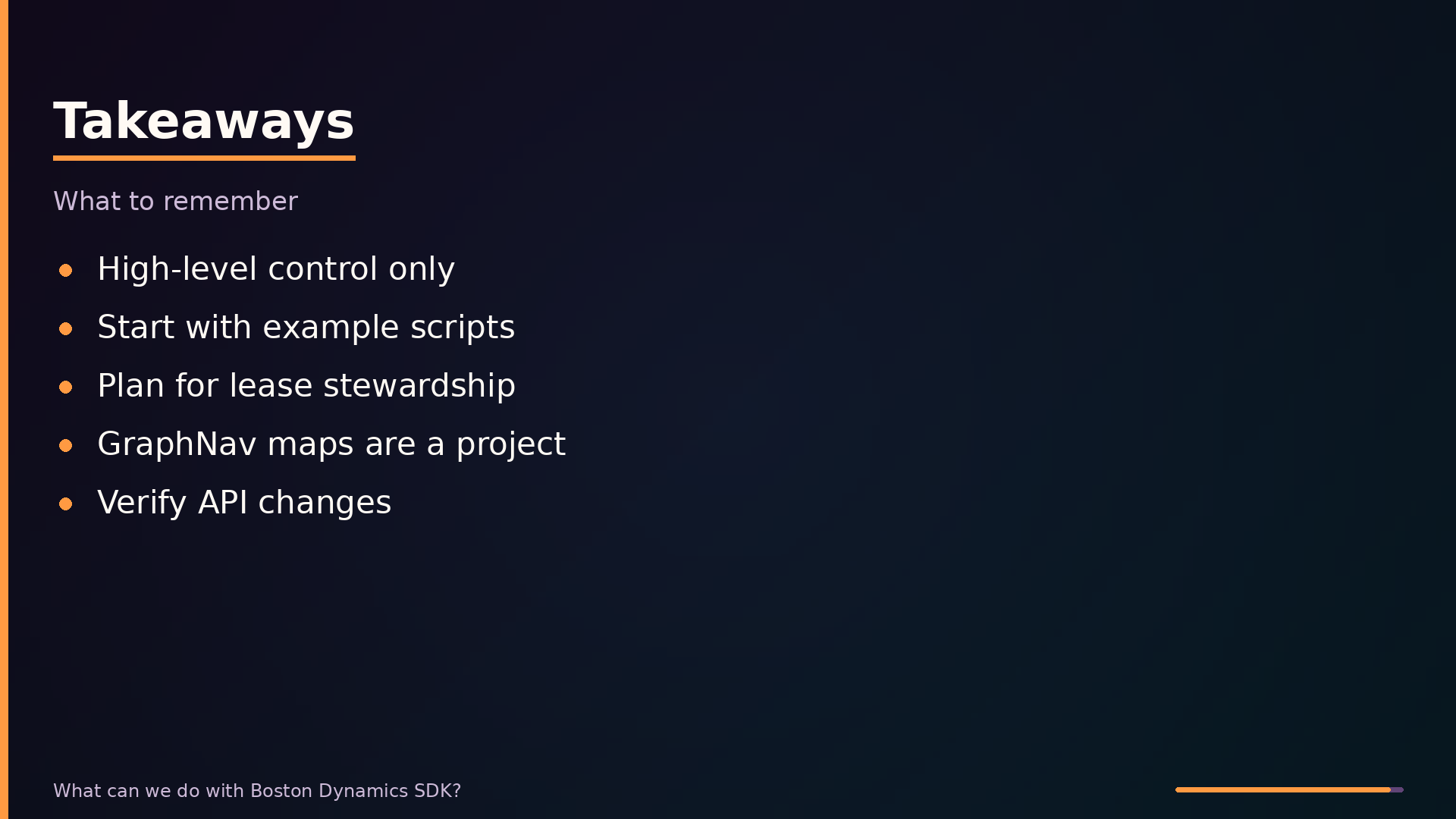
The SDK’s boundary is its most important feature. You get high-level control—waypoint navigation, image capture, lease management—but not access to the walking algorithm or joint-level dynamics. Plan your project around what Spot already does well: patrol routes, sensor collection, and repeatable inspection tasks. If your goal requires new gaits or low-level motor experimentation, this SDK is the wrong tool.
Start with the example scripts. They demonstrate the lease acquisition pattern and the authentication flow that every program must implement. Expect to spend time on network configuration and lease conflicts with the tablet app; these are the practical friction points that documentation undersells.
The hidden complexity sits in GraphNav and lease management. GraphNav gives you autonomous navigation through mapped environments, but building and maintaining those maps is a project in itself. Lease management prevents conflicting commands, but it also means your program must handle lease loss gracefully when another controller takes over.
What remains unclear is the cloud service pricing and the SDK’s evolution. Scout and fleet management costs require a sales conversation, and APIs change between releases. Budget time to re-test against new SDK versions.
The repository contains working examples for authentication, lease acquisition, and basic movement commands. Clone it, run the examples against a simulated or real Spot, and verify the API behavior yourself before committing to an architecture.
Further diagrams